Drivers have been asking Google to lift its 10-point limit in the same support thread since July 2019, with no movement. Every free route planner stops accepting addresses somewhere, and the place it stops decides more than the number on the pricing page does.
Some tools drive the sequence you typed and some rewrite that sequence against road-network travel times, and only the second group takes distance out of your day. Nothing in either group is unlimited.
| Topic | Key Point |
| Why no free planner is unlimited | Five limit types, from hard stop caps to trial clocks and export paywalls |
| HERE WeGo | Free with no published stop cap, but you order the stops yourself |
| Maptive | 73 stops per optimized route, limited by a 10-day trial clock, not a count |
| Google Maps | 9 stops including the destination, no reordering, unchanged since 2019 |
| MapQuest | 26 optimized stops free, bulk paste and CSV import |
| RouteXL | 20 optimized stops, no account needed, lower-quality free geocoding |
| Routific | No stop cap at all, capped instead at 100 orders per month |
| Spoke Route Planner | Full driver app free, 10 stops per route, formerly called Circuit |
| Zeo Route Planner | Manifest photo capture, free allowance disputed across sources |
| Apple Maps | 14 stops on iPhone, manual order, no export |
| RoadWarrior | 8 stops free, and free routes are saved only to the device that made them |
| Route4Me | 10 stops on the free mobile plan, routes expire after 7 days |
| How to pick one | Match the limit type to how often you plan, and test your addresses first |
Why No Free Route Planner Has Unlimited Stops
Speedy Route closed on February 14, 2025. For years it had been the standard answer for someone who needed an optimized route occasionally rather than daily, giving away 10 locations and 3 route calculations per IP address in any 24-hour window. Its closure removed the most casual free optimizer from the market, and the search phrase it used to rank for now points at products that all charge somewhere.
Free multi-stop routing exists and it does useful work. The five mechanisms below fail in five different ways.
The Five Limit Types on a Free Plan
Every free tier reviewed here uses one of five mechanisms, and some use two at once.
- A hard stop cap per route. RoadWarrior stops at 8, Spoke at 10, Google Maps at 9 including the destination, RouteXL at 20, MapQuest at 26. The tool tells you plainly when you reach it.
- A monthly volume quota. Routific puts no limit on stops per route and instead counts 100 dispatched orders per month.
- A per-day request cap. RouteXL advertises unlimited routes on the free plan and then applies a fair-use policy of roughly 20 requests a day, on the stated grounds that the calculations require heavy resources.
- A trial clock. Maptive gives 10 days, OptimoRoute 30, Badger Maps 7. Nothing is withheld while the clock runs, which makes these the most generous free tiers and the shortest.
- A paywall on the output rather than the input. MyRouteOnline lets you build a free route and then refuses to save, reload, export or email it. RoadWarrior stores free routes on one device only.
The fifth type costs people the most, because it arrives after the work is done.
Route Planning Versus Route Optimization
The distinction most roundups skip is what happens to your sequence. Google Maps, Apple Maps, HERE WeGo and Waze draw directions through the sequence you entered. RouteXL, MapQuest, Maptive, Spoke, Zeo, RoadWarrior, Routific and Route4Me resequence the list against road-network travel times before you drive it.
A driver who enters 15 addresses into Apple Maps has already decided the order, while a driver who enters the same 15 into RouteXL is asking the tool to decide it. Optimized routes are commonly reported as 10% to 30% shorter than hand-sequenced ones, a range published by vendors with an interest in it, though the direction of the finding matches what drivers describe.
Why Free Stop Caps Stop Between 8 and 26
The arithmetic underneath these caps is the traveling salesman problem, first taken up mathematically by Merrill Flood in the 1930s on a school bus routing question. In 1954 George Dantzig, Ray Fulkerson and Selmer Johnson picked one city in each of the 48 states plus Washington, DC, looked the distances up in a road atlas, found a 12,345-mile tour and proved no shorter circuit through all 49 existed. That was considered a landmark, and it involved 49 points.
10 stops produce 3,628,800 possible orderings. The Held-Karp algorithm cuts the work from factorial to exponential and then becomes memory-bound. Guaranteed-optimal answers are treated as infeasible above roughly 20 to 30 stops once constraints are added. Every commercial planner above that size is running heuristics instead of proofs.
The cost curve explains part of why free tiers stop where they do, but it no longer explains all of it. Optimization compute has gotten dramatically cheaper at the top end, with order-of-magnitude speedups on standard routing problems. A 10-stop cap in 2026 reflects pricing more than it reflects server cost.
1. HERE WeGo
HERE WeGo comes closer to unlimited stops than anything else here, and the compromise it requires illustrates the trade the whole category makes. The app is free on iOS, Android and the browser, with no subscription or consumer paid tier, and HERE publishes no maximum stop count anywhere in its documentation. It covers driving, walking, cycling and public transport, and it downloads maps by region or country so a route survives a dead cell signal.
What it will not do is reorder anything. HERE’s instruction is to add stops and arrange them yourself. There is no optimize button in the consumer app.
The reason the free tier is this complete has nothing to do with generosity toward drivers. The map data descends from Navteq, which Nokia bought in 2007 for $8.1 billion and shipped as Nokia Maps, then Ovi Maps, then HERE Maps. In 2015 Nokia sold the mapping business to Audi, BMW Group and Daimler for roughly €2.8 billion, and the deal closed on December 4, 2015. The consumer app supports an automotive data business. There is no consumer tier to upsell into. The business product, HERE WeGo Pro, is sold under fleet licensing with truck height and weight restrictions and has no self-serve path.
HERE WeGo has 3.5 stars from 501,000 Android reviews, and the complaints cluster on route quality more than on missing features. The app gives away more than any competitor here without being the most accurate one.
2. Maptive
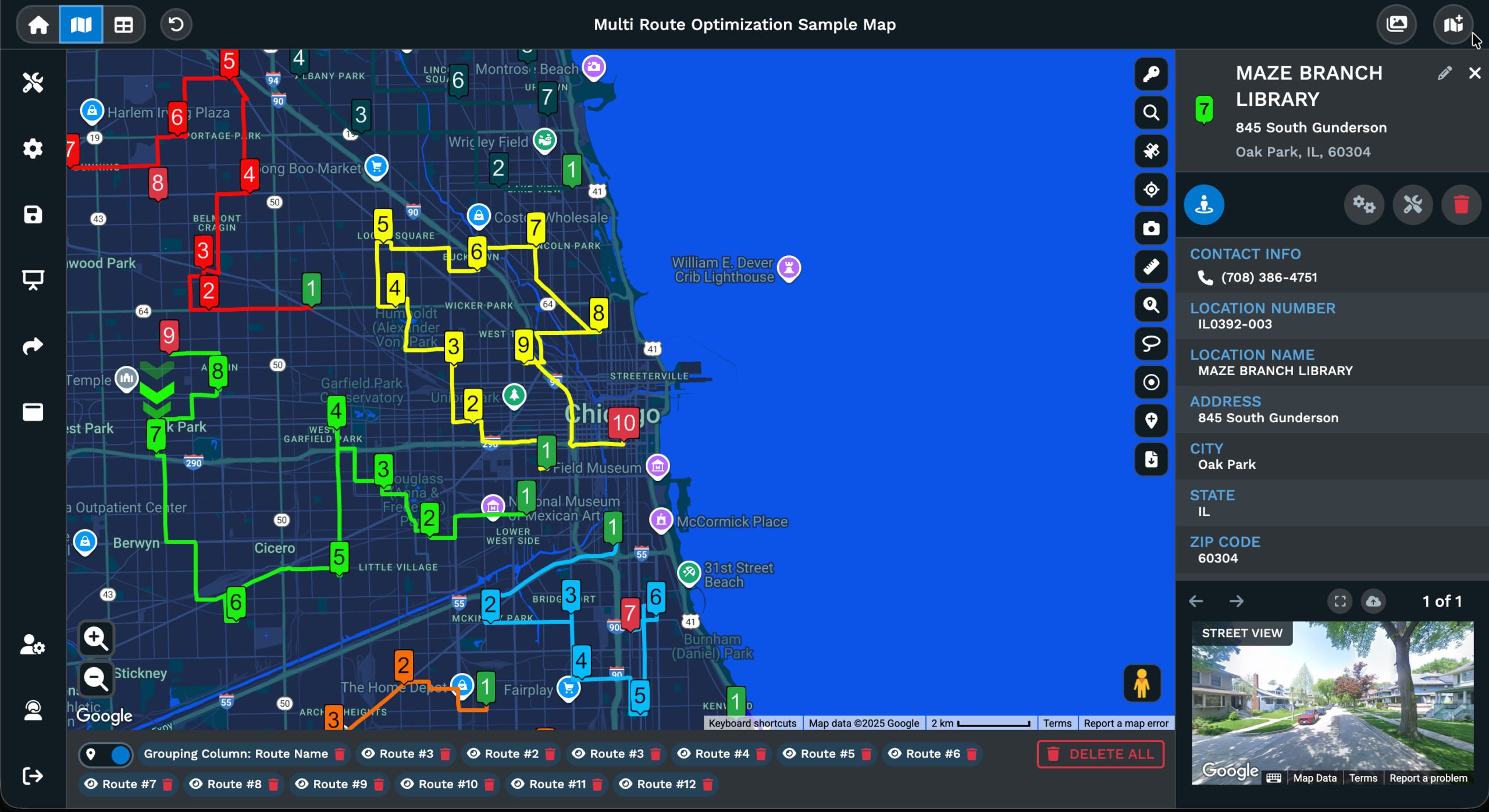
Maptive optimizes up to 73 stops in a single route, the highest per-route stop count any of the eleven publishes, and it gets there by moving the job off the phone entirely. The tool is web-based and built around a spreadsheet of locations instead of an address bar. That suits a sales rep with 400 accounts or an operations manager splitting a territory more than it suits someone typing eight addresses at 6am.
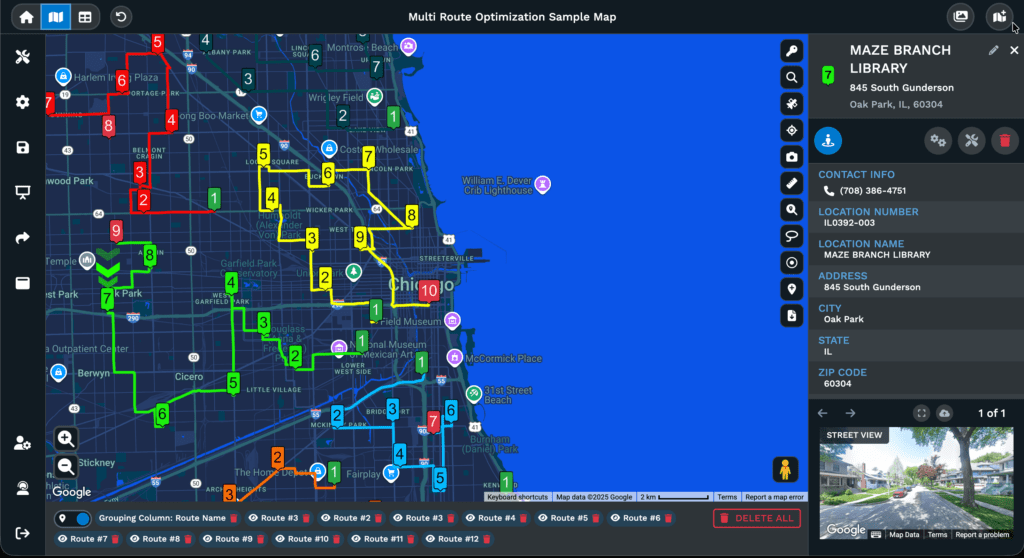
The routing workflow starts on the map, not in a list. You lasso the markers you want to load them into the routing panel, set your start and end points, then optimize. The resequencing holds the first and last stop fixed and reorders everything between them. That is the behavior you want when the route begins and ends at a depot or an office. Any stop can be dragged back into place by hand afterward, and the distances recalculate. Multiple routes can be built on one map at the same time, each named and color-coded. A five-rep week can be planned and compared on a single screen.
The finished route exports to a spreadsheet with a stop-number column and the approximate driving distance and travel time for each leg. Travel times are calculated from posted speed limits and do not account for traffic or weather. That matters if you are building a schedule around them instead of a mileage estimate. Maptive passes the optimized order to a phone for the driving part rather than running the turn-by-turn itself.
The trial is 10 days with no credit card and every tool unlocked, so the 73-stop optimizer, the territory drawing, the radius bands and the export are all available from the first login. After 10 days, it is a paid product with no free tier underneath it. For a one-off territory redraw or a route you need to build once and export, that window is enough. For daily delivery work, it is not a free tool.
3. Google Maps
Google Maps takes 9 stops including the final destination, which is 10 points once the starting location is counted. The figure is identical on desktop, Android and iPhone. Once the tenth point is entered, the control to add another disappears.
Google Maps does not optimize. The only reordering instruction in the help page is to find the destination you want to move and drag it. Multi-destination routing is unavailable for transit and flights entirely.
Google’s engine can do this and the app does not expose it. The Directions API permits 25 waypoints and offers waypoint optimization as an explicit parameter. The capability exists one layer down from the product most people use. Meanwhile the forum thread titled “Highly Requested – Please add more than 10 Destinations to Google Maps. (It worked in Classic Maps.)” opened on July 28, 2019 and is still collecting duplicates, with fresh requests filed in April, October and November 2025. The title names Classic Maps, which allowed more waypoints than the current product. For some users this is a feature that was removed.
Google My Maps is the workaround, where each directions layer takes 10 stops and layers stack on a single map. You can plot a 60-stop trip that way, then sequence it yourself and drive it with a separate navigation app.
4. MapQuest
Most people last used MapQuest to print directions before smartphones, and its current free optimizer keeps surprising the drivers who find it. It accepts up to 26 addresses on a single free route and resequences them, and users choose the objective, either shortest time or shortest distance. Addresses go in by typing, by pasting up to 26 at once, or by importing a CSV, XLS or XLSX file, so a spreadsheet of stops does not have to be retyped.
MapQuest does not publish the 26-stop figure on a limits page, so treat 26 as reliable and unofficial.
It plans for one driver at a time, with no delivery time windows and no customer notifications, so a dispatcher will outgrow it in a week.
5. RouteXL
You can put 20 addresses into RouteXL and get a sequenced route back without creating an account. No tool here asks for less setup. The company has been in business since 2009 and the free tier is the product instead of a lead magnet.
Two further limits apply and only one of them is a number. Routes per day are advertised as unlimited, then a fair-use policy caps free users at roughly 20 requests a day on the stated grounds that the calculations are complex and require many resources. The second limit is quality. RouteXL states plainly on its own pricing page that the free plan uses free geocoding services, which often have usage limits or lower quality, so addresses are not found or are placed in the wrong location. Premium geocoding is a paid feature.
That is the ceiling nobody warns you about, and it affects rural addresses and ZIP-code-only entries most, where the map takes you to the geographic center of an area that may be several miles across. A free tier that refuses your twenty-first address has at least told you where it stops, while one that accepts your twentieth and places it two counties away has not.
6. Routific
An order counts against Routific’s free plan once when it is scheduled to a route, so re-optimizing the same route as many times as you like costs nothing, and orders the algorithm cannot fit because of constraints are not counted at all. That counting rule is what makes this the only tool verified here with no cap on stops per route. The cutoff moved to volume instead, at 100 orders per month counted on work dispatched, with no time limit and every feature included except SMS notifications.
This tier exists because Routific replaced per-vehicle pricing with per-order pricing in mid-2024. 100 orders a month is roughly five deliveries a day on a working week. That fits a small florist, a bakery or a two-van operation and runs out immediately for anything larger. Above the free plan it is a flat $150 a month up to 1,000 orders.
7. Spoke Route Planner
Spoke was called Circuit until late 2025, and the rename breaks most comparison articles written before then. The Play listing still opens by explaining that Circuit Route Planner is now Spoke Route Planner.
The free tier gives unlimited access to every feature with routes capped at 10 stops, and unlimited routes per day. For a driver with a short route that is a complete product, since the free plan includes the delivery time windows, dwell times and live arrival estimates in full. Spoke documents the upgrade path step by step. Add an eleventh stop and an upgrade message appears at the bottom of the screen. Tapping it opens the plan list, and adding a payment method starts a free trial that Spoke’s help page puts at 7 days while its store listing says 14.
The rebrand cost daily users several things, at least by the account of the long-time reviewers who tracked it. The external handoff to Google or Apple Maps gave way to an in-house map, and the speed-limit display and the arrival times on the stop list went with it. Reach is not in question at 10 million-plus Android downloads and 4.7 stars from 184,000 reviews, so the risk here is stability through a version change.
8. Zeo Route Planner
Point a phone camera at a printed delivery manifest and Zeo will read the addresses off it. That input method, along with voice entry tuned for varied accents, is the strongest thing about the app. Spreadsheet import is supported, and navigation is handed off to Google Maps, Apple Maps, Waze, TomTom or HERE WeGo.
The free allowance is not consistently documented, and the sources disagree with each other rather than with a third party. Zeo’s own pricing page lists 3 routes per day on its entry plan, its FAQ describes a 7-day trial across all plans with no credit card, its App Store listing gives 12 routes a month with unlimited stops, and 15 stops per route circulates as a fourth figure. Anyone relying on a specific number should confirm it in the app before planning a week around it.
9. Apple Maps
Apple Maps has supported multi-stop driving routes since iOS 16, and Apple’s limit is 14 stops along a route, a figure sometimes given as 15 when the destination is counted separately. Stops can be added mid-drive, and the route card has an Edit Stops control for reordering by hand.
Apple Maps does not optimize the sequence, and the route cannot be exported off the device that built it. Combined with the iPhone and Mac lock, that makes it a reasonable free answer for a personal errand loop and a poor one for work that gets planned in one place and driven from another.
10. RoadWarrior
RoadWarrior’s free Basic account allows 8 stops per route, lower than anything else free here. It does optimize within that limit, and it supports fixed start and end points, dropped stops, time windows and spreadsheet import. The features are all present at a cap most delivery work passes on the first run.
Sync is the second limit and it is the one that bites. Basic users can save unlimited routes and favorites, and those are retrievable only from the phone that created them. Change phones and the history goes with the old one. RoadWarrior prices Pro at $14.99 a month or $120 a year for a 120-stop cap with cross-device sync. Rural coverage is strong in areas with almost no cell signal, though a 2026 app update drew heavy criticism for slow address entry and a 38% battery drop across roughly 20 minutes of planning.
11. Route4Me
A route you build on Route4Me’s free mobile plan is gone in 7 days, so a recurring weekly route has to be rebuilt instead of reopened. The plan also caps each route at 10 stops.
The optimizer itself is sound, and the platform behind it is a full commercial dispatch system. The free plan is a sample of that system. Route4Me does not publish pricing on its own site, and reviewers report that the self-serve web trial has been replaced with a sales conversation. The free mobile plan exists to generate those conversations.
How to Pick a Free Route Planner for Your Stop Count
MapQuest’s 26 free optimized stops beat Maptive’s 73 for a driver who needs a route every day and will never pay, and lose badly to it for an operations manager who redraws a territory once a quarter and exports it. The stop number is a specification, and the form the limit takes is what decides which tool fits.
Match the Limit Type to How Often You Plan
Anyone planning daily needs a plan that covers a full day. Among the free tiers here only Routific gets there, and only by counting dispatched orders instead of stops. That caps a five-day week at around 100 deliveries. Someone running 40 packages every morning should treat every other free tier on this page as an evaluation period.
For occasional planning the calculation inverts. A trial clock or a monthly quota gives you the whole product for the window you need it, and a manager redrawing sales territories twice a year is better served by 10 unrestricted days than by a permanent 10-stop allowance that never grows.
Check Where Your Address List Is Stored First
Where your addresses are already stored decides more of this than any stop count. A list of 800 customers in a spreadsheet needs import, saved lists and export. That points at the web-based tools and rules out most phone-first apps immediately. The MapQuest free tier keeps nothing between sessions. The same list gets re-imported every morning, and that cost compounds daily in a way a stop cap never does.
The geocoding warning in the RouteXL entry applies to every free tier here, and it is testable before you commit. Run 20 of your hardest addresses through the tool and look at where the pins fall. That test takes 10 minutes, and it tells you more about the tool than any published limit.
Frequently Asked Questions
Is there a free route planner with unlimited stops?
No free tool that optimizes offers unlimited stops. Google My Maps plots unlimited points across stacked layers but never reorders them. Routific is the closest exception, capping dispatched orders at 100 a month instead of capping stops.
How many stops can Google Maps handle?
Google allows 9 stops including the final destination, which is 10 points once the starting location is counted, and the limit is identical on desktop, Android and iPhone. Multi-destination routing is unavailable for transit and flights.
Does Google Maps optimize the order of stops?
The consumer app routes stops in the order you enter them, and the only way to improve the sequence is to drag destinations by hand. Automatic reordering exists in Google’s Directions API through an optimization parameter, and it has never been exposed in the app.
How do I add more than 10 stops on Google Maps?
Split the trip into consecutive 10-point routes, or build it in Google My Maps, where each directions layer takes 10 stops and layers stack on one map. Neither approach optimizes the sequence or gives turn-by-turn directions.
How many stops can you add in Apple Maps?
Apple documents 14 stops along a driving route on iOS 16 and later, a figure sometimes given as 15 when the destination is counted separately. Apple Maps does not reorder stops, and routes cannot be exported off the device.
How do I plan a route with 50 stops?
No consumer navigation app will take 50 stops in one route, so the options are splitting the day into several legs or using an optimizer that accepts a spreadsheet upload. Maptive sequences up to 73 stops in a single optimized route.
What is the maximum number of stops for route optimization?
Free consumer tools stop between 8 and 26. Paid tiers reach 73 stops per optimized route on Maptive, 120 on RoadWarrior Pro and 200 on RouteXL, while enterprise dispatch platforms reach into the thousands across multiple drivers.
Why can’t free tools optimize a lot of stops?
Ordering stops is the traveling salesman problem, and the number of possible sequences grows factorially. 10 stops produce 3,628,800 orderings, and guaranteed-optimal answers become impractical above roughly 20 to 30 stops with real constraints applied.
Can Waze do multiple stops?
Waze allows one intermediate stop between your start point and your destination. It cannot import an address list or export a route, so a multi-stop day means starting a new drive after each arrival.
Is there a free multi-stop route planner app for phones?
Spoke Route Planner gives every feature free at 10 stops per route with unlimited routes. RoadWarrior Basic caps routes at 8 stops, Route4Me’s free mobile plan at 10 stops on routes that expire after 7 days, and Zeo’s mobile free tier at a limited number of routes per month.
What is the difference between a route planner and route optimization software?
A route planner draws directions through the stops in the order you provide, while optimization software reorders them against road-network travel times and constraints such as time windows. Google Maps, Apple Maps and Waze are planners, and RouteXL, MapQuest, Maptive and Spoke are optimizers.