


Mapping Software for Marketing
Who is your next campaign for, and where do they live? If your customer list includes addresses, Maptive can answer both questions on one map. Try it with your customer list, free for 10 days.
No credit card required
Trusted by teams at
















Mapping Software for Marketing Teams
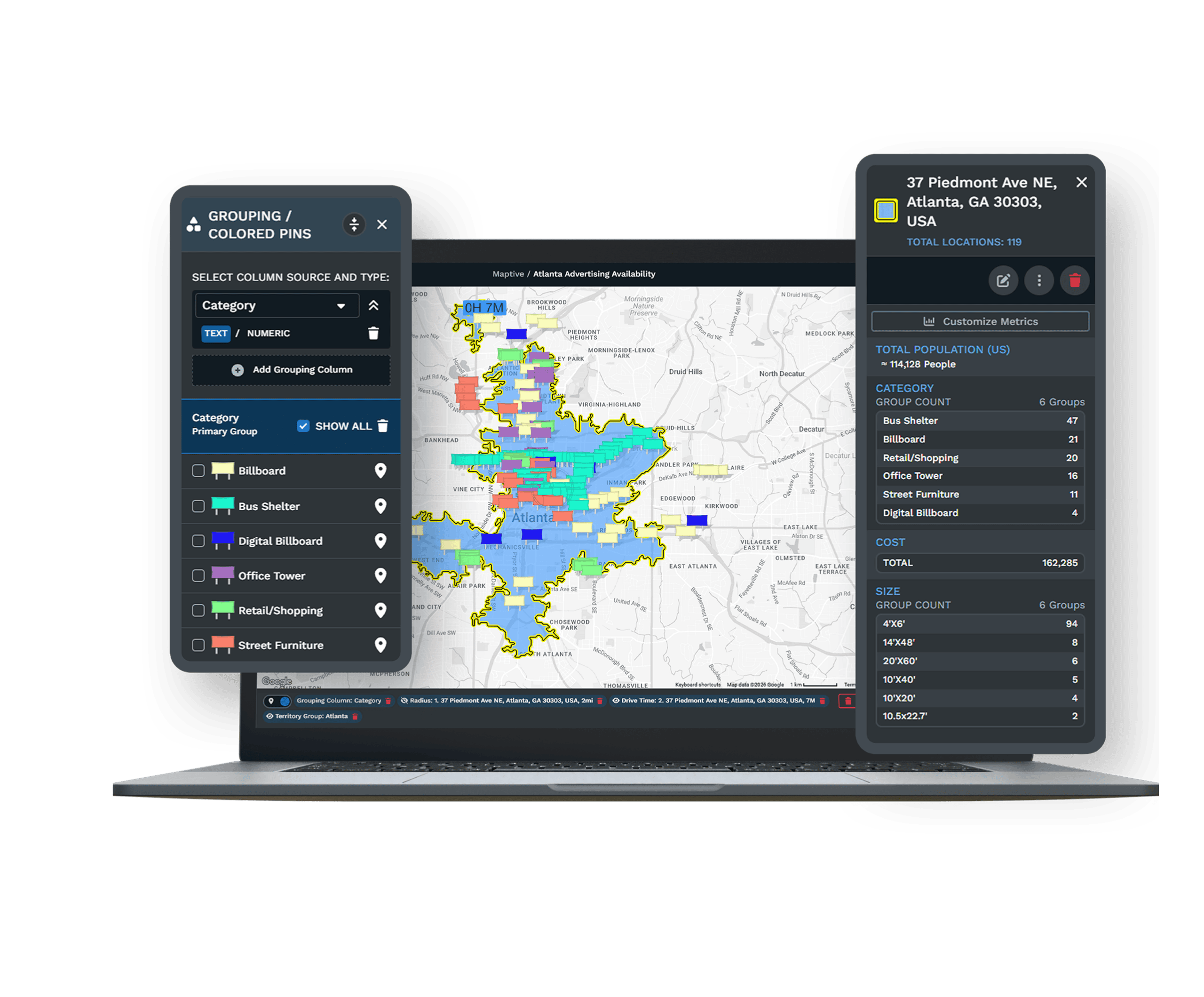
Maptive shows you where your customers are. Upload the customer list and each address becomes a point you can segment by any column in the file. Layer census data underneath to see who lives in each area before you spend on it. The census data comes with every plan at no extra cost.
Map Customers and Prospects
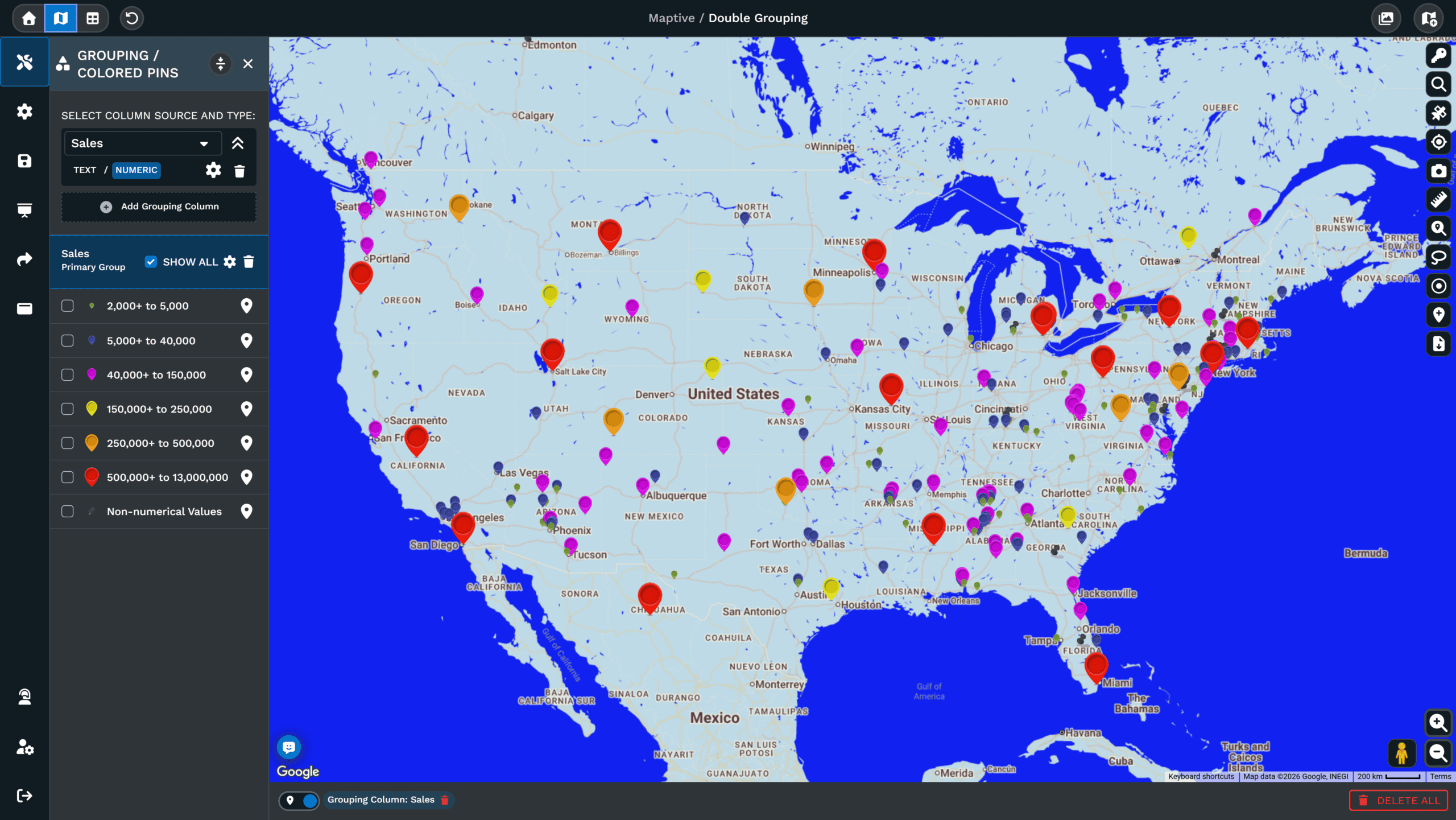
Customer and prospect records upload as one spreadsheet, and geocoding repairs incomplete addresses on upload. Color coding by segment or value separates the audiences at a glance.
Segment Audiences by Geography
The filter tool isolates one segment at a time, and markers can be grouped and colored by any column. A segment's geography becomes visible on the map without another pivot table.
Target by Demographics
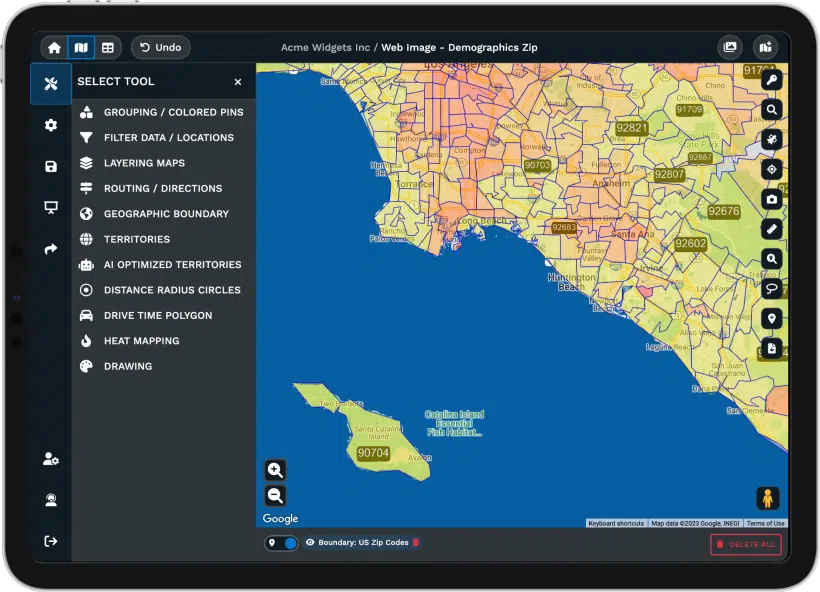
More than 50 US Census variables, down to tract and block-group level, layer under your customers. Campaign targeting can be matched to the income and age profile of each area.
Export Lists for Campaigns
Select any area with the lasso, a boundary or a radius, then the records inside export as a spreadsheet. The export is the campaign list, matched to the area you chose on the map.
Every Campaign Gets Its Own Map
The customer file answers more than targeting questions. Response maps, POI overlays and distance tables read the upload, so a question does not mean another request.
Heat Maps of Campaign Response
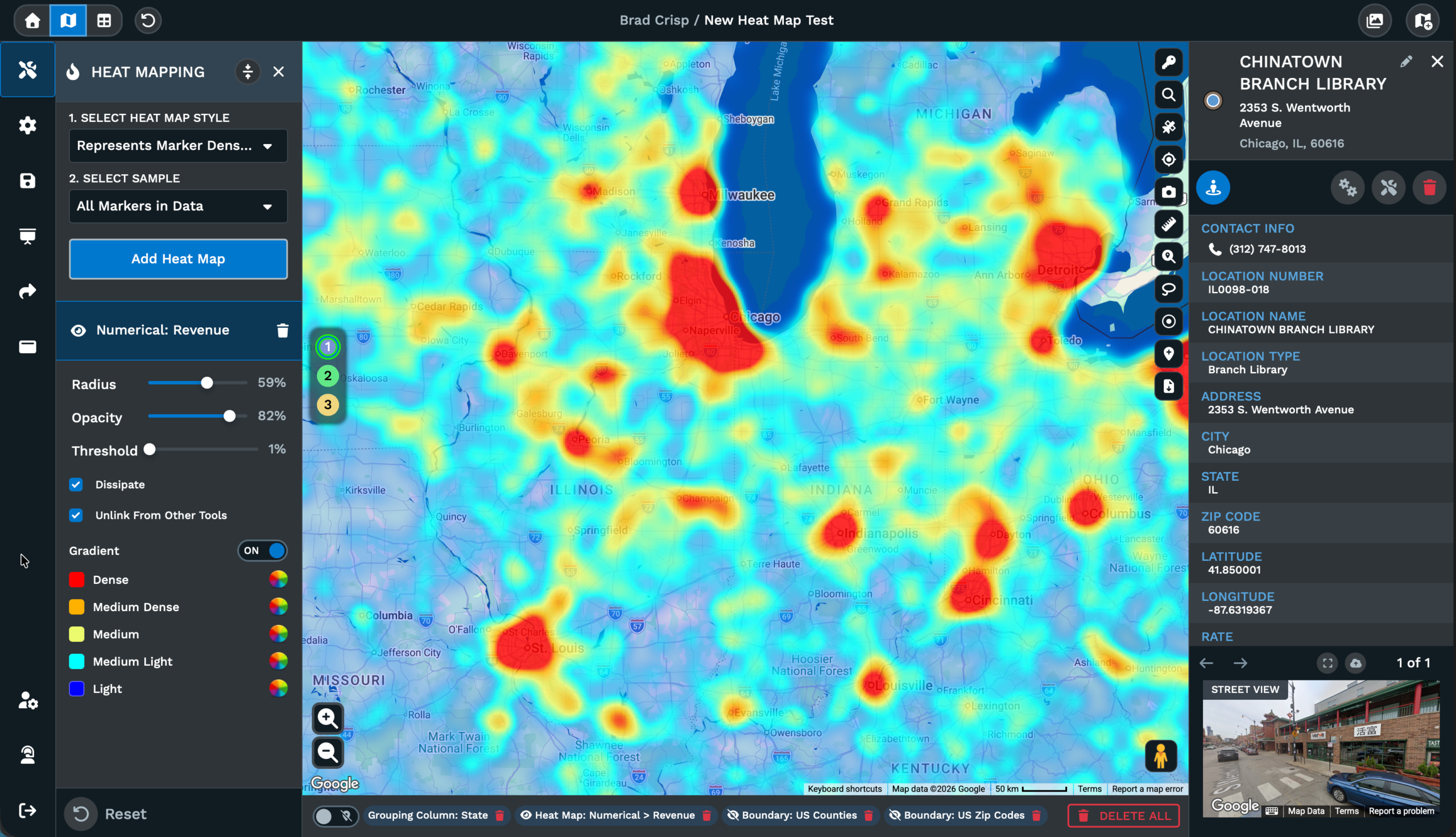
Weight the heat map by response count to see where a campaign landed, or by revenue to separate response volume from response value, with both views coming from the same file.
POI Integration for Competitor Context
POI integration compares your customers against Google Places data, so competitor presence near accounts is visible without a second dataset, and category filters refine the view.
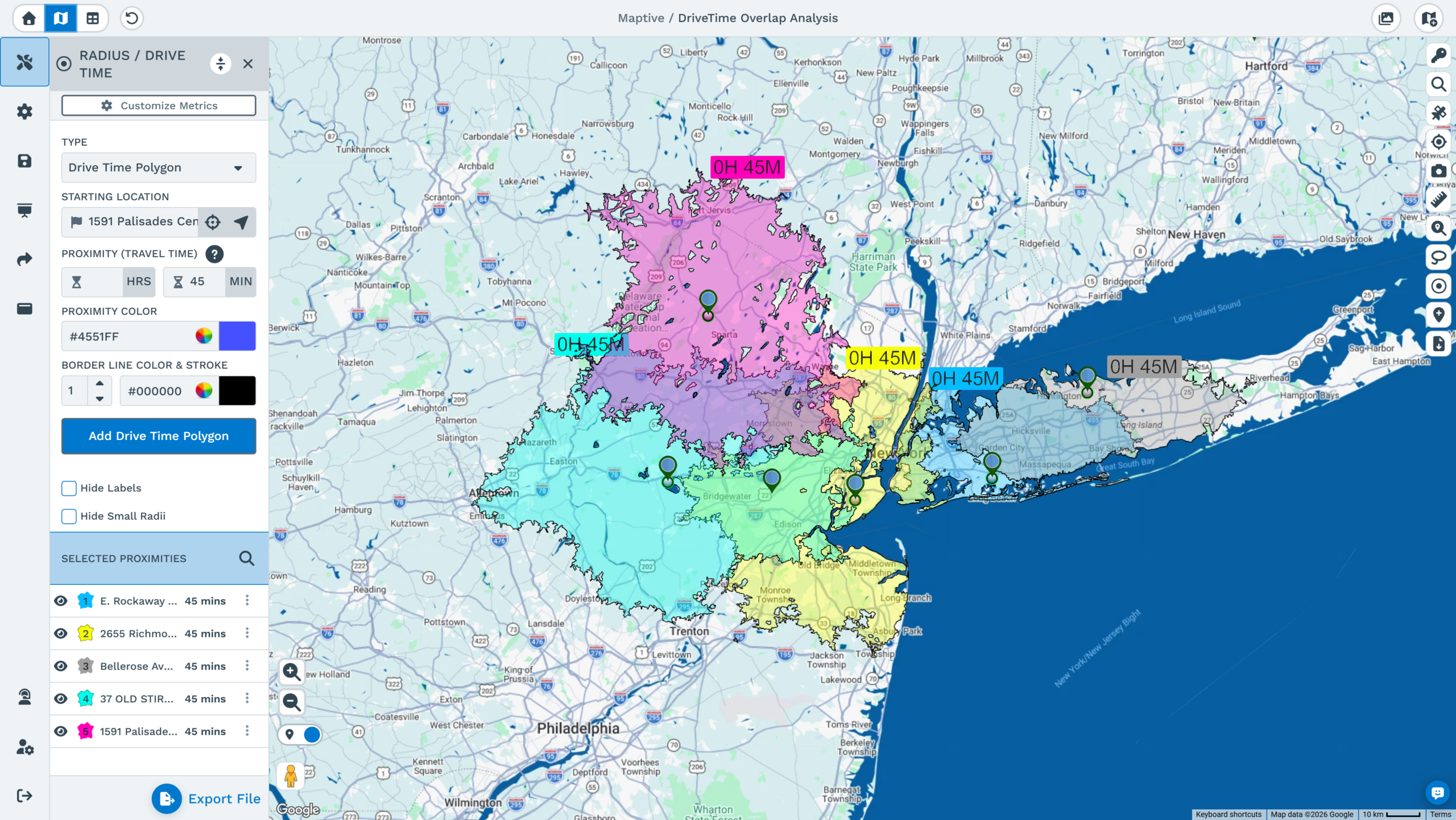
Distance Matrix for Market Gaps
The distance matrix measures distances between many points at once, such as customers against stores or venues. The resulting table shows which areas are far from every location.
Maps Clients Can Open
A shared map opens from a link without an account, so a client or stakeholder sees the live version. The owner decides which tools and columns they see, with passwords optional.
Ecotourism Australia on Working With Maptive
Ecotourism Australia says Maptive "helps us drastically with compliance, marketing and itinerary planning." The platform is rated 4.7 out of 5 on G2, and support answers in under 15 minutes from the US and Canada team.
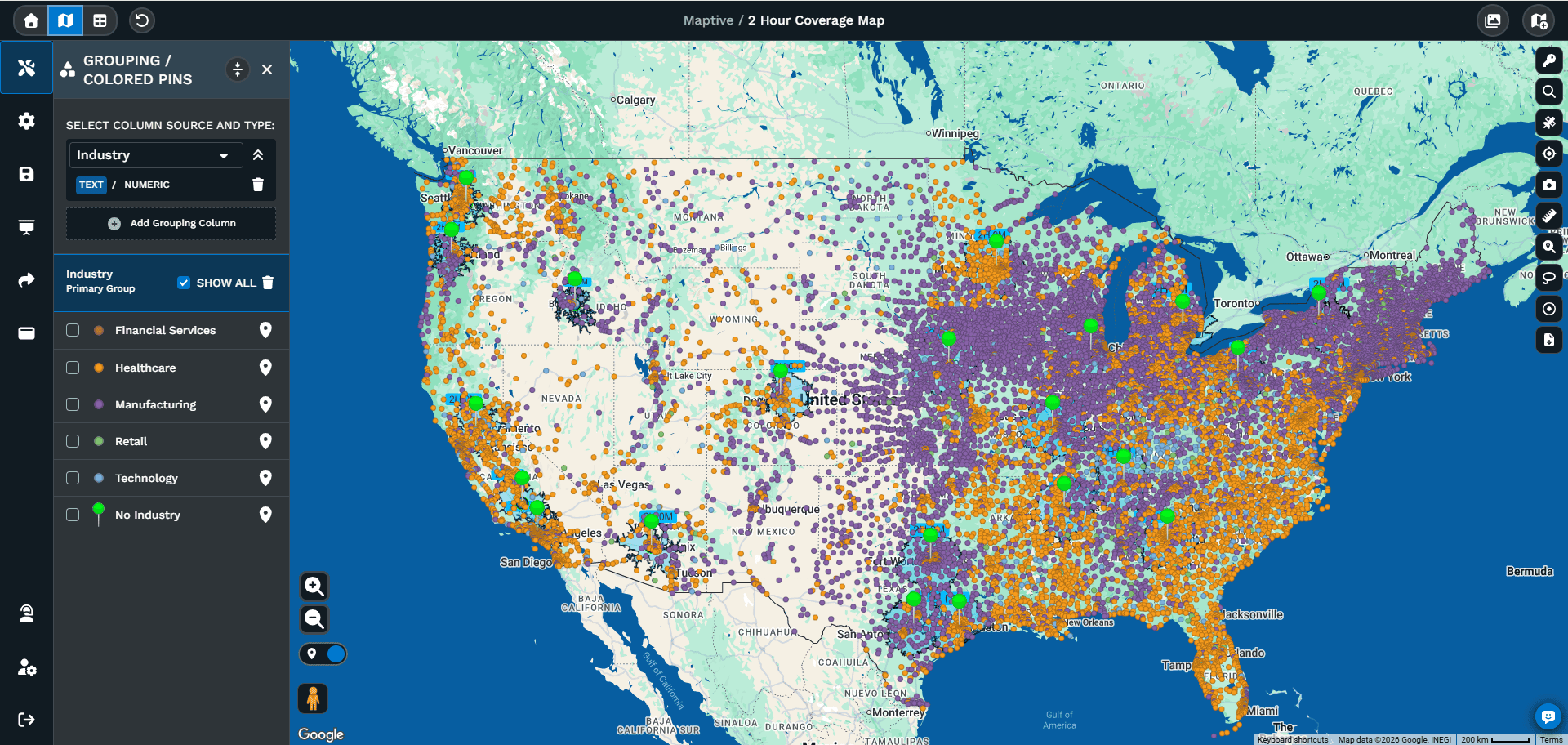
From Customer List to Target List
The list you upload is the list you act on. Filter or draw around the audience a campaign should reach, export those records to a spreadsheet. The targeting file goes straight to the channel that needs it.
See Your Marketing Data on a Map
Upload a spreadsheet and get a working map in minutes, with every tool unlocked from the first login.
Frequently Asked Questions
What is mapping software for marketing?
It is software that turns customer and prospect records into a map a marketing team can segment and act on. Maptive runs in the browser and builds the map from spreadsheet columns, so no GIS background is involved. More than 60 mapping and analysis tools come on every plan, from heat maps and demographic overlays to list exports taken directly from the map. Nothing is reserved for a higher tier, and a first map usually takes about thirty minutes to build.
How much does marketing mapping software cost?
Maptive's 45 Day Pass is $250 for one user, which fits a single campaign analysis or a market review. The Pro plan is $1,250 a year or $110 a month billed monthly. The Team plan is $2,500 a year or $220 a month, and it covers five users with collaboration and a dedicated success manager. Enterprise pricing is volume-based. All 60+ tools and the census data come with every tier, so the choice is about users and data capacity rather than features.
Is there a free trial of Maptive for marketing teams?
Yes. The trial lasts 10 days and asks for no credit card, with every tool unlocked from the first login. Your team evaluates the platform on its own customer list rather than demo data, so anything built during the trial reflects your actual market. Upload a spreadsheet or paste from the clipboard, and a working map is ready in minutes. When the trial ends, the account expires unless you choose a plan, and no billing information is collected at signup, and support is available during the trial.
Do I need a data analyst to use Maptive?
No. Maptive was built for people who have useful data and no analyst on hand. The tools work through the map interface, and every change shows its effect as you click. Most users have a first working map within about thirty minutes. When a question comes up before a campaign launch, the US and Canada support team answers by phone and email in under 15 minutes, and onboarding covers data setup and team training for departments that want it. No installation is required.
How do I map my customer list?
Export the list to Excel or CSV and upload it directly, or paste rows from the clipboard. Geocoding happens during the upload and reconciles what the file contains, including missing ZIP codes and inconsistent address fields. Every other column stays attached to its marker, so segment and value fields become things to color by and filter on. For a list that updates continuously, a connected Google Sheet or CRM sync refreshes the map when the source does. No reformatting is needed first.
How do I build a target list for a campaign?
Draw around the audience with the lasso, a boundary or a radius circle, then filter to the segment the campaign addresses. The records inside export to a spreadsheet, which is the target list for mail, email or field follow-up. Because the export reproduces the displayed selection, the list always matches the map you approved. The same file can produce different lists for different channels without being re-uploaded. No mapping background is required, and the whole process takes minutes per list.
What demographic data can I use for targeting?
Every plan includes more than 50 US Census variables at no extra cost, published at state, county, ZIP code, census-tract and block-group level, with Canadian data included as well. The variables cover population density, household income and age, among other measures, and they appear underneath your customer records. That pairing lets a campaign match its targeting to the profile of each area instead of treating every ZIP code as identical. It is included on every plan, with nothing extra to buy.
Is our customer data secure in Maptive?
Maptive encrypts data with 256-bit SSL in transit and at rest, and access controls include two-factor authentication and single sign-on, with role-based permissions set per user, so a client can be given one map and nothing else. Sensitive columns can be hidden from everyone you share with, and passwords can be required on shared links. Audit logging records what was accessed and by whom, and uptime across 2025 was 99.9%. The platform passed the Salesforce AppExchange security review, and regional data-storage options are available.
Can Maptive sync with our CRM?
Yes. Maptive connects with Salesforce, HubSpot, Zoho, Pipedrive and Keap, so records plotted on the map stay current with the CRM rather than going stale after an export. For teams that work from spreadsheets instead, a connected Google Sheet refreshes the map when the sheet does. Every column from the source stays attached to its marker, which is what makes the map segmentable rather than a static picture. Support can walk your team through the connection. Setup is covered during onboarding for teams that want help.
How many customer records can one map handle?
One map can show over 200,000 markers, and a data set can include up to 100,000 locations on the Pro and Team plans, or 50,000 on the 45 Day Pass. Enterprise capacity is volume-based for larger holdings. Every marker has the columns that came with it, so filtering and heat weighting work at full volume rather than on a sample. For very large files, the filter tool is the practical way to work, since one segment can be isolated and shared on its own.








