


Custom Map Maker Software
Need to turn your data into a branded, presentation-ready map? Maptive's custom map maker styles every marker, label, and boundary, then shares the result by link, embed, or print.
No credit card required
- Style roads, labels & terrain
- Upload custom branded markers
- Draw shapes, text & annotations
- Color-code by any data field
- Satellite & street base maps
- Share, embed & export maps
- Style roads, labels & terrain
- Upload custom branded markers
- Draw shapes, text & annotations
- Color-code by any data field
- Satellite & street base maps
- Share, embed & export maps
Trusted by teams at
















What Our Customers Say About Us
See what others have to say about Maptive.
Tools for Styling, Branding, and Sharing
You get full control of how the map looks, from the base map and markers to the way you share it, and you do not need a design or GIS background to use any of it.
| 01 |
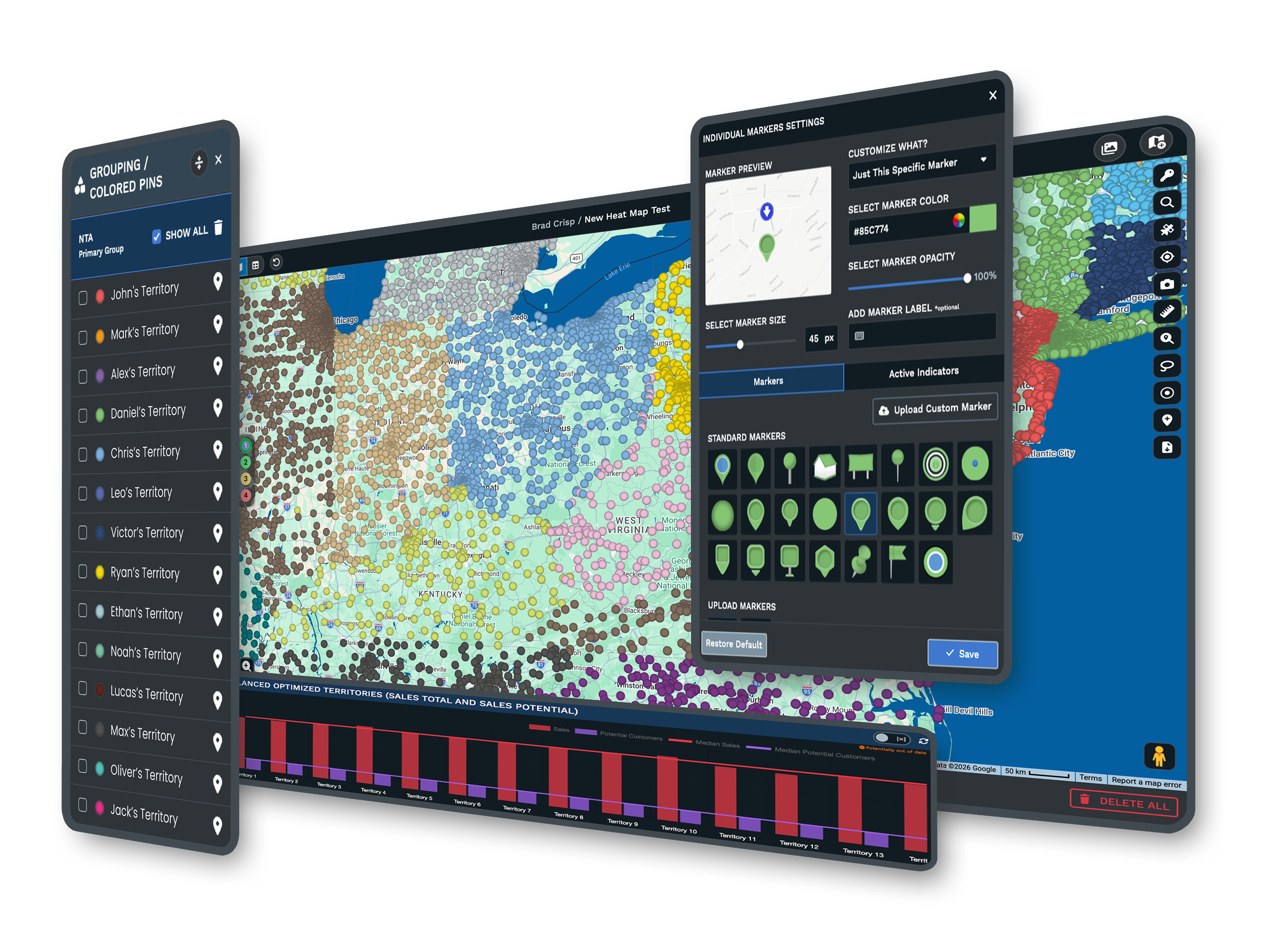
Full Control of the Map's LookYou choose a map style, set the labels, filter the data, and color the land, water, and roads. Show or hide points of interest, highlight the roads that matter, and pinpoint the landmarks that carry your story. |
| 02 |
Branded Markers and ImagesPick from more than 20 marker styles, or upload your own images, logos, and location photos. Color-code markers by category, so the map looks like yours and reads at a glance. |
| 03 |
Saved Views and Zoom LevelsSet and save the map positions and zoom levels you want, so every map opens in the right place. You can build several versions of one map, each with its own set view for focused sharing. |
| 04 |
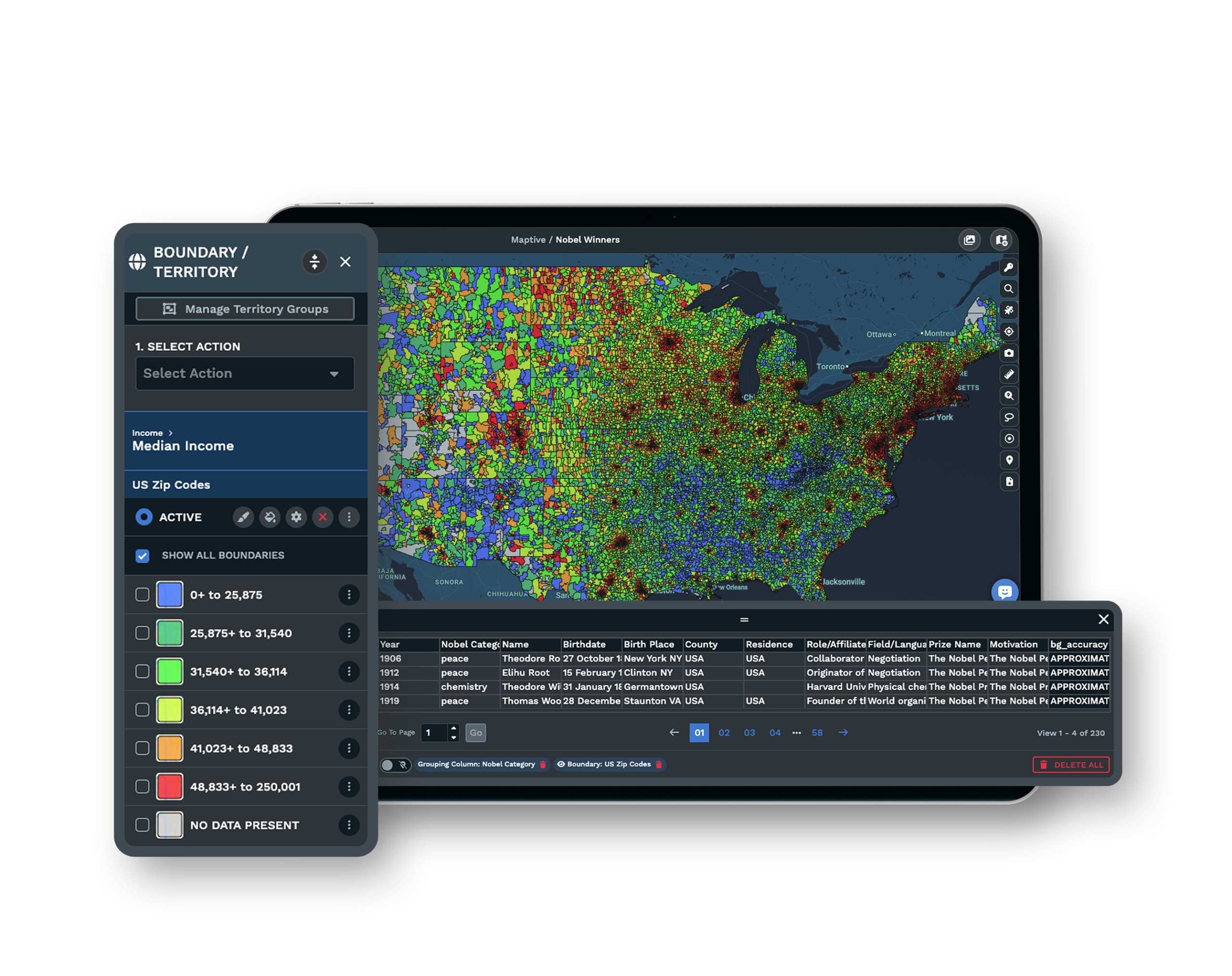
Global Base Maps and CoverageSwitch between street, satellite, topographical, and black-and-white base maps, with coverage worldwide down to counties, cities, and ZIP codes. Draw your own regions with the polygon territory tool. |
| 05 |
Sharing, Embedding, and PrintShare a map by private password link or publish it publicly, embed it on a page with one line of HTML, or export it to a slide deck, a document, or a printed poster up to 2048 by 2048 pixels. |
From a Spreadsheet to a Branded Map
A custom map starts with the data you already keep. You drag in a spreadsheet, a Google Sheet, or a pasted list, and Maptive plots every location for you. From there the map becomes yours.
You set the base map, color the markers by category, swap in your own logo or pins, and hide the labels and roads that do not serve the point. What began as rows turns into a map that shows your brand and the story you want to tell, with no design or GIS background needed.
One Map, Tailored for Each Audience
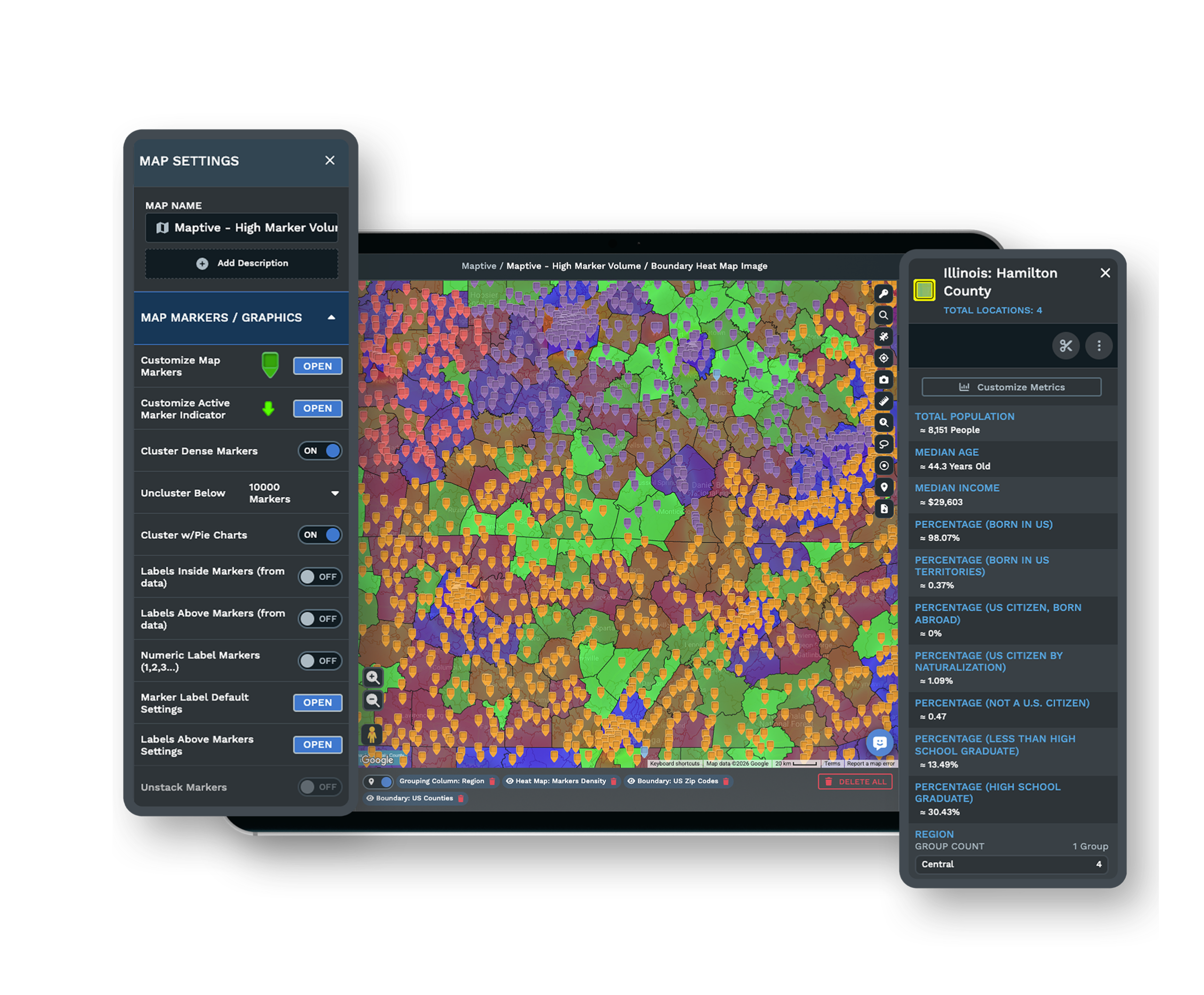
The same map rarely serves a board deck, a public web page, and a field team in the same form. Maptive lets you save several views of one map, each opening at the position and zoom that audience needs.
Before you share, you choose which tools and columns each viewer sees, so a public embed shows less than an internal link. For a meeting, a built-in presentation mode and full-resolution print give you a clean, professional map without a screenshot.
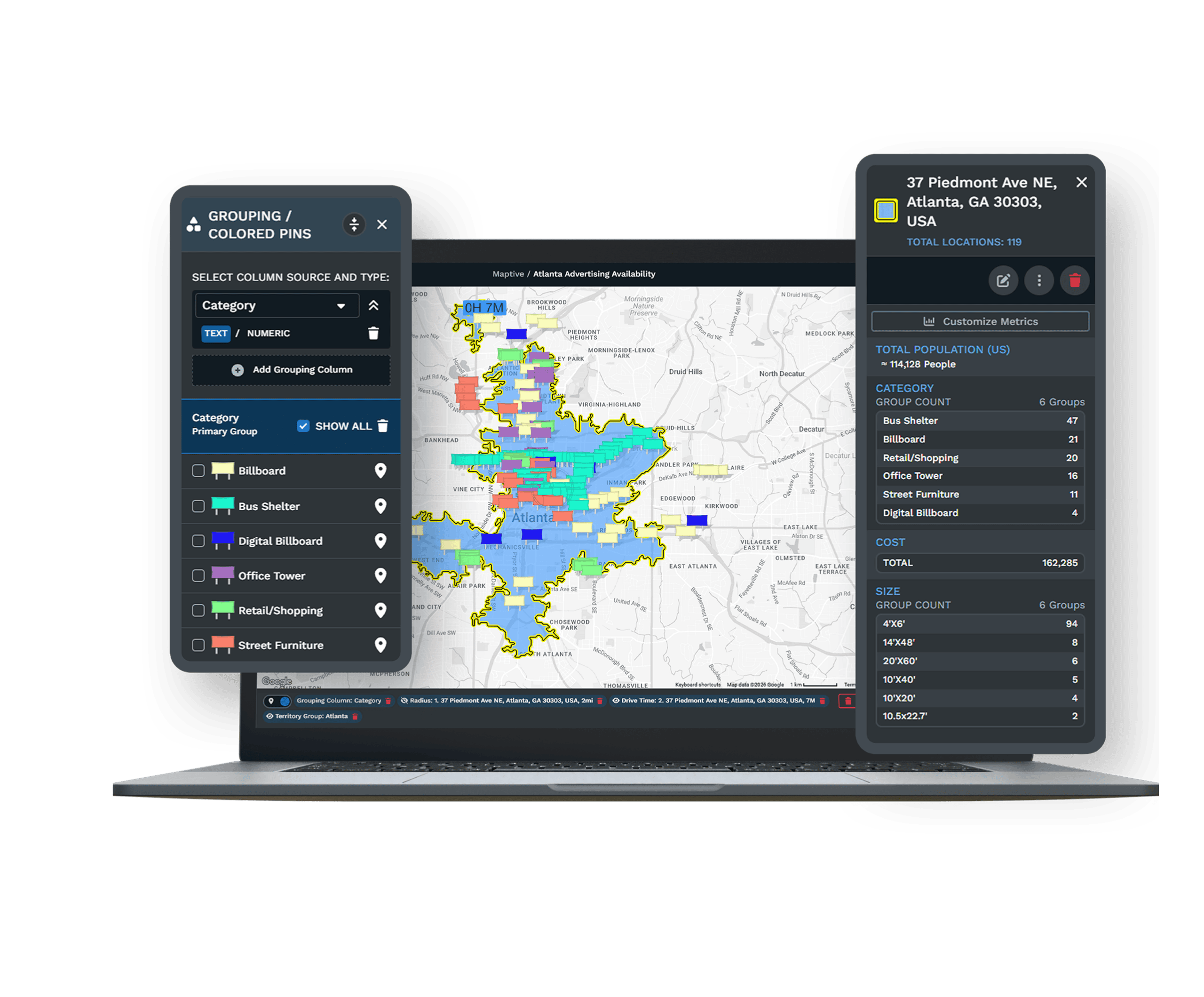
Style the Map Down to the Last Detail
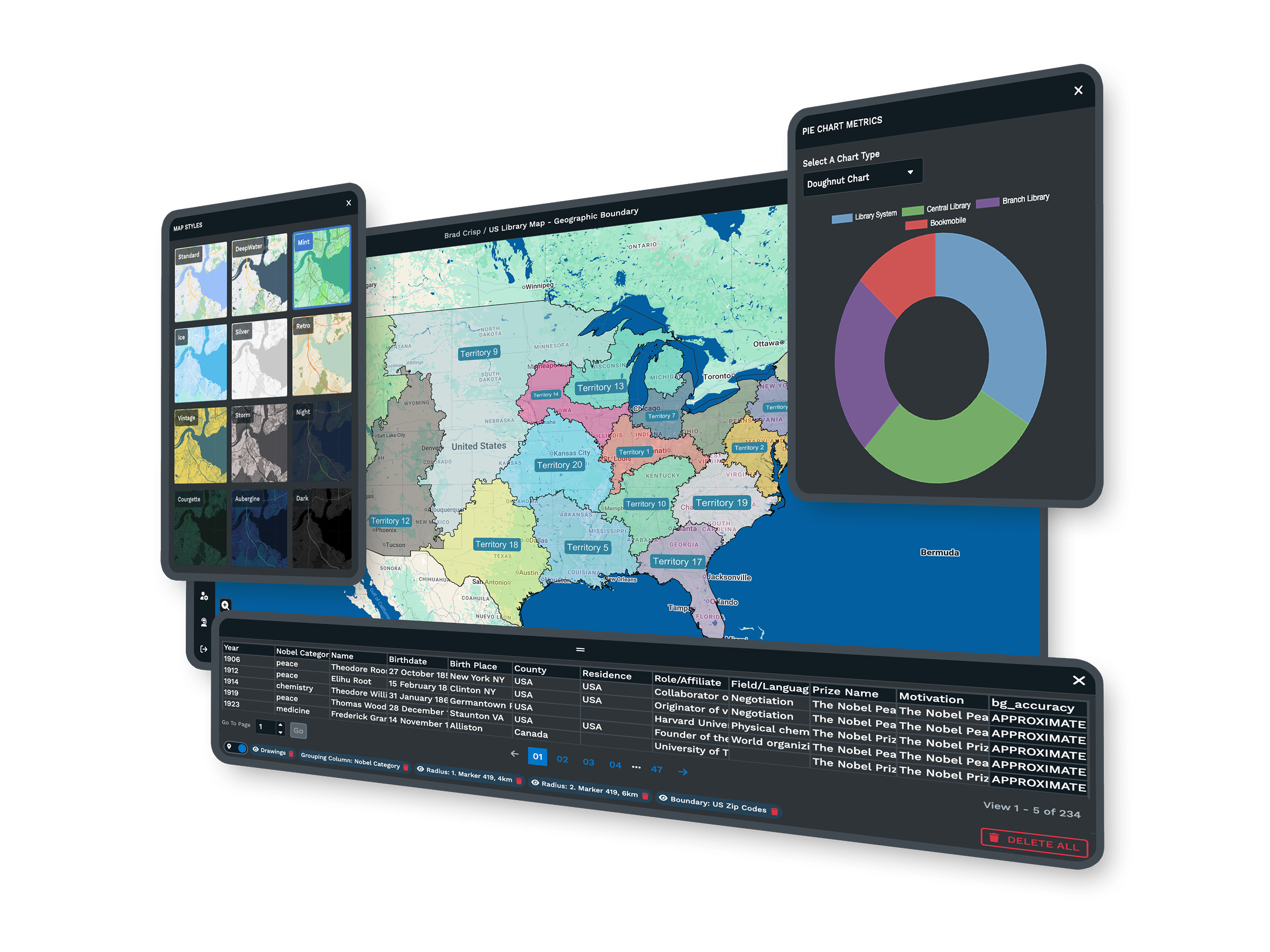
A presentation map needs to look the part. With Maptive you style the roads, labels, land, and water, then layer a satellite base map under your markers when you want real imagery behind the data.
You can add shapes, text, and annotations with the drawing tools, then hide the points of interest you do not need. The map stays detailed for analysis or clean for a slide, whichever the moment calls for.
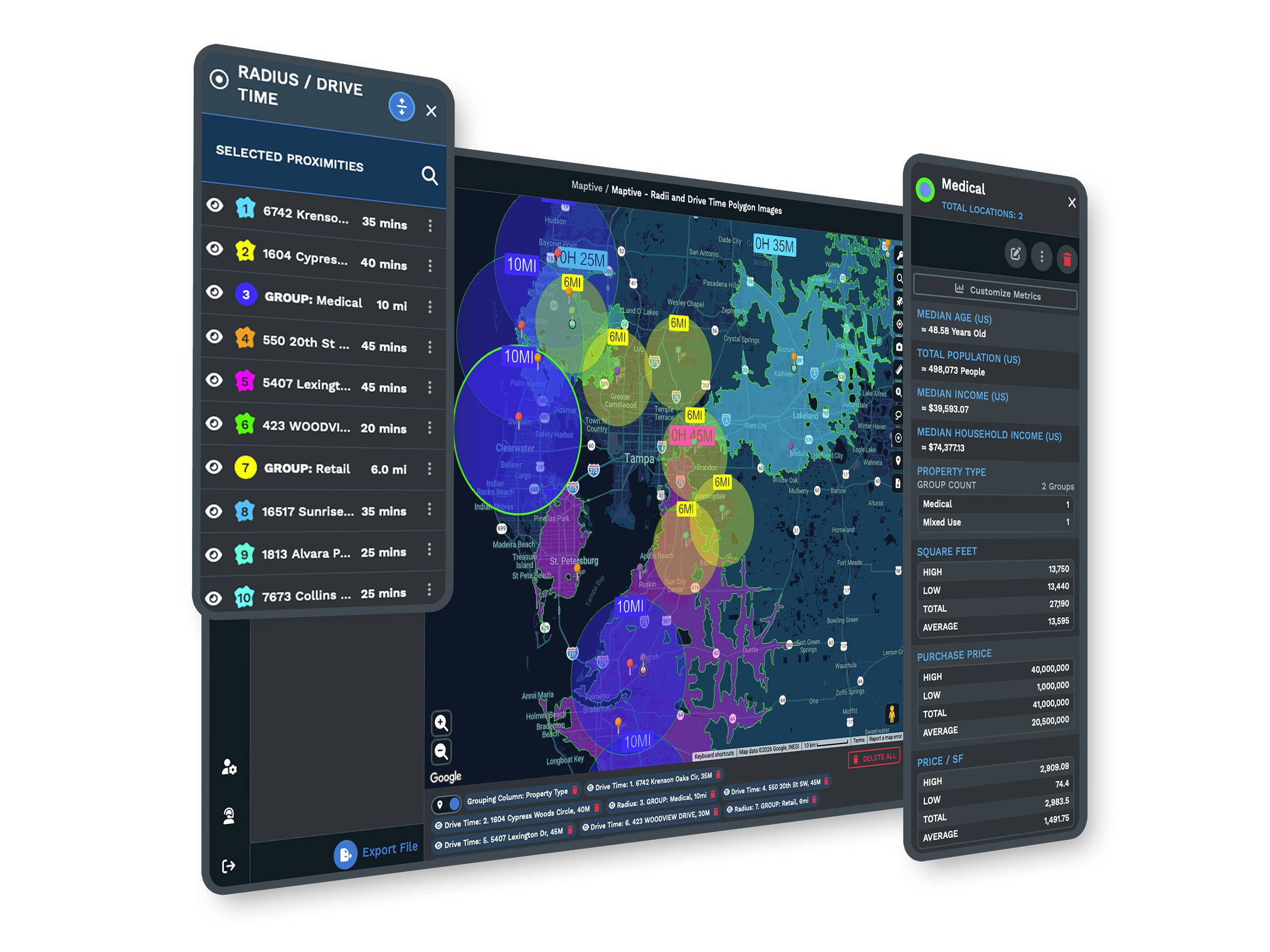
The Tools Behind Every Custom Map
Each one is a complete tool that you use inside the same platform.
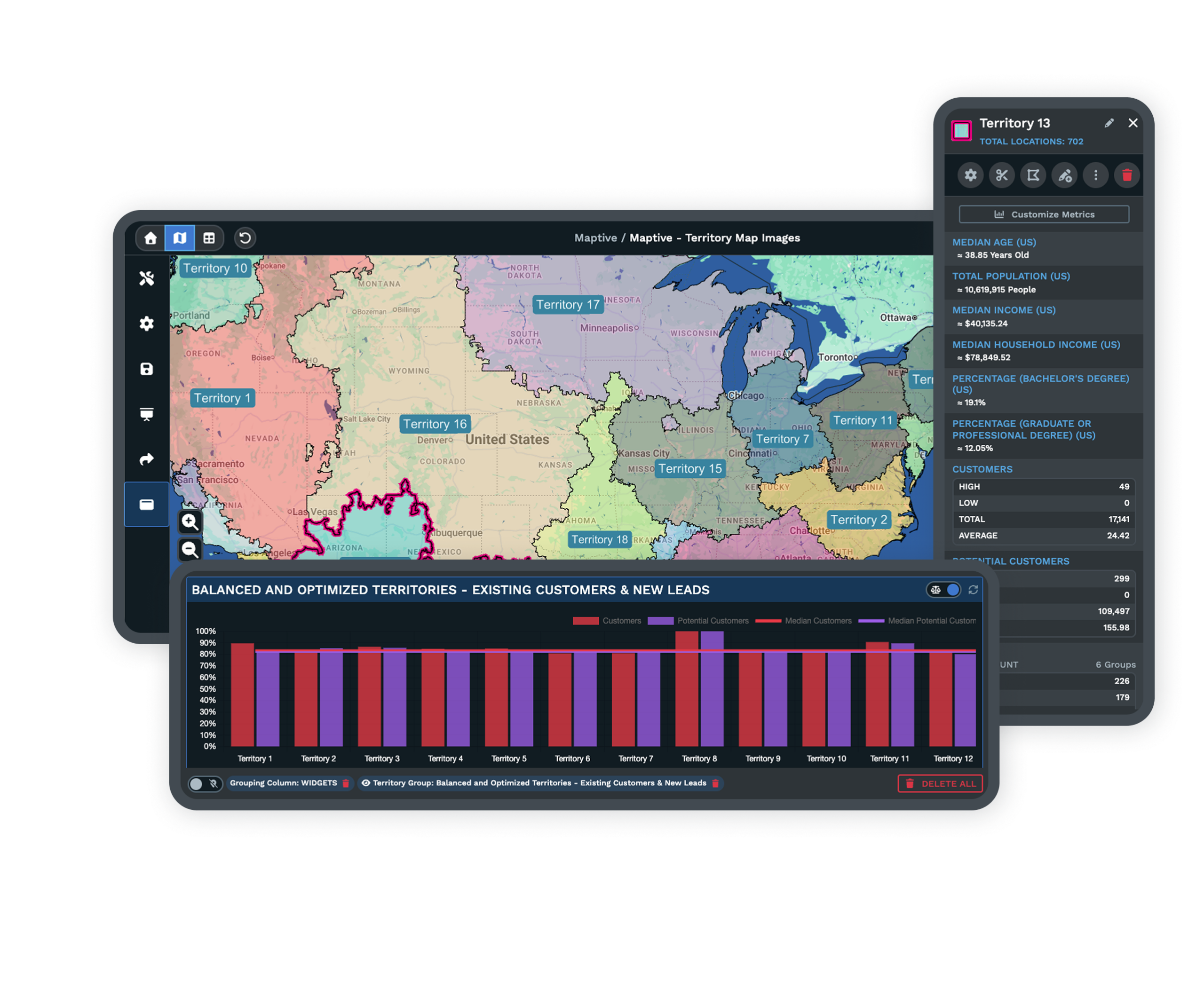
Brand It With Custom Markers
Pick from more than 20 marker styles, or upload your own images, logos, and photos, then color-code each one by category.
Explore custom markers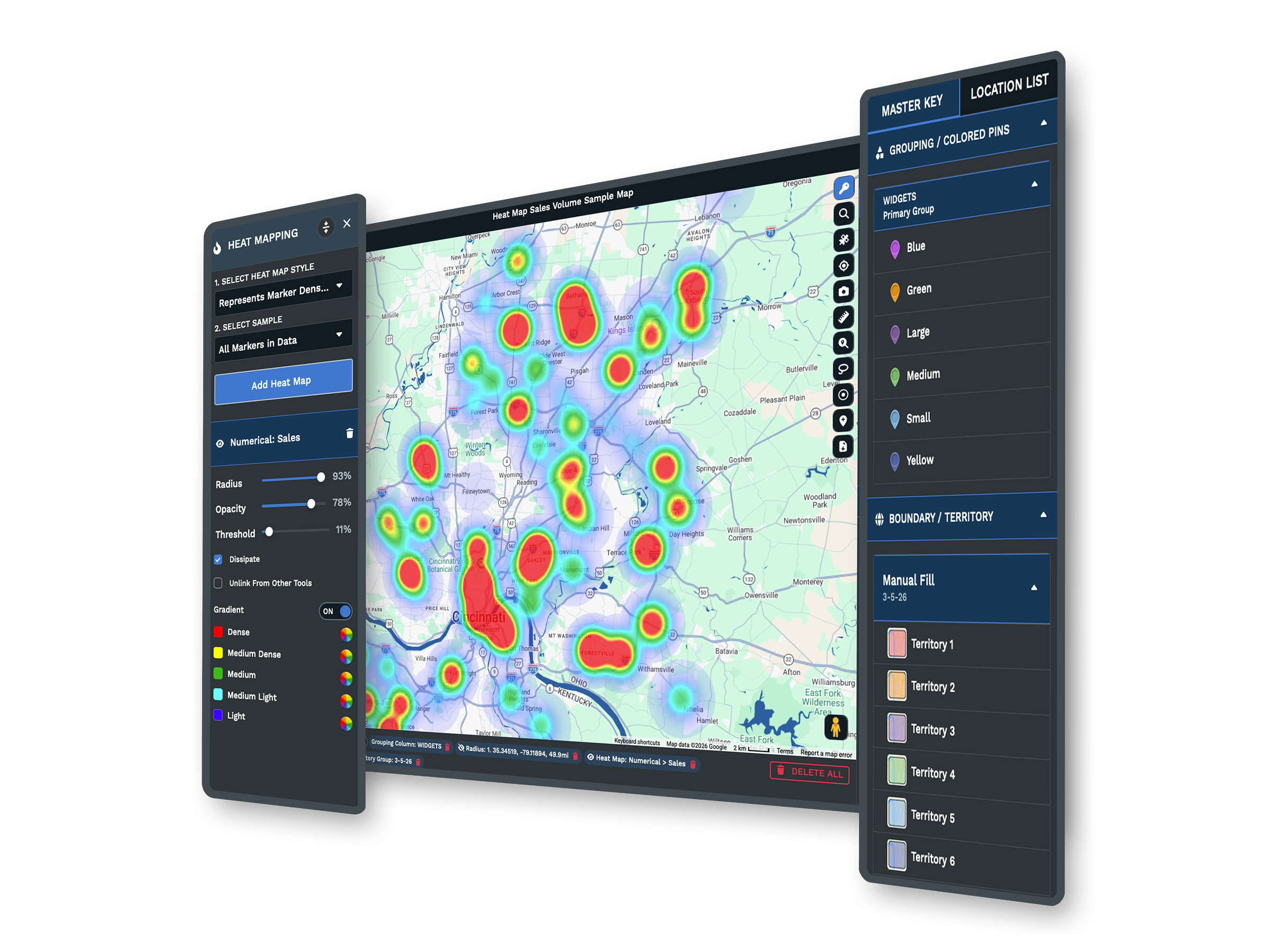
Choose Your Base Map
Switch between street, satellite, topographical, and black-and-white base maps, then style the roads, labels, land, and water on top.
Explore base maps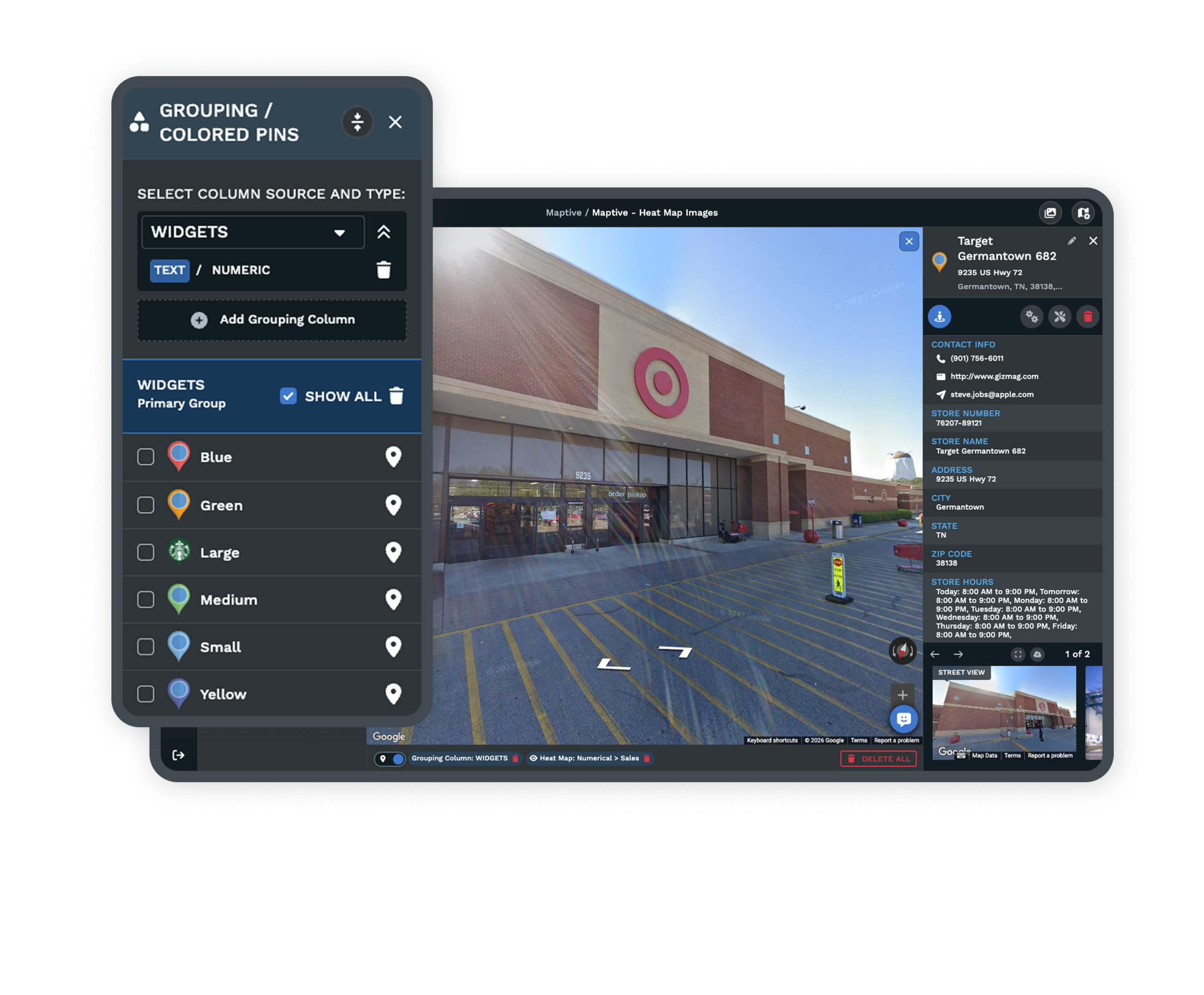
Share, Embed, and Export
Send a private link, publish to the web, embed with one line of HTML, or export a full-resolution map for print and slides.
Explore sharing optionsBuilt for Professional Maps
Organizations of Every Size
Global enterprises, campaigns, and local businesses build custom maps on Maptive. It keeps the tools powerful enough for an analyst and simple enough for everyone else, and every one of the 60+ tools is open on each plan rather than locked behind a higher tier.
Your Data, Shared on Your Terms
Maptive protects your data with 256-bit SSL, and a shared map opens only to the people you choose. You can lock it behind a password, hide sensitive columns, and decide what each viewer can see, and a public link does not appear in search results.
Support and Onboarding
The US and Canada support team, rated 9.7 out of 10, helps you import your data, style the first map, and set up sharing. You get answers in minutes from real mapping people, so you are never left guessing at how to get the look you want.
Free trial with every tool and no credit card
Build Your First Custom Map
Start the 10-day free trial with no credit card. Upload a spreadsheet, style the markers and base map, brand it with your own images, and share or print the result. Every tool is open from the first login, so you build the full map on your own data before you decide.
See It on Your Own Data
If you would rather see the map maker on your own data first, a Maptive specialist will walk through your use case and build a styled, branded map with you on a short call. Bring the data you already have, and you leave with a map you can present.
Frequently Asked Questions
What is a custom map maker?
A custom map maker turns your own data into an interactive, styled map you control. You upload a list of locations, then choose the base map, markers, colors, and labels, and add your branding. Maptive does this in the browser, so you build a presentation-ready map without design software or GIS training. The look stays yours from the first marker to the final export.
How do I make a custom map from my own data?
You bring in your data by uploading an Excel file or CSV, connecting a Google Sheet, or pasting rows directly. Maptive plots each location for you, and from there you style the markers, color them by category, set the base map, and filter to what you want shown. Most people have a styled map within their first session, with support on hand if you need it.
Can I brand a map with my logo and custom markers?
Yes. You can upload your own images, logos, and location photos, or pick from more than 20 built-in marker styles. You color-code markers by category and add your brand to the map, so it looks like your organization made it rather than a generic map. Your branding stays in place on every view you share, embed, or print.
What map styles and base maps can I choose from?
Maptive includes street, satellite, topographical, and black-and-white base maps, and you can style the labels, roads, land, water, and points of interest on top. You control which features show, so the map can be detailed for analysis or clean for a presentation. Each base map covers the world, so you can zoom from a country view down to a single ZIP code.
Can I make a map for a presentation or print?
Yes. Maptive has a built-in presentation mode, and you can export a full-resolution map up to 2048 by 2048 pixels for a poster or a slide. You can also save set views, so the map opens exactly where you want it for each audience. That gives you a clean, professional map for a meeting without taking a screenshot.
How do I share or embed a custom map?
Maptive gives you several ways to share. Send a private, password-protected link, publish the map publicly to the web, or embed it on a website or intranet with one line of HTML. For offline use, export the map to a slide deck, a document, or a printed poster. You decide which method fits each audience, and you can use more than one for the same map.
Can I control what viewers see on a shared map?
Yes. Before you share, you choose which tools a viewer can use and which data columns they can see, and you decide if they can edit. That lets a public embed show less than an internal link, so each audience sees only what you intend. A board deck, a public page, and a field team can each open the same map with the right amount of detail.
Does Maptive have global map coverage?
Yes. Maptive covers every continent, all 50 US states and territories, and counties, cities, and ZIP codes, along with country maps for places like Canada, the UK, France, Germany, and Australia. You can also draw your own regions with the polygon territory tool, so a custom area that falls outside the usual lines still works on your map.
Do I need design or GIS skills to make a custom map?
No. The map maker works through a point-and-click interface, so you style and brand a map without design software or GIS training. You upload your data, click to change the look, and the map updates as you go. If you get stuck, the support team can walk you through the styling, so you are never left to work it out alone.
Is there a free trial for the custom map maker?
Yes. Maptive offers a 10-day free trial with no credit card required, and every tool is unlocked from your first login. You can build, brand, and share a full custom map on your own data before deciding. The look you want is never held back for a higher plan, so the trial shows you the same map maker you would use day to day.








