


Multi-Brand Franchise Maps in One Account
Maptive keeps a per-location map for every brand you own plus a combined rollup view, all under one login, so the whole portfolio stays in one account.
No credit card required
- Keep a per-brand map beside a combined rollup, all under one login
- Color-code markers by banner so a rollup reads at a glance
- Upload a custom marker to pin each concept by its own logo
- Plot up to 200,000 markers to lay every brand on the rollup
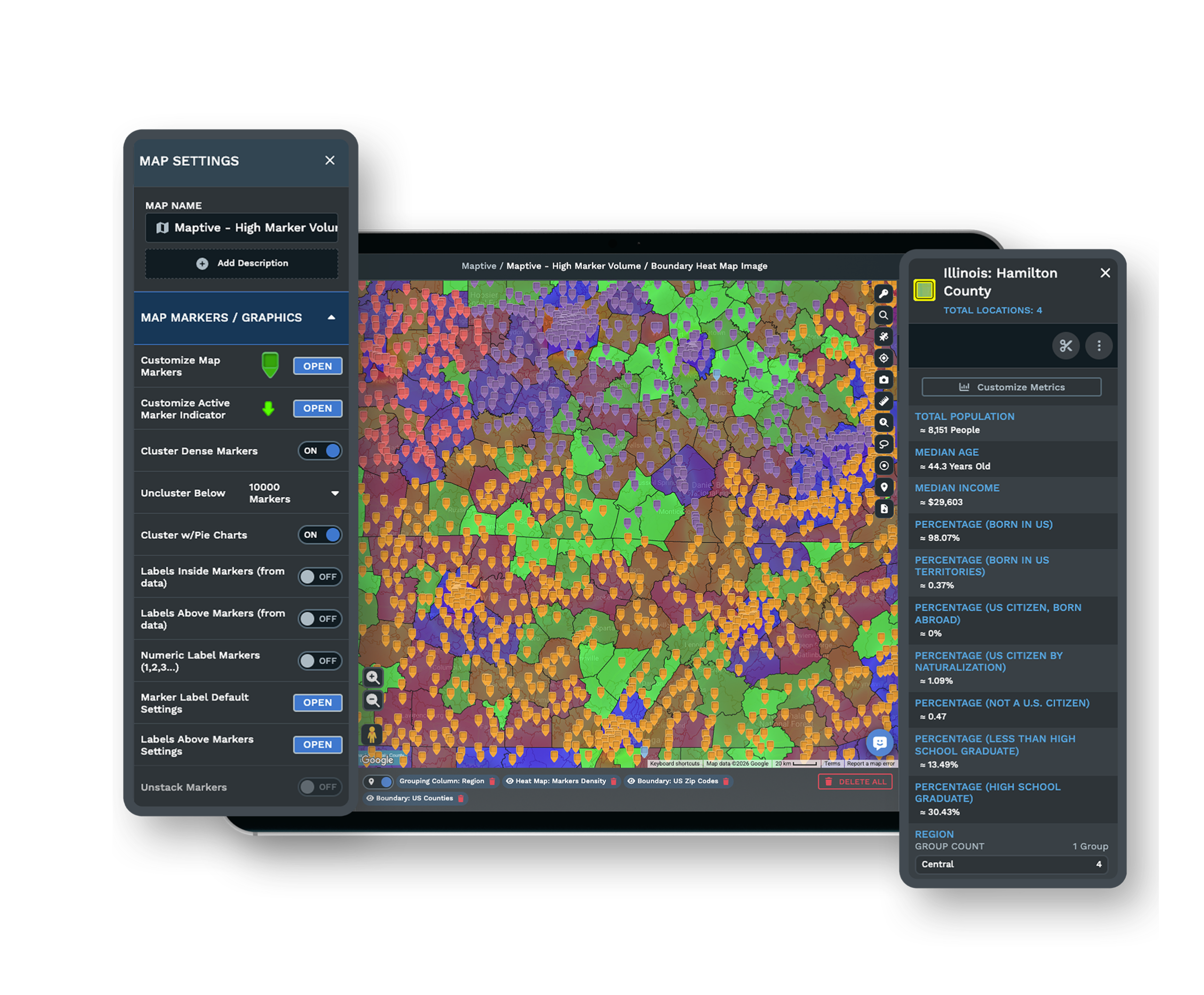
- Overlay 50+ census variables to size white space brand by brand
- Scope each brand team to its own view with role-based access
Trusted by teams at









Portfolio Mapping at a Glance
One account for every brand cuts the time to open a portfolio-wide view by about 35%.
A single rollup replaces separate brand tools and cuts login and account overhead by 28%.
Seeing all brands on one map raises the cross-brand overlaps you catch by 22%.
Every Concept You Own Under One Login
| 01 |
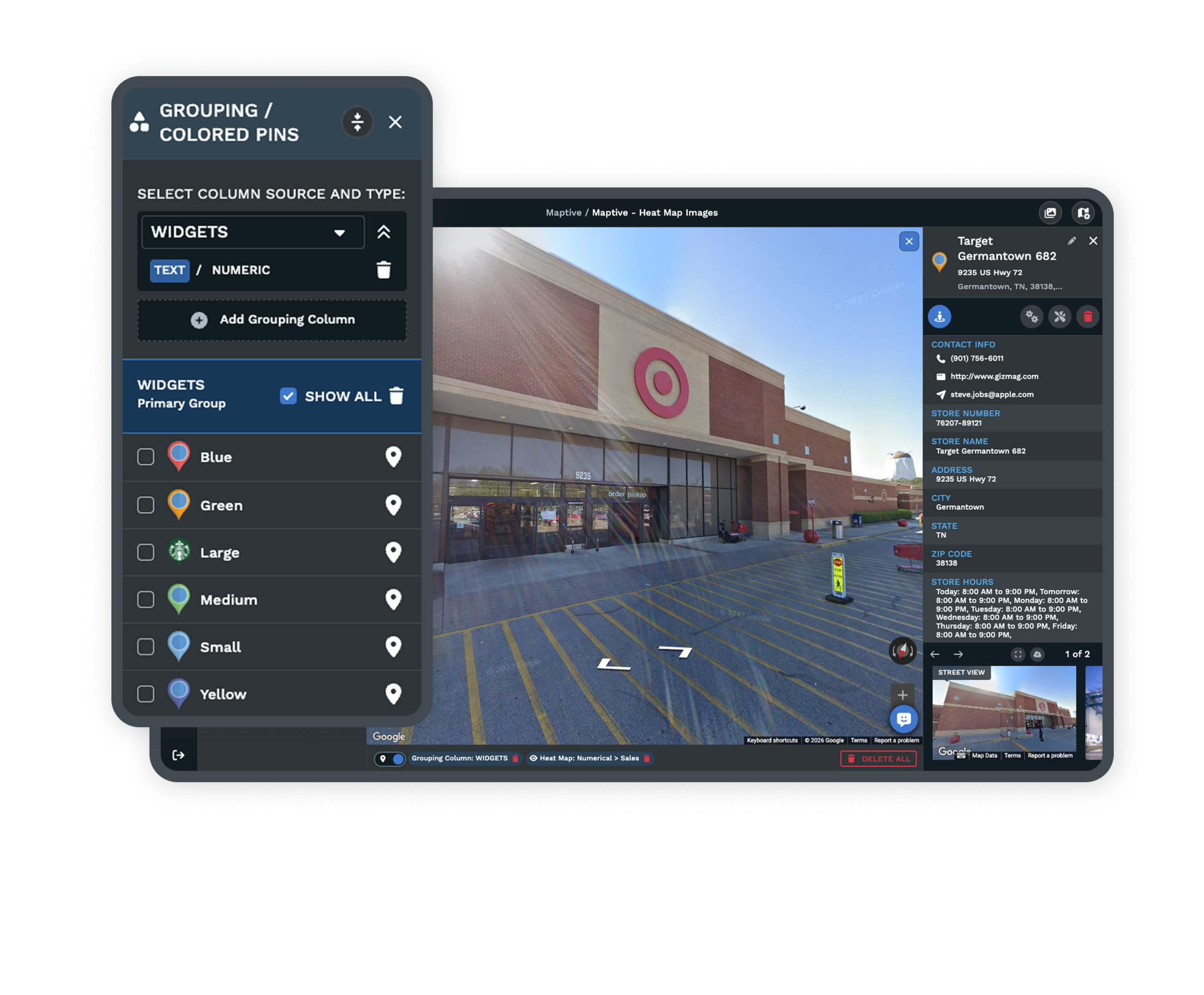
A Saved Map for Each BrandKeep a per-location map for every concept and a combined rollup map beside it, all under one account. Each brand drills into its own units, territories, and trade areas, while the rollup shows the full footprint for portfolio decisions. |
| 02 |
Colored Pins per BannerColor-code markers by brand with the Grouping Tool so a rollup reads at a glance instead of a wall of identical pins. Upload a custom marker to pin each concept by its own logo, so the map names the banner without a legend lookup. Explore custom markers → |
| 03 |
Many Maps, Held to Your PlanAn account holds many saved maps rather than one crowded canvas, up to about 50 on entry plans and up to 500 on higher ones. Each brand, region, and rollup becomes its own map without a second login or a stray file on someone's drive. |
| 04 |
Locations at Portfolio ScalePlot up to 200,000 markers on a single map, enough to lay every brand's units on the rollup at once. A click on any pin opens its pop-up with the brand, status, and contact behind that location. |
Reading the Whole Footprint Before You Zoom In
A multi-brand owner has to start wide. The first question is rarely where one unit goes. It is where the next several units of which brand belong across the next few years, and that answer only appears when every banner sits in the same data layer. Put all concepts on the rollup, color them by brand, and the portfolio's shape becomes legible.
You can see where two banners already sit close, where one has open ground the other does not, and where a market that looks empty for a coffee concept is already full for a sandwich one. Once the wide read is done, you open the single brand's map and work its territories in detail.
Telling Deliberate Co-Location From Accidental Overlap
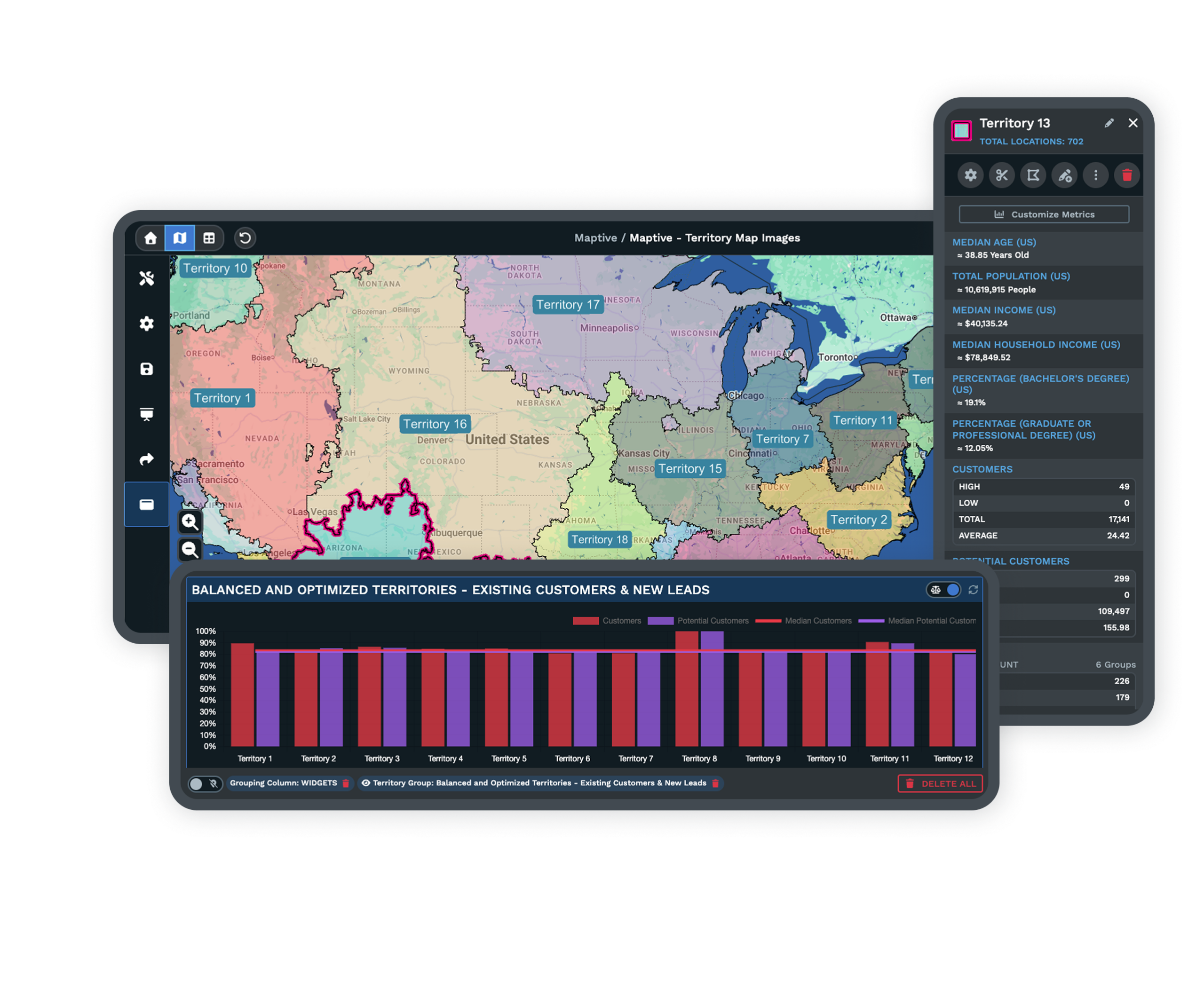
Two brands sharing a corner can mean opposite things, and only a shared map tells them apart. Complementary concepts placed together on purpose, the piggyback pattern behind operators who co-locate a coffee, sandwich, and ice-cream banner, share foot traffic and lift each other. Same-brand units set too close split one trade area and take revenue from each other instead.
To read which is which, compare drive-time polygons across both footprints on one canvas. Territories that share more than roughly 20 to 25 percent of their drive-time area almost always transfer revenue, so a franchisor holding many banners checks that number before granting the next site.
Governance Across Many Brands and Owners
Scoped Views for Each Brand Team
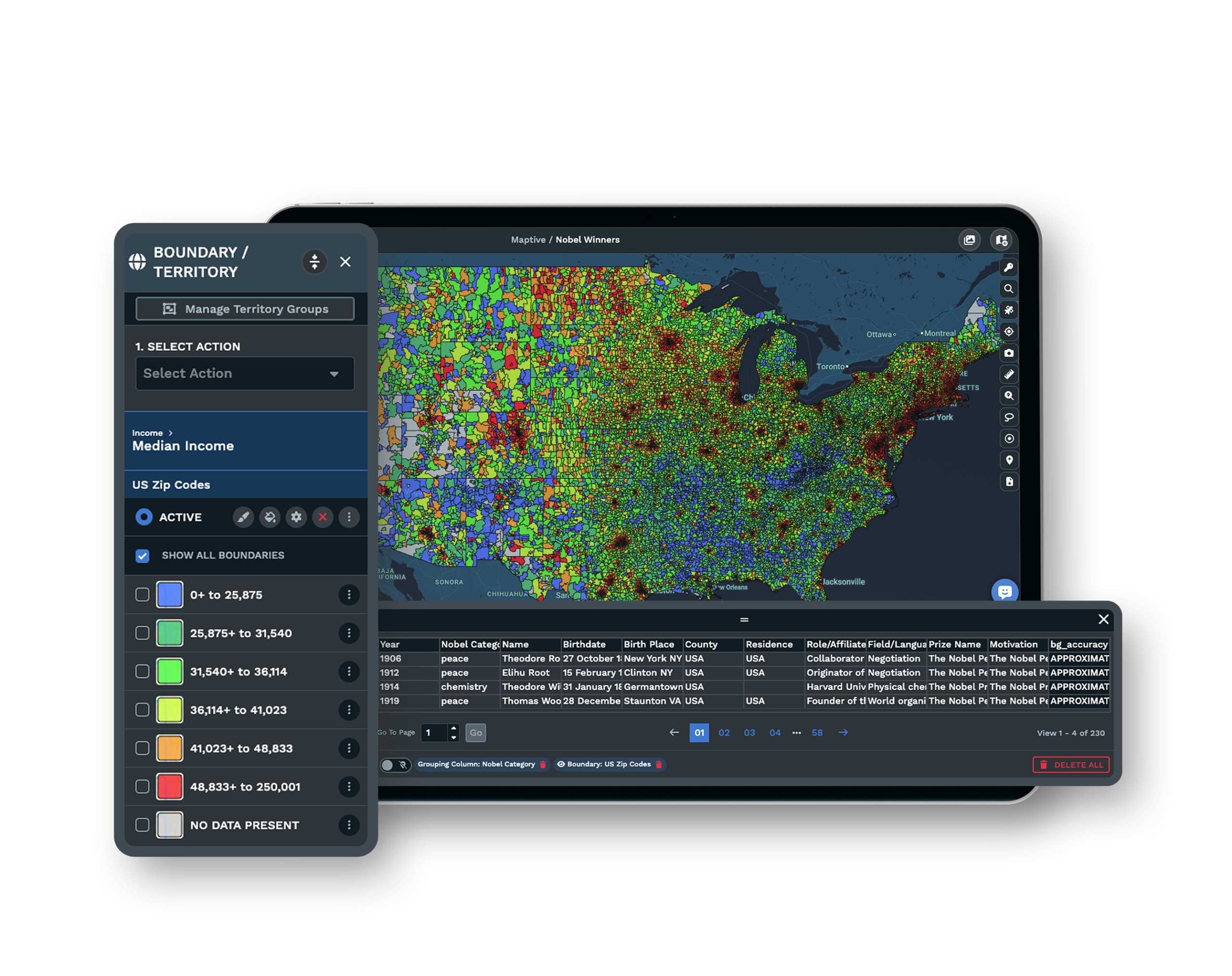
Share a map link with viewer permission controls and set role-based access so a brand team or a single franchisee opens only its own scoped view. Headquarters keeps the full portfolio in front of it while each concept sees the map that belongs to it.
See sharing controls →Named Portfolios on the Platform
Multi-location operators like Coca-Cola, Hilton, and Bridgestone build their footprints on Maptive, so the account is proven at the scale a multi-brand franchisor works in, from a portfolio of three banners to a dozen across the US and Canada.
Security Behind a Shared Account
The account protects portfolio data with 256-bit SSL encryption, two-factor authentication, single sign-on, role-based access, and audit logging, and it passed the Salesforce AppExchange security review. You decide who opens which brand's map and who can edit it, per person you invite.
Free trial with the full platform and no credit card
Bring Every Brand Into One Account
Start a 10-day free trial with no credit card and all 60+ tools unlocked. Load every brand's unit list, color the markers by banner, build a per-brand map and a combined rollup, and compare drive-time areas across concepts, all on your real footprint.
Tour Your Brand Map Live
If your portfolio spans several concepts and a development committee signs off on new sites, a Maptive specialist will build the rollup with you. Bring your brands and your unit lists, and the session lays them on one canvas, colors each banner, and shows where the footprints meet in front of the people who approve the map.
Frequently Asked Questions
Can I manage multiple franchise brands in one account?
Yes. One account holds a separate saved map for each brand plus a combined rollup map, so every concept and every cross-brand view lives under one login. Color-coded markers keep each banner distinguishable on a shared map, and you switch between a single brand's detail and the whole portfolio without a second account.
How do I roll up locations across brands?
Plot every brand's units on one map, tag each location by its brand, and color the markers so the portfolio reads at a glance. Save a per-brand map for drill-down beside the combined view. The rollup shows the full footprint for portfolio decisions while each per-brand map isolates one concept's units and territories.
How do multi-brand franchisors track all their locations?
Scaled groups track units against one governed location record per unit that the map then renders, rather than a scatter of per-brand spreadsheets. On top of that record they build a group-rollup view and role-scoped views for development, operations, and each franchisee, so one geographic layer feeds every audience the detail it needs.
What counts as a multi-brand or multi-concept franchise?
It is a single owner or group operating more than one brand, either several concepts under one parent franchisor or franchises from different franchisors. Restaurant platforms such as Inspire Brands and home-services platforms such as Authority Brands are corporate examples, and many operators stack unrelated brands into a portfolio of their own.
How do I keep two brands from cannibalizing each other?
Cannibalization is mostly a within-brand problem, where units set too close split one trade area. Put both footprints on one map and compare their drive-time polygons, since territories sharing more than roughly 20 to 25 percent of their drive-time area almost always transfer revenue. A buffer between neighboring boundaries reduces the transfer before it starts.
Can complementary brands share the same location?
Yes, and many operators do it on purpose. Piggyback co-location places complementary concepts together to share foot traffic, as with owners who co-locate a coffee, sandwich, and ice-cream banner at one site. Seeing both brands on one map is what separates deliberate co-location from an accidental overlap that drains revenue.
How do I give each brand or franchisee access to only its own map?
Share the map link with viewer permission controls and use role-based access so a franchisee or brand team opens only its scoped view. Headquarters keeps the full portfolio view for itself. This is the group-visibility-for-the-franchisor, scoped-visibility-for-each-franchisee arrangement, and you can grant or revoke a person's access one at a time.
Can I see white space for each brand across markets?
Yes. Overlay demographic variables on each brand's footprint to find markets where demand outruns current supply, keeping in mind that an open market for one concept may already be saturated for another. Census data at the ZIP, tract, and block-group level supports sizing white space brand by brand rather than for the portfolio as one blur.
How do I distinguish one brand from another on the same map?
Color-code the markers by brand with the Grouping Tool and pin each concept with its own uploaded logo, so every banner is readable on one canvas. A rollup then stays legible instead of a wall of identical pins, and a click on any marker opens the pop-up carrying that unit's brand, status, and contact.








