


Screen Land Parcels and Track Every Owner Conversation
Maptive puts every parcel from your export on one map as a point you can filter and color, then tracks each owner conversation with a status column.
No credit card required
- Plot rural parcels by latitude and longitude when there’s no street address to geocode.
- Filter parcels by acreage or zoning code using Number and Group filters on your own columns.
- See where rooftops are headed with household forecasts inside a ring or drive time around a site.
- Check a parcel from above with Satellite View to see tree cover and road access before a visit.
- Lasso the parcels from a mailing and update their outreach status together with Batch Edit.
- Give every outreach stage its own pin color, from not contacted through signed letter of intent.
Trusted by teams at









Know Which Parcels Fit Before the First Letter Goes Out
As our data visualization partners, Maptive has become an integral part of our operations, from logistics to project tracking.
Setting Up a Land Pipeline Map in Maptive
- 1
Bring In the Parcel List
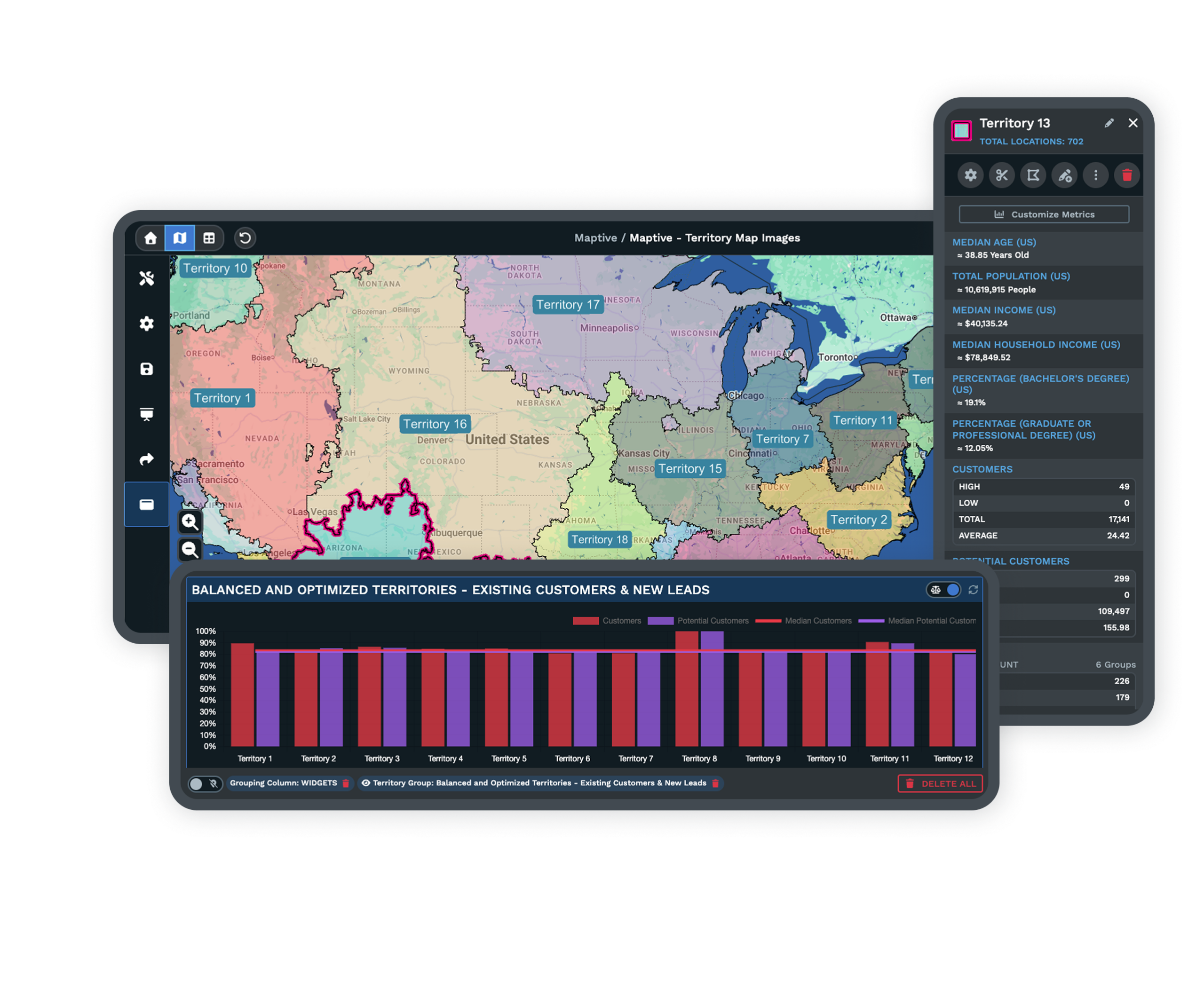
Export parcels from the county GIS portal or your parcel data provider as a spreadsheet. Include the parcel number, owner name, mailing address, acreage and zoning, and ask for centroid latitude and longitude so rural parcels map without a street address. Upload that parcel file to Maptive. Each parcel shows as one point, and clicking it opens the row.
- 2
Cut to Workable Sites
From Map Tools, start the Filter Tool with Create Filters. Put a Number filter on acreage at your minimum and a Group filter on the zoning codes you can work with. When someone asks about one site, search its parcel number with a Text filter. Then switch on Satellite View and check the remaining parcels for wetlands and access.
- 3
Read Growth Around the Shortlist
Click a shortlisted parcel and add Distance Radius Circles or a Drive Time Polygon around it. Click the shape to open its pop-out, go to Customize Metrics, pick population or households from Demographic Data, and select Add to Proximity Details. The market data library also has forecasts, so you can compare expected growth around each site along with the current numbers.
- 4
Work the Owner Outreach
Add an Outreach Status column and group the map by it in the Marker Grouping Tool, so each stage has its own color. After a mailing, lasso the parcels you mailed and use Batch Edit to update their status in one pass. From the same lasso, Export Location Data gives the mail house the list for the next letter.
Start With the County You’re Working Now
Start with one county’s parcel list on a free 10-day trial with no credit card. If your parcel files come in different formats, a Maptive specialist can help line them up on a demo.
No credit card required
Frequently Asked Questions
Does Maptive include parcel boundaries or owner data?
No. Maptive doesn’t supply parcel or owner data. Your land team brings that in from the county assessor or GIS portal, or from the parcel data service it already uses. What Maptive adds is census data for the US and Canada at the block group level, along with a licensed market data library that forecasts population and income. Upload the parcel list as a spreadsheet and you can read those numbers around any parcel, which is something county records don’t give you.
How do I map land parcels for acquisition outreach?
Upload a spreadsheet with one row per parcel and a location for each, either a situs address or a latitude and longitude. Add the columns your team works from, like owner and acreage, so each marker opens with the details you need. A status column with one color per stage tracks outreach. Filter to the parcels worth contacting, export them for a mailing, and update the status as owners reply.
Can I plot parcels by pin-drop or latitude and longitude?
Yes. Maptive reads latitude and longitude columns from your upload, which is the most reliable way to place rural land with no street address. To add one site by hand, open the Data tab, choose Add New Row, enter the location and click Map Now. After the coordinates map, check the pin on Satellite View. In the US, longitude is a negative number, and a missing minus sign puts the pin on the wrong side of the world.
What should a land team screen before reaching out to an owner?
Screen for the problems that end a deal first. Take flood zones, wetlands and easements out of the acreage, since gross acres on a tax record can overstate what you can build. Next, check road access and utilities. Zoning comes after that, to see if your use is allowed without a rezoning. Confirm the owner of record and the legal description last. One scorecard for every site keeps letters and calls going to parcels that can work.
How do I find the real decision-maker when land is owned by an LLC?
Look up the LLC with the Secretary of State where it’s registered to find its registered agent and managers. Then check the latest deed at the county recorder. On farmland, the person working the field may be a tenant farmer with no say in a sale. Keep the owner’s mailing address in its own column on the map. When it differs from the parcel’s location, the owner is an absentee owner, and that is worth noting before you reach out.
What’s the best way to run off-market landowner outreach?
Start with direct mail and send more than one letter, a few weeks apart. Calls and texts to skip-traced numbers come with federal and state rules, so check those before you dial. Log every touch against the owner, and keep each owner’s mailing address and parcel number in the same row so replies match the right parcel. On the map, a status column colored by stage shows which areas you’ve mailed and which owners haven’t answered yet.
How do I assess inbound land leads quickly?
Put it on the map and read the area around it. In the Data tab, Add New Row places the site on your map by address or coordinates. Put a three-mile ring or a 15-minute drive time around it and read population and household counts in Customize Metrics. Then turn on Satellite View to look at the ground. Compare what you find against your screening criteria to decide if the lead is worth a site visit.
Can I show parcel outlines instead of points?
Parcels show as points, since every marker on a Maptive map comes from one row of your upload. If your parcels come as a shapefile or KML, Maptive’s free converters turn the file into a spreadsheet with one row and one coordinate per parcel, ready to upload. For a finalist site where the shape matters in a presentation, trace the outline on Satellite View with the Drawing Tool’s Polygon. A drawn shape is for display only and doesn’t hold data or count markers.
Can I spot neighboring parcels for an assemblage?
Yes. Click the target parcel and add a small Distance Radius Circle around it, such as a quarter mile for infill or a mile for rural land. Export the parcels inside the ring with their owner names and sort the file by owner. Owners who hold more than one neighboring parcel are worth contacting first in an assemblage. You can also group the map by owner name so each owner’s parcels share a color.
Can our acquisition team and outside brokers work from one map?
Yes. Keep the parcel list in a Google Sheet connected to Maptive, so a status change in the sheet updates the map for everyone. Give your team edit rights on the shared map and outside brokers view-only rights, and add a password if the pipeline is confidential. Anyone with access can click a parcel to read the owner and the last contact date. Nobody has to send a spreadsheet around to share the latest status.








