


Put Substations, Gas and Fiber Next to Every Candidate Parcel
Maptive plots the substations, gas points and fiber locations you bring next to your candidate parcels, measures the distance between them and adds census data around each site.
No credit card required
- Plot substations from a utility or energy dataset by latitude and longitude, with voltage and owner in each pop-up.
- Filter substations by voltage with a Number slider so only 115 kV and above stay on the map.
- Ring each candidate parcel and export the substations inside with straight-line distance attached to every row.
- Find a parcel by its assessor’s parcel number with a Text filter on the parcel ID column.
- Trace a transmission corridor or fiber route near a finalist site with the Drawing Tool’s Polyline.
- Switch on Satellite View, where cleared transmission rights-of-way and tower lines are visible from above.
Trusted by teams at









Know the Distance to Power Before Anyone Signs an LOI
True insight into our data is vital to our success, and Maptive gives us exactly that.
Laying Out the Infrastructure Overlay in Maptive
- 1
Prepare the Point Files
Gather each infrastructure source as a spreadsheet with latitude, longitude, voltage, owner and type. If a source comes as KMZ or a shapefile, put it through Maptive’s free converter first. Combine the sources into one sheet with a Record Type column, then add your candidate parcels with their parcel ID and acreage. Upload that combined sheet and every row becomes a marker.
- 2
Style by Type and Voltage
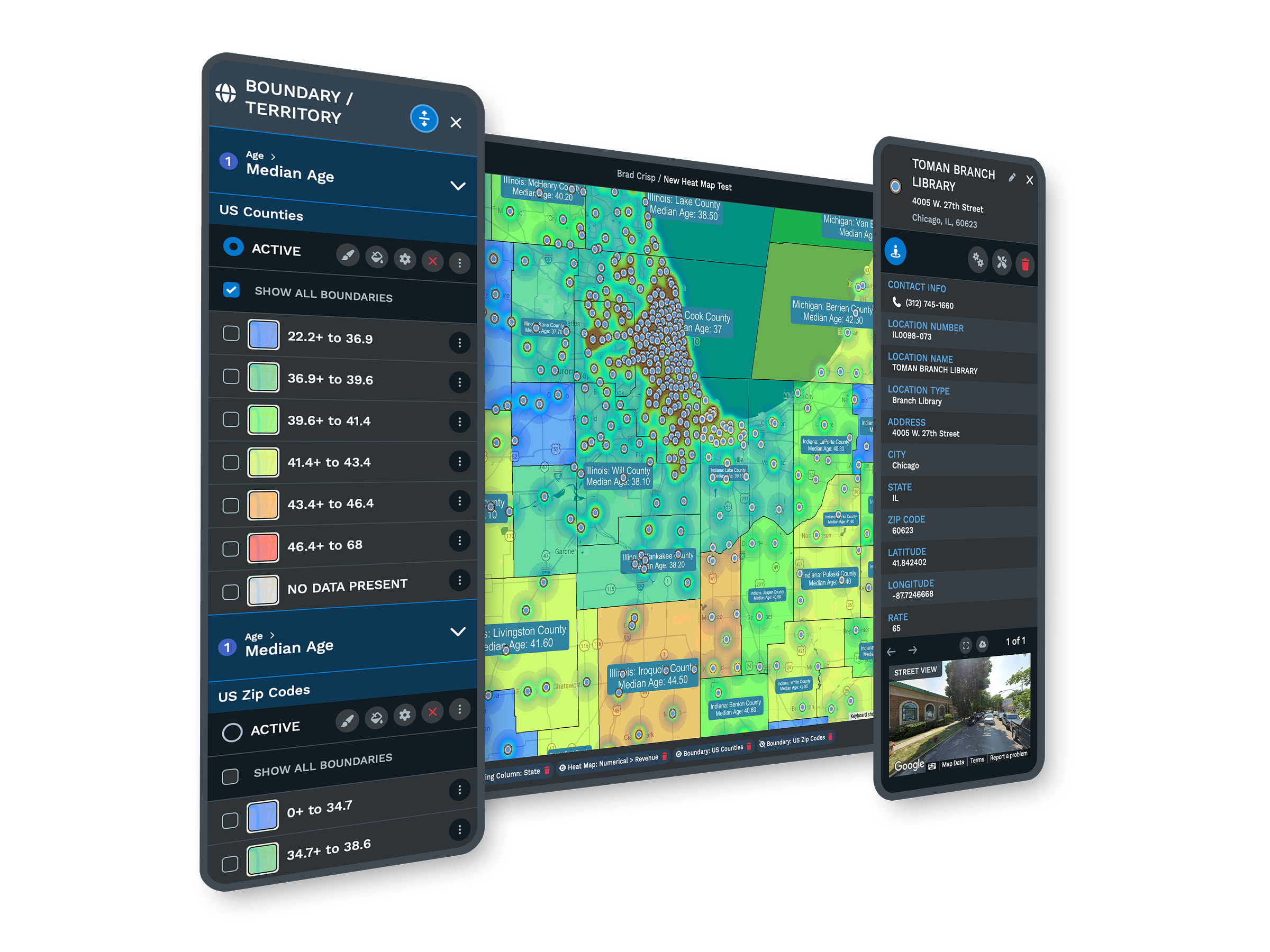
Open the Marker Grouping Tool and group by Record Type so each kind of infrastructure gets its own color. Swap in icons from Custom Map Markers so a substation and a fiber hut look different on the map. Then open the Filter Tool and set a Number filter on voltage to hide anything below the service level your load needs.
- 3
Ring the Candidate Sites
In Distance Radius Circles, switch Apply To from Individual Location to Group, choose the Record Type column and the candidate parcel value, then set the ring to the distance your power plan allows. Use Export File to save every circle’s contents at once with straight-line distance included. The file lists the substations and fiber points near each parcel and how far away they are.
- 4
Trace the Lines and Share
Turn on Satellite View around your finalists, where transmission corridors are visible, and trace the line or pipeline that matters with the Drawing Tool’s Polyline. Add a Label with the voltage or operator. Send the investment committee or your utility consultant a read-only link to the map, or use Export Map Image to put the view in the site memo.
Test Your Shortlist Against the Grid
Upload your parcels and infrastructure points during a free 10-day trial. There’s no credit card required. On a demo, a Maptive specialist can help you merge substation, gas and fiber files into one sheet.
No credit card required
Frequently Asked Questions
Can I import a KMZ or shapefile of transmission lines or pipelines?
Bring them in as points. Maptive builds the map from spreadsheet rows, so substations and compressor stations come in directly from latitude and longitude columns. A line file can go through Maptive’s free KML or shapefile converter, which returns one row per feature with the coordinate of its first point and the full shape as text. The map shows that row as a single marker. For the few lines that matter near a shortlisted parcel, trace them with the Drawing Tool’s Polyline over Satellite View.
Does Maptive come with utility, parcel or fiber data?
No. Maptive doesn’t supply infrastructure or parcel data, so you bring those from your own sources. Every plan comes with US and Canadian census figures at the block group level, plus a market data library with employee counts by industry and natural hazard risk scores. Ring any parcel you upload and those figures appear in the shape’s pop-out. That puts labor and risk numbers next to the infrastructure points you plotted. Zoning still comes from the county or your own due diligence.
Where do developers get substation and transmission line locations?
Start with the local utility’s GIS portal or its interconnection documents. The U.S. Energy Atlas offers power plant and pipeline downloads as spreadsheets and shapefiles, and Open Infrastructure Map sells exports of OpenStreetMap power and telecom data. Paid energy data providers add capacity and queue detail. Fiber routes come from carriers, often under an NDA. Public layers show where equipment is, not how much capacity it has left, so use any map as a starting list for the conversation with the utility.
What’s the difference between transmission and distribution lines for siting?
Transmission lines move bulk power at 69 kV and up, and large projects look for 115 kV or higher. Distribution lines come off substations at lower voltage to serve homes and small businesses, and they can’t supply the tens of megawatts a data center or a large plant needs. For a big load, the question is how far the parcel is from a transmission-level substation and if a new line or substation would be needed. Keep voltage in its own column so you can filter on it.
How close does a data center site need to be to a substation?
There’s no single distance that works everywhere. The power requirement sets the voltage you need and how far a new line can reasonably go. A nearby substation doesn’t help if it has no spare capacity, and interconnection queues in busy markets can take several years. Use the map to find the parcels close to the right class of equipment. Then confirm available capacity and queue position with the utility before you tie up the land.
Can I see transmission lines and gas pipelines over a parcel?
You can see the points along them and, on Satellite View, the corridors themselves. Substations and gas compressor stations plot as markers from your spreadsheet, each kind in its own Marker Grouping Tool color. From above, a transmission line’s cleared right-of-way and towers are visible. Trace the route next to a finalist parcel with the Drawing Tool’s Polyline and label it with the voltage or operator. That covers a shortlist, while a full regional line network needs desktop GIS.
How do I check fiber for a data center site?
Look for at least two fiber routes from different carriers at or near the parcel, so one cut can’t take the site offline. Ask carriers for their long-haul routes and points of presence, and plot the points of presence as markers with a carrier column. Ring each candidate parcel at a mile or two and export what’s inside. Record the carrier for every point, because separate routes and knowing who owns each path matter more than raw distance.
Can Maptive recognize a parcel by its parcel ID?
Yes, once the parcel ID is a column in your upload. Maptive doesn’t hold county parcel records, so each parcel needs its own row with a latitude and longitude or an address. Set the parcel ID column to a Text filter in the Filter Tool and type the number to narrow the map to that parcel. From there you can ring it or read the demographics around it. Format the IDs the same way the county does so your searches match.
Can I shade counties by which utility serves them?
Yes, if you have a list of counties and the electric utility that serves each one. Add both columns to your sheet. In the Boundary Tool, choose counties and set the fill to My Group / Territory Data, with Sync Data set to Data so the county names match. Each county takes its utility’s color. Service territories don’t follow county lines exactly, so use this for an early regional screen and confirm each parcel’s provider with the utility.
What else matters besides power when screening an industrial or data center parcel?
Water for cooling and buildable acreage come right after power and fiber. Buildable acreage is the land left once wetlands and floodplain are taken out, and zoning also has to allow the use. In Maptive, a ring around each site shows the local workforce and hazard risk through Customize Metrics, which helps you compare sites on more than power. Bring zoning and floodplain status in as columns from your own due diligence, since Maptive doesn’t supply them.








