


Office Relocation Commute Analysis Across Every Candidate Building
Maptive measures the drive from every employee home ZIP code to each building on the shortlist and to your client’s current space, then shows who gains time and who loses it.
No credit card required
- Map headcount by home ZIP code from an HR export that leaves out names and street addresses.
- Shade ZIP codes by employee count with the Boundary Tool to show where the team commutes from.
- Get the drive time from each home ZIP to every candidate building and the current office in one table.
- Color ZIP codes by how much the drive changes, so the staff facing a longer commute are easy to find.
- Filter the map to one department or level and check how each building changes their drive.
- Share a password-protected map with the decision makers, or export an image for the deck.
Trusted by teams at









Who Gains Minutes and Who Loses Them
Maptive is essential to how we understand the global distribution of our leaders, helping us reduce unnecessary travel time and costs.
Putting the Study Together in Maptive
- 1
Load Headcount by ZIP
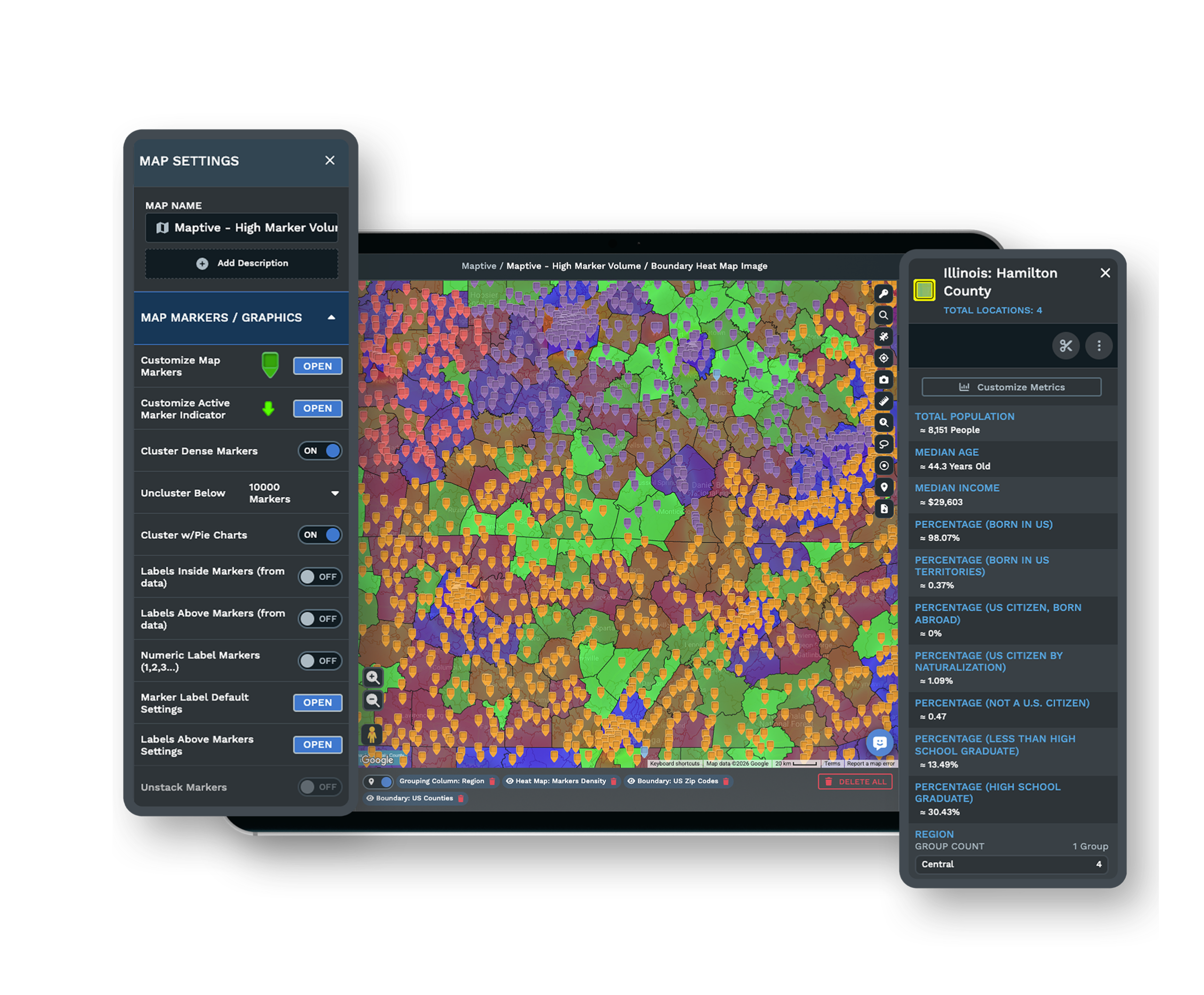
Ask HR for a file with one row per home ZIP code and a headcount column, with no names. Add a department column too if the decision depends on it. Add the file to a new map and each ZIP appears as a point. Then choose ZIP Codes in the Boundary Tool and set My Numerical Data to Sum the headcount, so each ZIP shades by its staff count.
- 2
Pair ZIPs With Buildings
Add the current office and each candidate building as markers. In the Distance Matrix Calculator, flag the home ZIP codes as origins and the buildings as destinations. Maptive returns the driving distance and drive time for every pair. Export the table and average the minutes for each building, weighted by headcount, so each option has one number to compare with the current office.
- 3
Sort Staff Into Bands
In the headcount sheet, add a Band column for each finalist building. Fill it with labels such as shorter, about the same, or longer by 10 minutes or more, then re-upload the file. Open the Grouping Tool on that column and each ZIP takes the color of its band. The Filter Tool then shows one department or level at a time.
- 4
Count Reach and Share Findings
Draw a Drive Time Polygon around each building at the commute the client calls acceptable. Click the polygon and sum the headcount column inside it through Customize Metrics. For the deck, save a PNG or PDF with Export Map Image. You can also send a password-protected link so leadership can click any ZIP code and read the numbers behind it.
Test Your Shortlist Against the Team’s Drive
The free 10-day trial needs no credit card. Upload a ZIP code headcount and your candidate buildings to run the comparison. A Maptive specialist can walk you through the Distance Matrix Calculator on a demo.
No credit card required
Frequently Asked Questions
Where should we relocate our office to minimize employee commute?
Pick the building with the lowest average drive, weighted by headcount. Then check how many people would drive longer to reach it, because a good average can hide a large group that loses time, and that group is where the retention risk is. If the team works a hybrid schedule, weight each ZIP by the days people come in as well as by headcount. A longer drive matters more to someone in the office most days than to someone who comes in once a week.
Why does commute analysis matter in an office relocation?
Commute time affects who stays. Replacing staff costs money in hiring and training, and experienced people take what they know with them when they go. A commute study puts a number on that risk so leadership can weigh it against rent and the building itself. It also shows the move was planned with the staff in mind. For recruiting, a building close to where people already live gives the company a larger area to hire from. For the tenant rep, the study becomes part of the record of why one building was chosen over the others.
Should I use home addresses or ZIP codes for a commute study?
Start with ZIP codes. HR can usually share a home ZIP and a headcount without privacy concerns, and ZIP-level results are accurate enough to rank buildings against each other. Full addresses give tighter drive times but expose more personal data, so keep them inside HR if you use them. Clean the file before you run anything. Typos, PO box ZIP codes and remote employees in other states will skew the averages, so remove or flag those rows first.
Should I report the average or the median commute?
Report both. Employees who live far from every candidate raise the average, while the median shows what a typical person will face and moves less with those outliers. Add a third figure for the number of staff who would drive longer, since that count speaks most directly to retention and is the one people will ask about. Put the numbers in one table per building, with the current office in the first row as the baseline for every change.
How do I heat-map where our employees live by ZIP code?
Use both. A weighted heat map gives the first look and a ZIP code fill gives exact counts, and for the heat map you open the Heat Mapping Tool and choose Represents Numerical Data on the headcount column, so ZIP codes with more staff show hotter. The fill comes from the Boundary Tool, which shades each ZIP by summed headcount with a key of ranges. Click any ZIP on the fill to read its exact headcount.
Can I compare more than two candidate buildings?
Yes. The Distance Matrix Calculator measures every origin against every destination, so each extra building adds rows to the export and nothing else changes. Flag every candidate as a destination, and include the office the team uses now, so each home ZIP gets a drive time to all of them in one run. Give each candidate its own marker color on the map so leadership can see where it is in relation to the headcount.
Does the drive time account for rush-hour traffic?
No. The Drive Time Polygon assumes perfect driving conditions with no live or historical traffic, so read the matrix results the same way, as a driving baseline for ranking buildings. Every candidate is measured on the same terms, which keeps the comparison fair. Before a final recommendation, check a few peak-hour trips to each finalist in a navigation app. This matters most where one bridge or one highway is the main way in.
What about employees who commute by transit?
Handle it as a separate check. Maptive measures driving only, so add the rail stations near each candidate as their own markers before you look at walking distance. Draw a half-mile Distance Radius Circle around each building to see which stations are within walking distance. Then sum the headcount in home ZIP codes near stations on those lines to estimate how many staff could take the train. The building with the shorter drive is not always the easier one to reach by rail.
Is our employee data safe on the map?
Yes, if you keep the file de-identified. The study needs only locations and counts, so names and street addresses can stay with HR. Maptive protects accounts with 256-bit SSL, two-factor authentication, single sign-on and role-based access. To share results, send a view-only link with a password. The people approving the move can read the map and the commute bands without editing them or opening the source file, and you can turn the link off once the decision is made.
How do brokers use a commute study to win a relocation assignment?
In the pitch first. Mapping the client’s headcount by ZIP before the first meeting shows which submarkets keep drives short, and it puts the focus on the client’s staff as well as the buildings. Once the assignment starts, the study narrows the search area and backs up the tour list. It also gives leadership a written record of why the chosen building made sense, which helps when the move is announced to staff.








