


A Shared Territory Lookup Map for Your Team
How many times a week does someone ask who covers a ZIP? Give the team one map where they type an address and see.
No credit card required
- Type any address and the map shows the rep who covers it now.
- Share one view-only link so staff can look up areas fast now.
- Password-protect the map so only your own team can open it up.
- Embed the lookup map on your intranet with one short snippet.
- Retire the manual Excel rep-lookup your team leans on each day
- One admin license shares the map with the whole office at once
Trusted by teams at









The Rep-Lookup Map Anyone Can Read
You can't see that on an Excel file.
Standing Up the Lookup Map
-
1
Build Your Territories
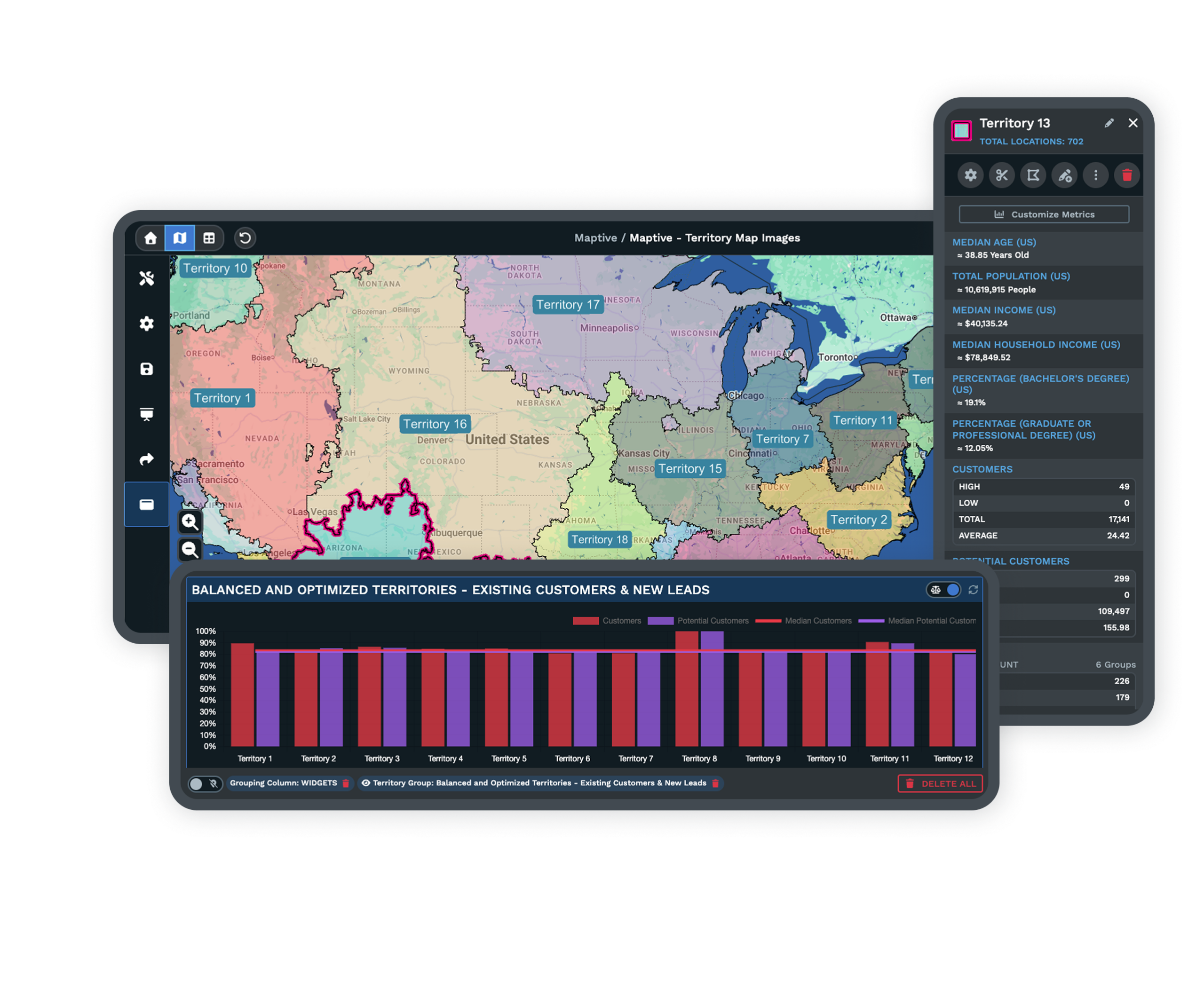
Group your ZIP codes or counties into named areas so every place on the map belongs to a rep.
-
2
Add the Address Finder
Turn on Location Finder so anyone can type an address and get back the territory and its rep.
-
3
Set the Sharing You Want
Create a view-only link, add a password if you like, and grab the embed code for your intranet.
-
4
Send It to the Office
Share the link or embed the map, and staff look up any area without touching your work.
Share Your Lookup Map Today
The 10-day free trial is the quickest way to try it, with no credit card. Build a couple of territories, switch on the address finder, and send yourself a view-only link. See how fast a lookup runs on your own areas. Want a hand? A Maptive specialist will set up the first territories and the shared link with you.
No credit card required
Frequently Asked Questions
How do employees find out which sales rep owns a ZIP code or county?
They type the address or place into the map and it hands back the territory and the rep who covers it. With Location Finder switched on, your shared map answers a lookup the moment someone enters an address, so no one has to scan a spreadsheet or ask around. Because your ZIP codes and counties are grouped into named territories, the map already knows which rep owns each area. Staff open the link in a browser and get the answer in a second, without any editing rights and without a license of their own.
How do I share a territory map without giving everyone a license?
You share a view-only link from your own account, and the people who open it never need a license. One admin builds and owns the map, then creates a link that lets others look but not change anything. Send that link by email, pin it in a chat, or paste the embed code into your intranet so the map lives on a page your team already visits. You can add a password so only your staff can open it. This keeps one license doing the work while the whole office looks up areas freely.
Can staff change the map when they open the shared link?
No. A view-only link lets people look at the map and use the address finder, but they cannot move a territory, edit a rep, or alter your data. The editing stays with the admin account that built the map, so what your team sees is always the version you set up. When you do update a territory, the shared map shows your change, and everyone opening the link sees the current answer. This is what makes it safe to send the link widely, since looking up an area never risks the work behind it.
How does someone look up the rep for a specific address?
They enter the address into the Location Finder box on the shared map. The finder checks which territory that address falls inside and returns the area and the rep who covers it. This works for a full street address or a general place, so a staff member can answer a caller or route a lead in seconds. Because the lookup runs on the same territories you built, the answer always matches how you have divided your regions. No spreadsheet, no guessing, only type and read.
Can I put the lookup map on our company intranet?
Yes. Every shared map comes with an embed code you copy and paste into a page on your intranet or website. Once it is in place, the map shows up right where your team already works, and they can type an address and look up a rep without leaving the page. You still control the map from your account, so any update you make appears on the embedded version too. If you would rather not embed it, a plain view-only link works as well and takes one click to share.
Does everyone need a Maptive account to view the map?
No. The view-only link and the embedded map open in a normal browser with no sign-in, so your staff need nothing installed and no account. Only the admin who builds and edits the map keeps a paid account. This is the point of the shared map, since it lets a whole office look up areas while one license covers the work. You can still protect the map with a password so only people you have shared it with can open the link.
How is this better than the Excel sheet we use now?
A spreadsheet makes people scan rows and match a ZIP to a rep by eye, which is slow and easy to get wrong. The shared map answers the same question by address, and it shows the areas visually so a gap or an overlap is obvious. As Jonas Porter put it, you cannot see that on an Excel file. When a territory changes, you update the map once and everyone looking sees the new answer, instead of passing around a fresh copy of the sheet each time something moves.
Can I control who is allowed to open the shared map?
Yes. You can set a password on the shared link so only people who have it can open the map, which keeps a lookup tool internal to your team. Share the password alongside the link, or bake the map into a page behind your own intranet login. Because the link is view-only, even the people you invite can look but never change your territories. If you ever need to close access, you update the sharing settings from your account and the old link stops working.
What do I need to set up before staff can look things up?
You group your areas into territories, ZIP codes or counties, so every place belongs to a rep, then you switch on Location Finder and create a shared link. That is the whole setup. You can import your ZIP list or account list from a spreadsheet to build the territories quickly, and Maptive maps them for you. Once the territories are named and the finder is on, the lookup works for anyone you send the link to. A specialist can walk you through the first build if you want company.
Will the shared map stay current when territories change?
Yes. The shared map always shows the version in your account, so when you reassign a ZIP or redraw an area, everyone who opens the link sees the updated answer. There is no second copy to send around and no stale sheet floating in inboxes. You make the change once, and the view-only link and the embedded map both show it. This is a big reason teams move off a spreadsheet, since one map stays right for the whole office instead of many copies drifting apart.








