


Resolve Overlapping Sales Territories on the Map
Two reps both swear they own the same ZIP? Color the map by rep and the overlap jumps out, then redraw the line.
No credit card required
- See the same ZIP shaded for two reps the second you color it
- Spot a group tie where one ZIP falls inside two areas at once
- Redraw the boundary so every shared ZIP belongs to one rep now
- Fix a county overlap by moving it into one rep's own territory
- End the double coverage without re-lassoing every marker again
- Confirm that no ZIP lands in two reps' areas before you share
Trusted by teams at









Overlaps You Can See at a Glance in Maptive
If you're looking to do a geographic analysis of how well you're serving your market, that's where I always start.
Overlaps Found and Cleared
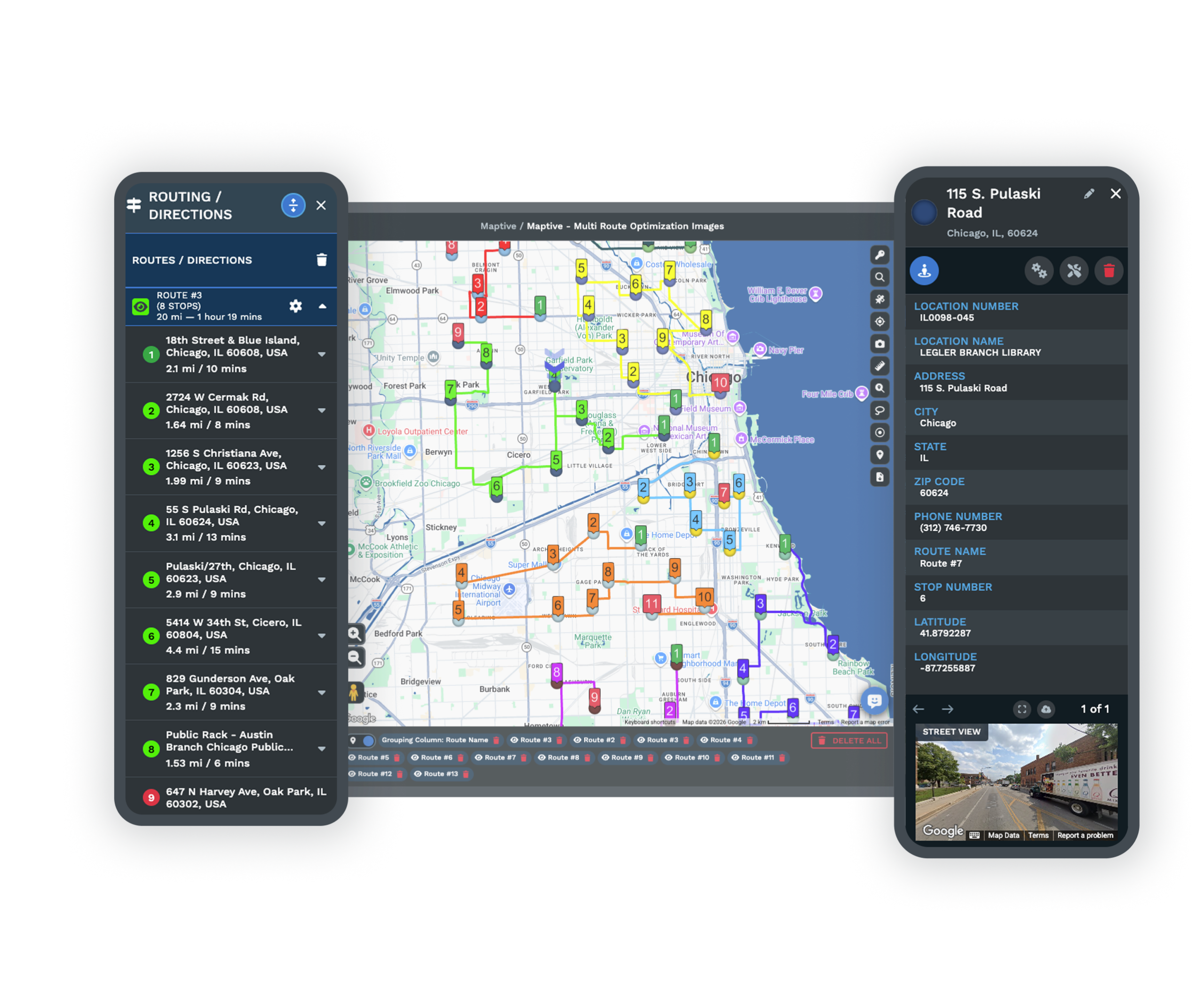
-
1
Color Every ZIP by Rep
Group your markers by the salesperson column so each rep gets a shade.
-
2
Find the Two-Toned Area
The overlap shows up as a ZIP shaded for two reps at once.
-
3
Redraw the Boundary
Use the Boundary Tool to move that ZIP into one rep's territory.
-
4
Check It Belongs to One
Recolor and confirm no ZIP is shared before you share the map.
Fix Your Overlaps Free for 10 Days
Try Maptive free for 10 days with no credit card, and a mapping specialist can sit with you and walk through your first overlap fix whenever you want a hand.
No credit card required
Frequently Asked Questions
How do I fix two reps assigned to the same zip code?
Start by grouping your markers by the salesperson column so each rep shows in a color. A ZIP that belongs to two reps shows up shaded for both, so the overlap is easy to spot. To fix it, open the Boundary Tool and find that ZIP, then move it into the single rep's territory who should own it. Recolor the boundary and the ZIP now shows in one rep's color. You do all of this on the live map, so there is no spreadsheet to edit and no re-import once the ZIP sits with one owner.
What causes a group tie in my territory map?
A group tie happens when the same area, usually a ZIP or a county, ends up assigned to more than one territory. It often starts when two reps each draw a boundary over the same block, or when a source file lists one ZIP under two salespeople. On the map, the tie appears as double coverage, where one area holds two colors. The fix is to decide which rep should own it, then use the Boundary Tool to move that area into one territory. Once each ZIP sits in a single area, the tie is gone.
How do I resolve overlapping rep areas?
Color the map by rep first, since that turns the overlap into something you can see rather than guess at. Any ZIP shaded for two people is a shared area. Open the Boundary Tool, which lets you group ZIP codes or whole counties into territories and drag the lines. Move the shared ZIP or county into the one rep who should have it, then recolor so the ownership shows plainly. Work through each overlap the same way. When you finish, every area belongs to a single rep and the map shows one color per territory.
How do I debug a county overlap?
A county overlap means one county has been placed in two rep territories at once. Color the map by rep so the county shows both shades, which tells you the two owners at a glance. With the Boundary Tool you can group by county, so you select that county and move it into the single territory that should hold it. Recolor and the county now sits in one rep's area. If only part of the coverage should move, you can work at the ZIP level inside that county instead, moving individual ZIPs until each one sits with the right rep.
Can I see a double-coverage area on the map?
Yes, and seeing it is the whole point of doing this on a map. When you group your markers by rep with the Grouping Tool, each rep gets a color, and any area handled by two reps shows both colors instead of one. That two-toned area is your double coverage. On a spreadsheet the same conflict is buried in rows that look fine, but on the map it jumps right out. Once you spot it, you move that area into one rep with the Boundary Tool and recolor, so the area turns a single color and the overlap is resolved.
How does the Boundary Tool fix overlaps?
The Boundary Tool lets you group ZIP codes, counties, and states into territories, then draw and drag the lines that separate them. For an overlap, you find the shared area and drag its boundary so the ZIP or county lands inside one rep's territory and leaves the other. Because you are dragging the actual line, you can be precise about which pieces move and which stay. When you are done, recolor by rep to confirm the fix. Nothing goes back to a source file during any of this, so the map stays the working copy and the change holds.
What if I want to split a shared ZIP between reps?
A single ZIP is the smallest area the Boundary Tool groups, so a ZIP itself belongs to one rep once you assign it. To share the ground a ZIP covers, split the accounts inside it instead. Group your markers by rep, then reassign the individual stops that should move so each account carries the right owner. The ZIP boundary still counts as one territory, but the accounts underneath it go to the reps who should call on them. This keeps the map honest, since each ZIP has one owner while the actual customers land with the correct person.
Do I have to re-import my file after fixing overlaps?
No. Every overlap fix happens on the live map, and each change saves in place. You import your Excel, CSV, or Google Sheets file once to build the map, and after that you move ZIPs and counties by dragging boundaries and reassigning markers. None of that sends you back to the source file. This is the part people notice, since the old way meant editing a sheet and uploading it again. Here the map is the working copy, so the moment you fix an overlap, that fix is what your team sees the next time they open the link.
How many locations can one overlap map hold?
A single Maptive map holds up to 200,000 locations, so you can keep every rep and every ZIP on one map while you sort out overlaps. That matters, because you want to see all of the neighboring areas when you decide which rep keeps a shared ZIP. Splitting accounts across files would hide the very conflicts you are trying to find. With every account on one map, coloring by rep shows every overlap at once, and the Boundary Tool acts on the full picture rather than a slice, so no double coverage slips past you.
How long does it take to start fixing overlaps?
You can start the same day. Maptive offers a 10-day free trial with no credit card, so you import your account list, color the markers by rep, and the overlaps show up right away. The tools you need are ready as soon as your data loads, from the Grouping Tool that reveals the double coverage to the Boundary Tool that redraws the lines. A mapping specialist can walk you through your first fix so you feel sure before touching live territories. There is no long setup, since the map builds straight from the file you already keep.








