A simple circle on a map suggests every location within a 10-mile radius of a warehouse is equally easy to reach. But real-world driving, especially in city traffic, proves that’s not the case.
Driving 10 miles through downtown might take 45 minutes, while the same distance on a highway could take just eight. The circle treats both trips the same, so it’s not very helpful for planning when real roads and traffic are involved.
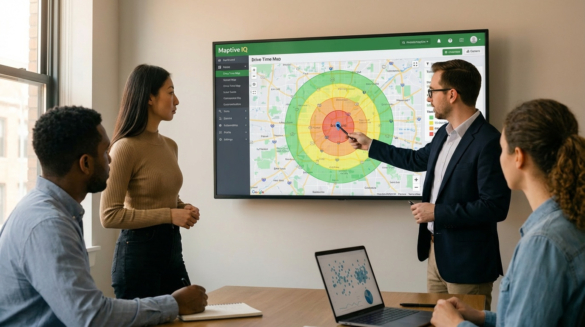
A drive-time map fixes this by showing where you can actually reach within a given time. It measures time instead of distance. The shape stretches out along highways and pulls in near busy intersections. It shows what drivers really experience.
This makes drive-time maps useful for businesses, emergency services, healthcare planners, and logistics teams who need to know how easily people can reach different places.
Table of Contents
How Drive Time Maps Work
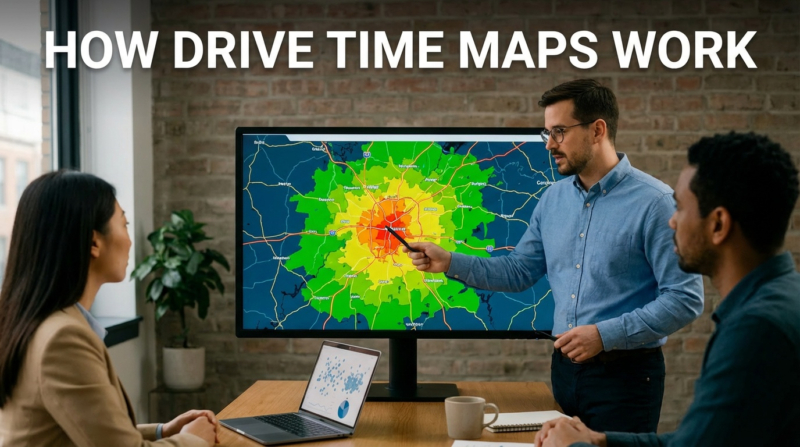
Drive-time mapping uses road network data to estimate travel times between locations. Instead of just drawing a circle based on miles, the software considers speed limits, road types, one-way streets, turn restrictions, and typical traffic. The result is a shape showing everywhere you can reach from a starting point within your chosen time.
For example, say you want to see where a delivery driver can go within 30 minutes of a distribution center. The drive-time map will show an irregular shape. It considers highway access, local road speeds, and traffic jams. Places near fast roads will stretch farther. Areas with heavy traffic or twisty streets will be closer in.
This method provides businesses and planners with helpful information. Recent studies demonstrate that travel time, not distance, determines access to services or stores. For example, a customer living five miles away but driving for 25 minutes behaves differently from someone eight miles away who only drives for 12 minutes.
To compare this against simple distance circles and understand the tradeoffs between distance and time–based service areas, see Maptive’s article on drive time vs radius mapping.
Physical stores still dominate American commerce. According to Capital One Shopping research, brick-and-mortar retail sales totaled $5.927 trillion in 2024. This accounted for 81.6% of all retail sales. With nearly 80% of retail transactions happening in physical locations, selecting the right site matters enormously.
Retailers use drive-time maps to determine how many households are within a reasonable driving distance of a potential store. For example, a grocery chain considering two sites can see which one includes more people within a 15-minute drive. This approach uses real road networks and traffic, not just straight lines from the store.
Drive-time mapping isn’t just for customers. Businesses also use it to estimate how long it would take employees to commute, ensuring a location can attract workers from nearby areas without long commutes.
Response time determines outcomes in emergencies. According to DC Fire and Emergency Medical Services, NFPA Standard 1710 establishes a nine-minute response-time benchmark for advanced life support units. The target is at least 90% of dispatched incidents. This standard includes a 60-second turnout time and 480 seconds of travel time.
Emergency services use drive-time analysis to determine where to deploy ambulances, fire trucks, and other resources to meet response-time goals. By mapping which areas each station can reach in time, planners identify coverage gaps and improve how they deploy teams.
A global analysis by Nature Medicine examines travel times to healthcare facilities worldwide. The study shows that 91.1% of the world’s population can reach a hospital or clinic within an hour using motorized transportation. That figure drops to 56.7% for people limited to walking.
Healthcare groups use these methods in their areas to identify communities with inadequate access. For example, a hospital system planning a new urgent care center can map current coverage and target areas with the longest travel times. This way, new facilities help those who need them most, rather than duplicating coverage.
Route optimization based on travel time analysis delivers measurable results. When UPS fully implemented its route optimization system in the United States, it reduced its annual miles driven by 100 million and saved 10 million gallons of fuel. BSR statistics show that for every mile each driver eliminates per day, UPS saves $50 million annually.
These savings add up for big fleets. A company with hundreds of drivers making thousands of stops each day can use the saved time to make more deliveries or reduce overtime.
Companies that dispatch technicians to customer locations face constant scheduling pressure. One case study of an HVAC firm showed that route optimization software reduced total daily mileage from 440 to 320 miles. It saved $450 per month in fuel costs and increased on-time arrivals by 37%. The same firm cut average travel time by 25%. Technicians could then complete one extra maintenance call per day, adding roughly $9,000 in monthly revenue.
When dispatchers know the actual travel times between jobs, they can make tighter schedules and send technicians to areas that reduce driving time.
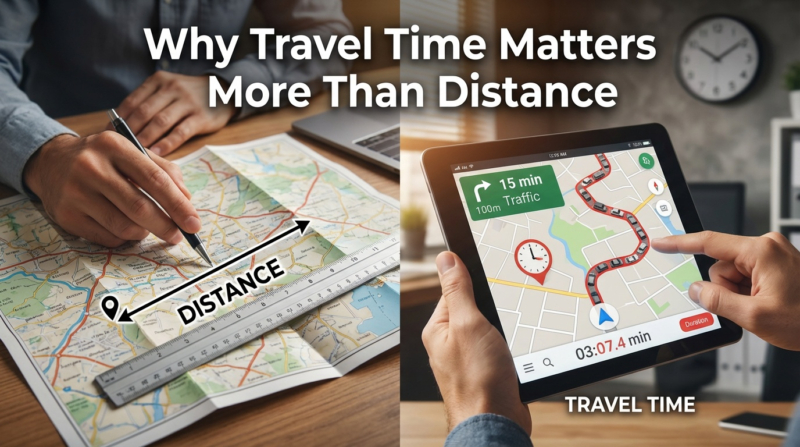
The difference between mapping by distance and mapping by time aligns with how people make decisions. Whether it’s a customer choosing a store, a patient choosing a doctor, or an employee considering a job, people care about minutes, not miles. A 20-minute drive seems fine. A 45-minute drive feels too long. People rarely think about the actual distance.
Businesses that only look at distance miss the real picture. A store that tries to include as many people as possible within 10 miles might still be hard to reach if those roads are always busy. Meanwhile, a competitor with fewer people nearby but better highway access could end up serving more customers.
The global location analytics market shows growing recognition of this principle. According to Fortune Business Insights, the market was valued at $21.15 billion in 2024. It is projected to reach $63.71 billion by 2032, with a compound annual growth rate of 14.7%. The retail segment holds the largest market share. This shows how businesses increasingly rely on location intelligence for strategic decisions.
Drive time maps help with many business tasks. Teams use them to check if possible locations are easy for customers and employees to reach. Sales and marketing teams use them to plan territories, ensuring work is balanced by travel time. Supply chain teams select distribution center sites for optimal coverage and efficient routes.
This technology also helps with competitive analysis. By mapping your locations next to your competitors’, you can see where you have better access and where there are gaps. For example, a retailer might see that a competitor’s store leaves some customers underserved. Those customers become easy to reach with a new location.
Insurance companies use travel time data to process claims and assess risk. How close a property is to a fire station, measured by response time instead of distance, affects its risk level. Health insurers use these methods to check how easily members reach network providers.
To create useful drive-time maps, you need software that combines mapping, road data, and traffic analysis. Maptive offers a platform that quickly turns your data into a custom map. It also pulls in U.S. Census population data so that you can add details like income, age, and education without extra uploads.
With our platform, you can plot up to 100,000 locations on a map. It offers mapping options for retail site selection, delivery route planning, territory analysis, and service area planning. You can also create drive time shapes around your locations and see what’s inside each area.
You can try our platform for free for 10 days. You can also get a demonstration. After the trial, choose a plan that works for you. If your business needs to know where customers, employees, or service areas are based on travel time, we have the tools to help you make those decisions using real data.

Brad Crisp is the CEO at Maptive.com, based in Denver, CO and born in San Francisco, CA. He has extensive experience in Business Mapping, GIS, Data Visualization, Mapping Data Analytics and all forms of software development. His career includes Software Development and Venture Capital dating back to 1998 at businesses like Maptive, GlobalMojo (now Giving Assistant), KPG Ventures, Loopnet, NextCard, and Banking.

 Call Us: