


Area & Regional Developer Buildout Mapping
Plan and track a whole region's franchise buildout on one map. Maptive lets you drop a pin for every planned unit and follow it from prospective to signed to open.
No credit card required
- Plot up to 200,000 planned and open units on one canvas
- Color each marker by status from prospective to signed to open
- Draw radius and drive-time trade areas around every planned pin
- Read population, income, and age inside each candidate boundary
- Sequence a state's openings into a phased buildout order
- Share the region by link with view-only or edit access
Trusted by teams at









A Regional Buildout Measured on One Map
One map for the region cuts the time to track buildout progress by about 30%.
Following each unit from prospective to open drops missed buildout milestones by 24%.
A live pipeline map raises on-time buildout visibility for developers by 27%.
The Development Team's Buildout Map
| 01 |
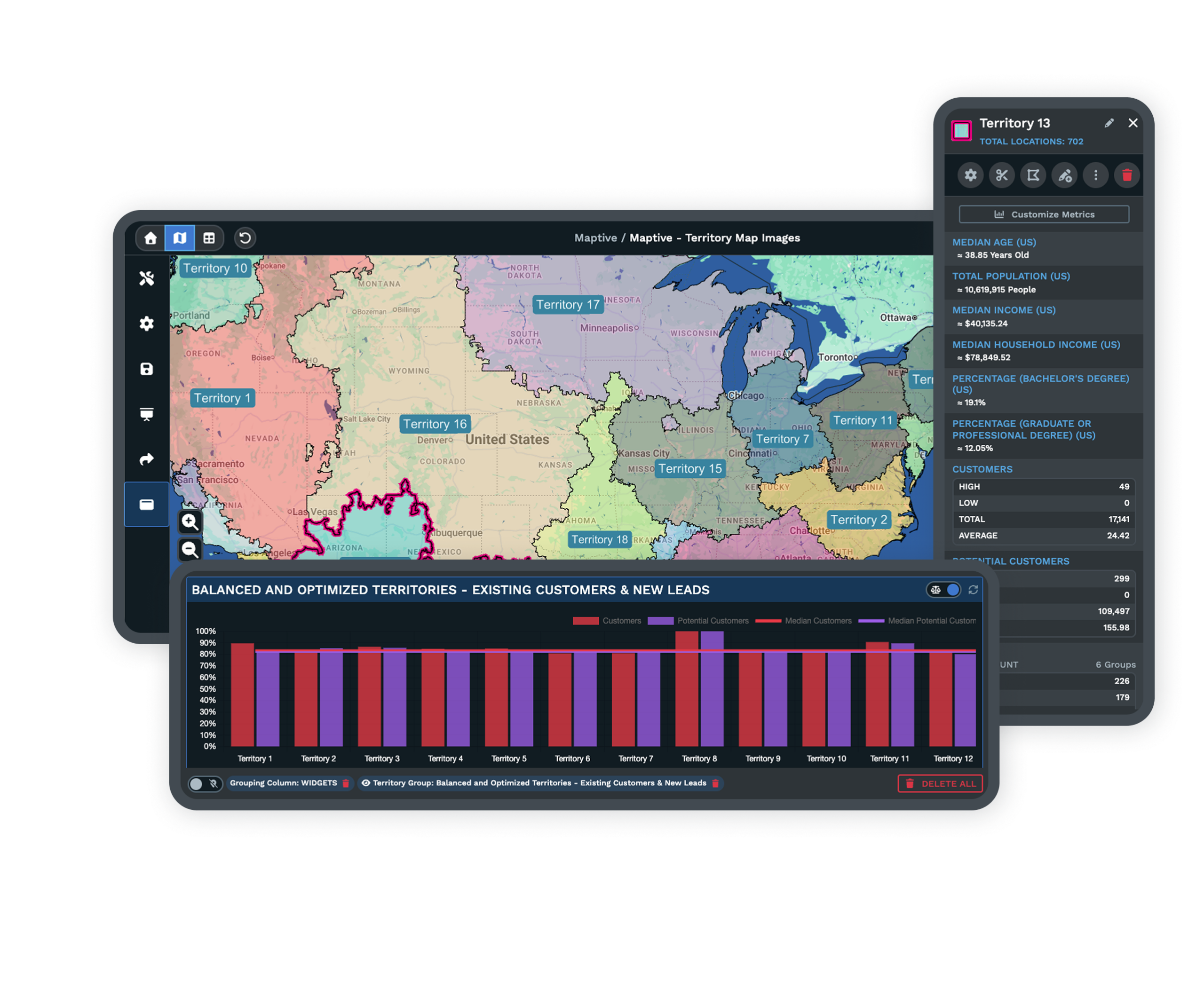
A Pin for Every Planned LocationDrop a marker on each spot you plan to develop across the state, from the proof-of-concept cluster to the sites you will reach later, so the full commitment under your area development agreement lives on one working map. |
| 02 |
A Status Color From Prospective to OpenThe Grouping Tool and Colored Pins shade each marker by a status column, so prospective, signed, and open units read as separate colors and the map shows exactly where the buildout stands today. |
| 03 |
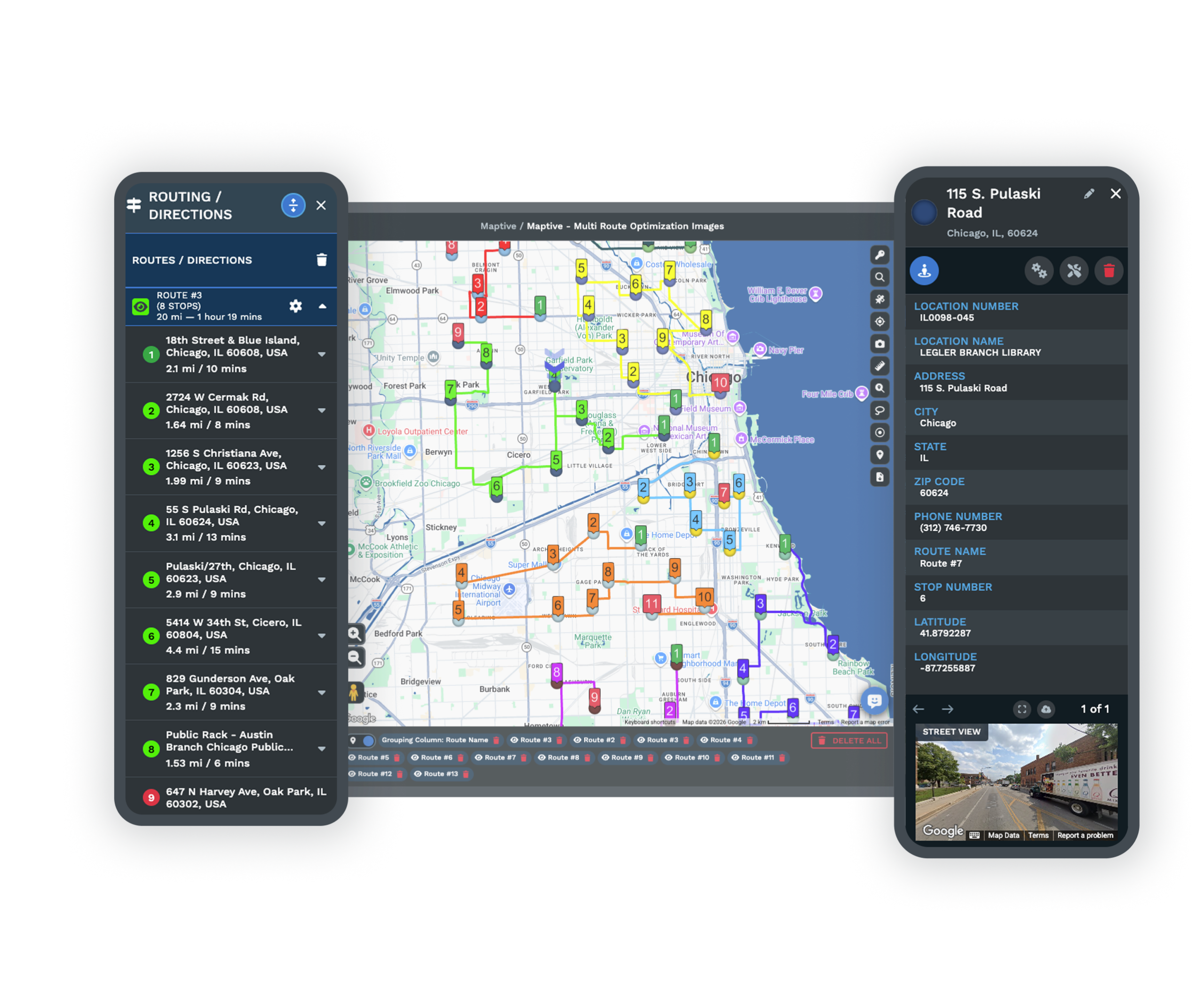
Radius and Drive-Time Spacing Between UnitsThe Distance Radius Tool and Drive Time Polygons draw a fixed-mileage circle or a real-road trade area around each planned unit, so you space the next pin to the schedule without letting two units share too much ground. |
| 04 |
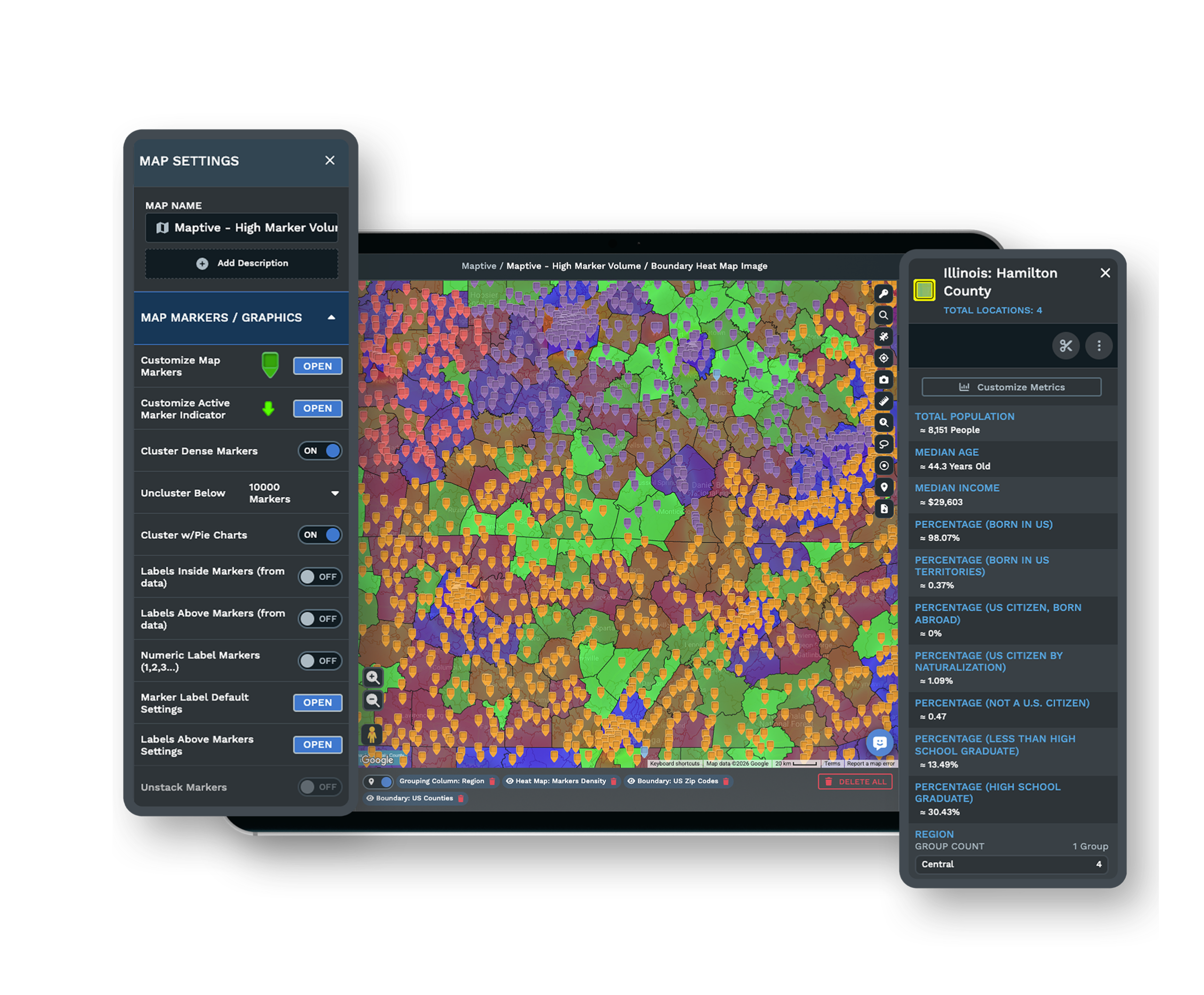
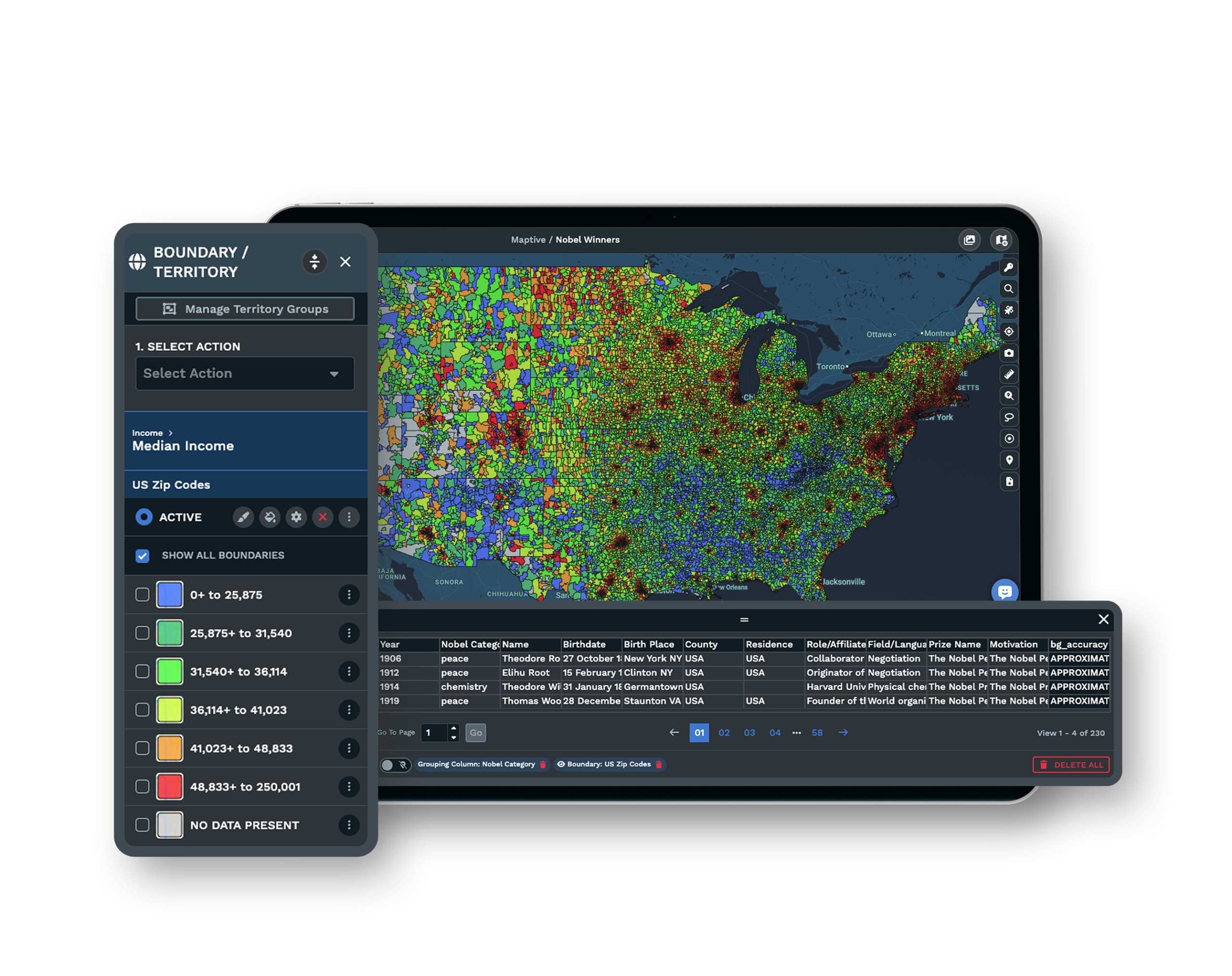
A Demographic Read on Each Candidate SpotDemographic Overlays and the Heat Mapping Tool read population, income, and age inside a boundary from US and Canada census data, so you size a region's opportunity and qualify each spot before it moves from planned to signed. |
From a Proof-of-Concept Cluster to the Wider Region
An area development agreement obligates you to open a set number of units on a schedule, often one new unit every 12 to 18 months, so the map has to show both where the units go and the order they open in. A workable sequence starts with a small cluster in your home market, expands into adjacent territories where you can still support the units, then reaches the larger metros once the management bench is deep enough to run them.
You place the planned pins in that order, space them by radius or drive time, and read the census demand under each one, so the schedule is drawn against real market potential rather than open acreage. Sizing a territory by geography instead of households is how developers oversell a region and end up with units competing.
Watching Planned Convert to Open Without Overlap
A plan drawn once at signing rarely survives, since sites fall through and permitting stalls before you reach a market, so the value comes from updating the map as the region moves. As each unit advances you change its status color from prospective to signed to open, and the remaining white space and the units still owed under the schedule stay visible at a glance.
When two neighboring units sit close, you compare their drive-time trade areas before you break ground, because a store that shows a sales dip three to six months after a nearby opening is likely giving up revenue to it. Reading that overlap early lets you re-space the pins you have not committed yet while you can still choose a different site.
Support for a Buildout Run on One File
Security Around Your Development Plan
Maptive protects your buildout data with 256-bit SSL encryption, two-factor authentication, single sign-on, role-based access, and audit logging, and the platform passed the Salesforce AppExchange security review. You decide who on the development team can open the plan and who can change the pins.
See enterprise security →A Shared Region Your Team Can Follow
Share the buildout map through a link with public or password-protected views, and set each team member to view-only or edit permission. Everyone tracking the region works from the same status colors instead of trading versions of a spreadsheet by hand.
See sharing options →A Support Team Behind the Setup
A US and Canada support team of more than 30 people replies in under 15 minutes and holds a 9.7 out of 10 rating. They help clean your unit list and set up the map, so a developer new to territory mapping gets the region plotted correctly.
Free trial with the full platform and no credit card
Map Your Region's Buildout
Start a 10-day free trial with no credit card and all 60+ tools unlocked. Load your unit list, drop a pin for every planned location across the state, color each one by status, and space the next opening by radius or drive time, all on your real territory.
Plan Your Development Schedule in a Live Session
If your buildout runs against a development quota and a committee reviews each site, a Maptive specialist will map the region with you. Bring the units you have committed and the ones still under review, and the session sequences the openings and checks the spacing in front of the people signing off.
Frequently Asked Questions
How do I plan a region's franchise buildout?
Divide the region into data-sized territories by ZIP code, drive time, or radius, then place a pin for each planned unit and sequence the openings in phases. A common path proves the concept with a small home-market cluster first, expands into adjacent markets, then moves into larger metros, checking spacing and demographics before you commit each spot.
Can I track every spot we're developing across a state?
Yes. Plot each planned, signed, and open location as a status-coded pin on one map and update the color as a unit advances. The whole state's buildout and its remaining white space stay visible at a glance, and the Grouping Tool colors every marker by a status column so you always see where the schedule stands.
What is an area developer in franchising?
An area developer signs one area development agreement to open and operate a set number of franchise units in a defined territory over a fixed timeframe, then signs a separate unit franchise agreement for each store as it opens. The developer operates every unit itself and cannot resell the brand to other operators.
What is a franchise development schedule?
A development schedule is the part of the area development agreement that sets how many units open and by when. A common cadence is one new unit every 12 to 18 months, with a minimum number of units required in the first year and more at regular intervals after. Developers commonly pay the development fee upfront as a share of the franchise fee multiplied by the committed unit count.
What happens if an area developer misses a development milestone?
Missing a milestone is a default under the agreement. The usual escalation is loss of territory exclusivity, reduction of the territory to only the units already open, suspension of the right to develop further units, and finally termination, with the paid development fee generally kept by the franchisor. An attorney can sometimes negotiate an extension for permitting delays or market conditions.
How many units does an area development agreement require?
It varies by territory size, from a few units to 15, 20, or more, opened on the agreed schedule. Developers commonly pay the development fee upfront as a share of the individual franchise fee multiplied by the committed unit count, so there is money against every planned pin before a single one opens.
How many franchise units can a market support?
A common service-franchise benchmark is roughly one unit per 25,000 to 50,000 people, adjusted for household density and drive-time trade areas. Urban markets support 1 to 2 mile territories, suburban markets 3 to 5 miles, and rural markets 10 miles or more. Households matter more than raw population when you size each planned spot.
How do I stop planned units from overlapping or cannibalizing each other?
Space each planned pin by radius or drive time and check for overlap before you commit the site. If stores within a roughly 10-minute drive show a sales dip three to six months after a nearby opening, that is a cannibalization signal, and you re-space the remaining planned pins to hold a buffer between neighboring units.
What is the difference between prospective, signed, and open franchise locations?
Prospective locations are candidate sites still being evaluated, signed locations are committed under an agreement but not yet operating, and open locations are trading. FDD Item 20's Sold But Not Open section tracks the middle group across a whole system, and a developer manages the same planned-versus-open gap inside its own territory.








