FAQ

Expand allClose all

1. About Us

What is Maptive?

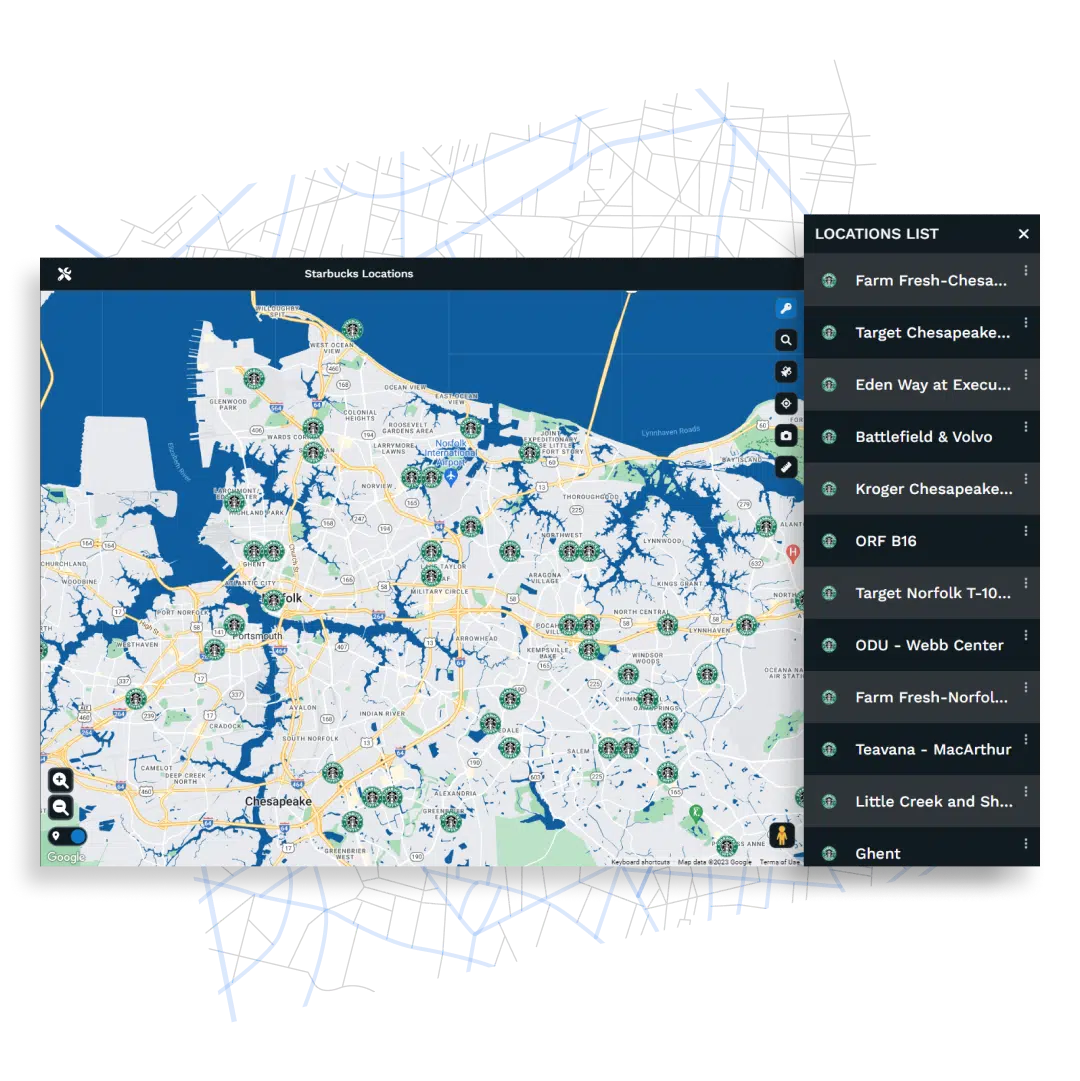
Maptive is a web-based mapping tool that converts spreadsheet data into a custom Google map that is editable and interactive and can be saved and shared with others. Maptive can create a map from any data that contains multiple addresses or latitude-longitude coordinates. Maptive Plus can handle extremely large amounts of data (up to 100,000 addresses) and maps data very quickly (10 addresses/second).

Maptive maps can incorporate much more than just locations. They can include any and all data contained in your Google or Excel spreadsheets, and they will display all of your spreadsheet information in map bubbles. You can also use any data in your spreadsheet for grouping and filtering.

Maptive’s interface allows first-time users to create a map in two simple steps:

  1. Copy and paste or upload a spreadsheet containing address-based data. (Maptive works with both Excel and Google spreadsheets.)
  2. Verify that the data fields are correct – these are most often determined automatically by Maptive.

Once verified, Maptive finds the latitude and longitude of each record using Google maps. As soon as that process is complete, you have a map displaying all of your locations and containing all of your spreadsheet data. You can use the map as is or customize it by adjusting any of Maptive’s display settings.

Maptive is available in two versions: Free and Maptive Plus. Maptive Plus is the enterprise-level edition of our mapping software and is available as a subscription-based service.

What new improvements are coming to Maptive 4?


Maptive has built a reputation for helping people gain insight from location data with mapping tools useful to a variety of needs.

Maptive 4, the coming release of our web-based mapping software, is about delivering deeper insights into data with features that work together to make your day easier.

Maptive 4 still delivers what our mapping customers count on:

  • Quickly map multiple locations from a spreadsheet or table to a custom Google map.
  • Create maps that can be saved and shared with others.
  • Group location data to make decisions and solve problems.
  • Copy and paste location data into Maptive from any spreadsheet or address list.
  • Add and edit location data anytime and anywhere — no software or downloads needed. Maptive is a true web-based mapping service.

And Maptive 4 now includes even more ways to customize your map, to create and share views of your location data, and much more.

WHAT’S NEW:

Data Filtering
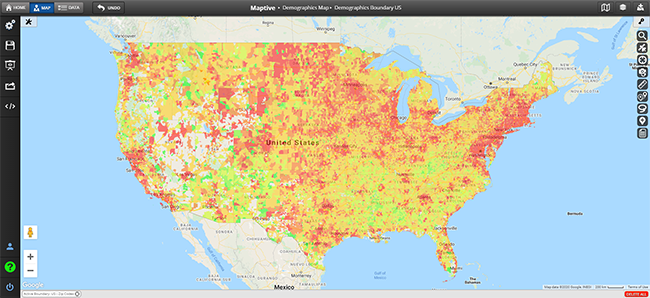
Our most powerful analytical feature yet! Filtering allows your data points to be viewed at multiple levels of granularity on a single map. See relationships between data points while paring down heavy spreadsheet data to only the information most helpful to you.

Map Views
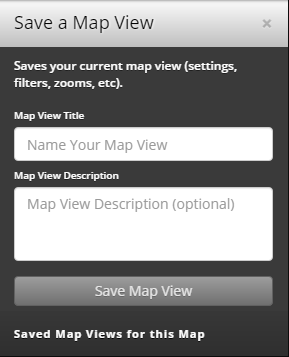
Need to make a point or illustrate a finding? Now you can save and share custom versions or ‘views’ of maps. You can filter, group, search, or create a proximity area around a specific location and save each map view for easy sharing with others.

Multi-Point Driving Directions
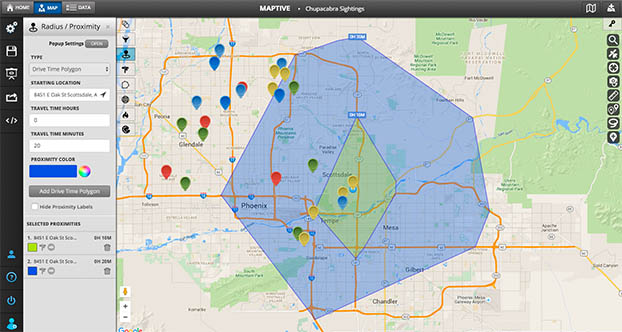
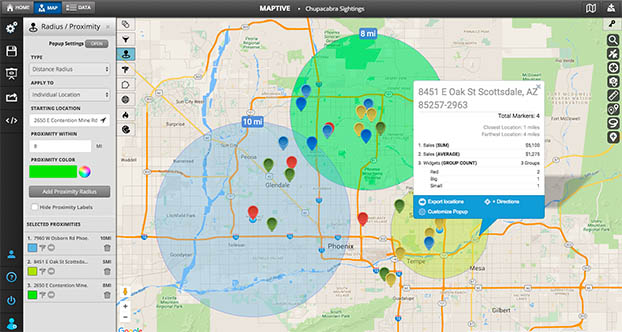
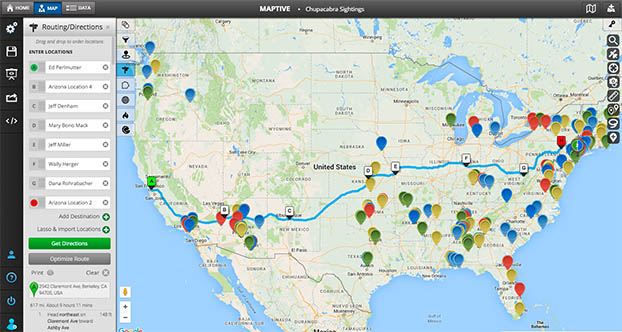
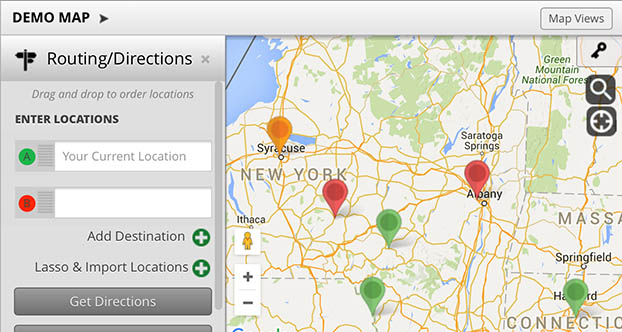
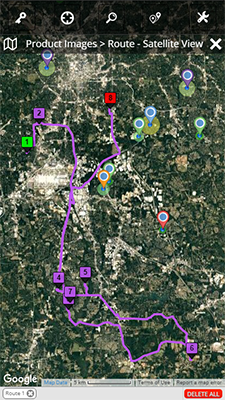
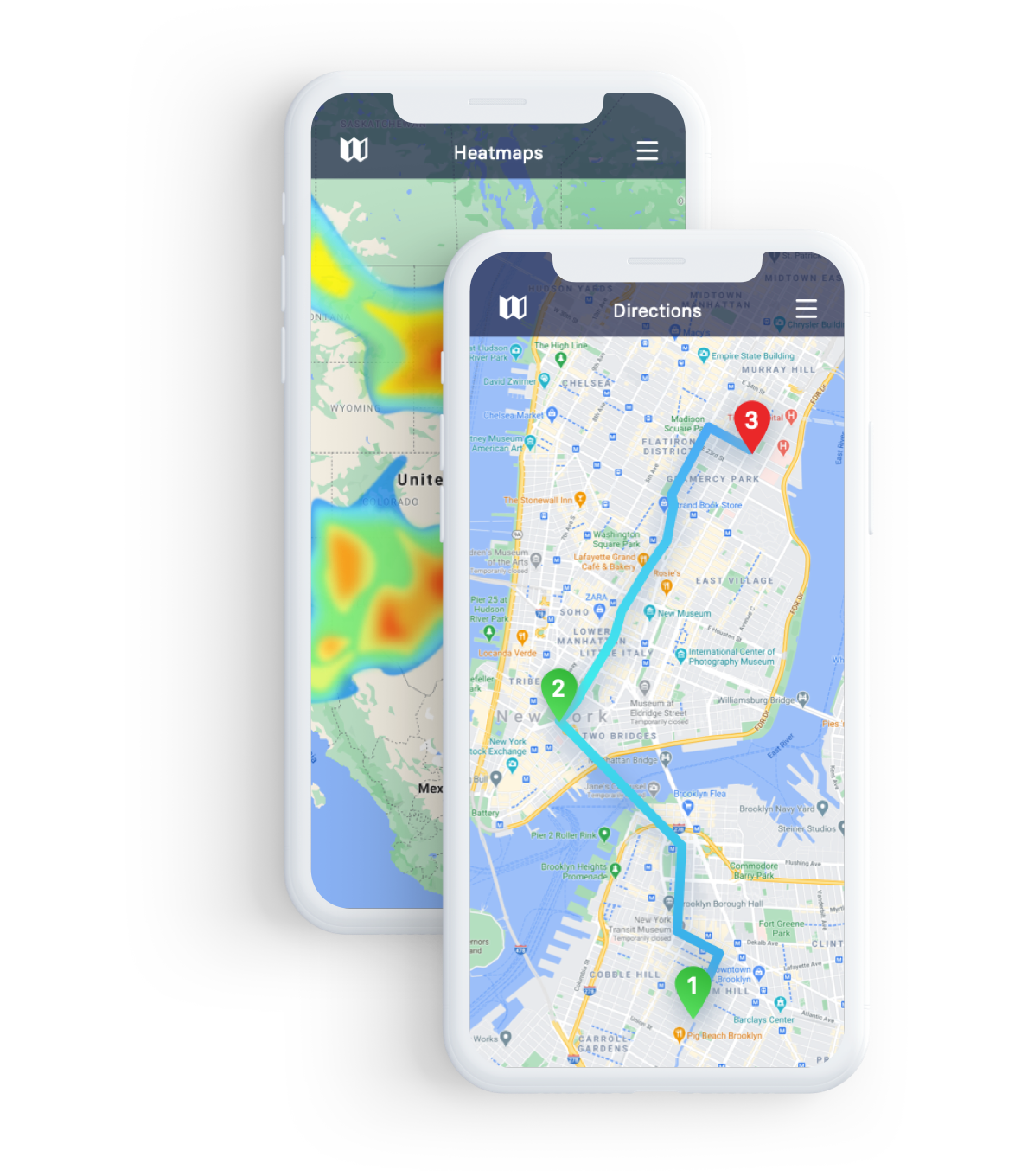
Get more out of your day by mapping the most efficient route between multiple locations. Use the “Proximity” tool to show nearby locations, then click and add each location for optimized directions between multiple points.

Improved Export Options
Along with our other export options, we’ve adding an “Export Current View” option so you can continue working outside of Maptive with only the data you need.

More Ways to Customize Maps

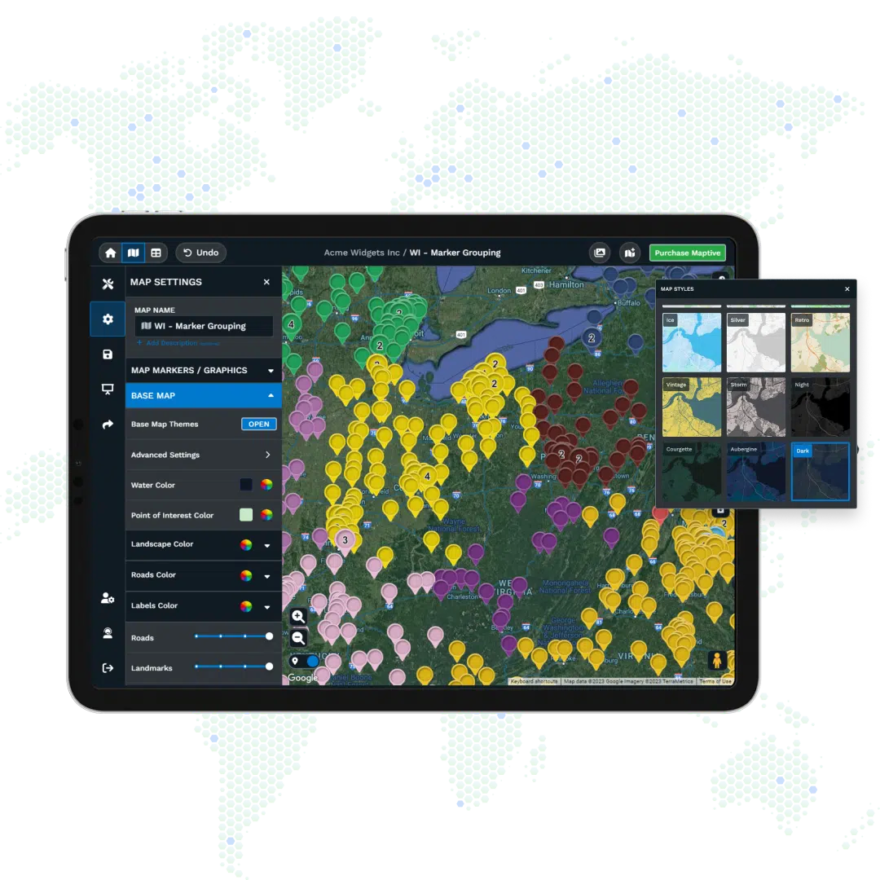
  • Choose what data is available to users within map marker bubbles.
  • Set the initial view point of your map and zoom level.
  • Turn roads on / off to simplify map viewing for users and for presentations.
  • Turn many map functions  on /off: Directions, Proximity, Street View, etc.

Larger Datasets & Faster Map Performance
We redesigned Maptive 4 from the database to handle even larger datasets and work with it more efficiently.  More information about the specific data amount and performance gain is coming soon.

Who are some of your Plus (paying) customers?

Our mapping tools are used by a variety of great customers in countries all over the world including the USA, Canada, Britain, Germany, France, Denmark, Australia, New Zealand, Brazil, Sweden, Switzerland and Ireland.

  • GE
  • Dell
  • Nikon
  • UBS
  • Comcast
  • Siemens
  • Mitsubishi
  • Harvard Business School
  • University of Notre Dame
  • U.S. Dept. of Energy
  • GoPro
  • The Globe & Mail
  • Atlas Economic Research
  • Universal Weather & Aviation
  • Marin Software
  • Heart Foundation
  • Child Mind Institute
  • Health Trust

More Maptive Plus customers


Are these custom Google Maps?

Effectively, yes!  We’ve built our customization and analytics tools on top of Google’s mapping platform.   This gives you just the tools you need to create a custom Google map – the way you want it.

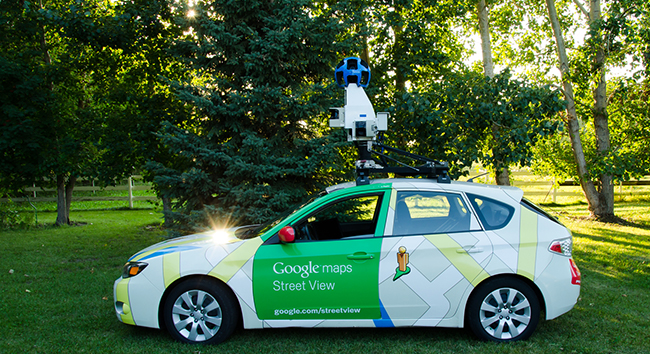
This gives our customers the benefit of Google’s global coverage, mapping accuracy, and well loved features such as Google search, street view and satellite view.   Also, the enterprise version of our mapping software (Maptive Plus) is licensed to use Google’s commercial-level mapping technology. For customers needing more enterprise level features such as analytics, added security, and the ability to map larger datasets, give Maptive Plus a trial run.


View category →

2. About Our Maps

What is Maptive?

Maptive is a web-based mapping tool that converts spreadsheet data into a custom Google map that is editable and interactive and can be saved and shared with others. Maptive can create a map from any data that contains multiple addresses or latitude-longitude coordinates. Maptive Plus can handle extremely large amounts of data (up to 100,000 addresses) and maps data very quickly (10 addresses/second).

Maptive maps can incorporate much more than just locations. They can include any and all data contained in your Google or Excel spreadsheets, and they will display all of your spreadsheet information in map bubbles. You can also use any data in your spreadsheet for grouping and filtering.

Maptive’s interface allows first-time users to create a map in two simple steps:

  1. Copy and paste or upload a spreadsheet containing address-based data. (Maptive works with both Excel and Google spreadsheets.)
  2. Verify that the data fields are correct – these are most often determined automatically by Maptive.

Once verified, Maptive finds the latitude and longitude of each record using Google maps. As soon as that process is complete, you have a map displaying all of your locations and containing all of your spreadsheet data. You can use the map as is or customize it by adjusting any of Maptive’s display settings.

Maptive is available in two versions: Free and Maptive Plus. Maptive Plus is the enterprise-level edition of our mapping software and is available as a subscription-based service.

What can I use Maptive for?

Interpret Data
When your spreadsheet or table data is mapped, you will be able to see what was once complex, whether you are a business person, a researcher, an academic, or involved in the non-profit or NGO sector.  Seeing your location-based data represented on a map and being able to work with it in real time can be one of the fastest ways to gain insight into a problem. It can help you see where the most or least market penetration is, where a health related outbreak occurred, what factors the outbreaks have in common, or the ways in which communities are affected by the presence of a non-profit.

Illustrate a Point
Maptive can help you explain the meaning of complicated data by representing it visually on a map. You can use Maptive’s customized Google maps to present findings to colleagues, to illustrate your point in publications, and to help students learn. You can use Maptive in live presentations or to create maps for use in offline presentations to help land clients, make business decisions, or show the coverage of internationally based projects in the case of a specific NGO.

More…


What new improvements are coming to Maptive 4?


Maptive has built a reputation for helping people gain insight from location data with mapping tools useful to a variety of needs.

Maptive 4, the coming release of our web-based mapping software, is about delivering deeper insights into data with features that work together to make your day easier.

Maptive 4 still delivers what our mapping customers count on:

  • Quickly map multiple locations from a spreadsheet or table to a custom Google map.
  • Create maps that can be saved and shared with others.
  • Group location data to make decisions and solve problems.
  • Copy and paste location data into Maptive from any spreadsheet or address list.
  • Add and edit location data anytime and anywhere — no software or downloads needed. Maptive is a true web-based mapping service.

And Maptive 4 now includes even more ways to customize your map, to create and share views of your location data, and much more.

WHAT’S NEW:

Data Filtering
Our most powerful analytical feature yet! Filtering allows your data points to be viewed at multiple levels of granularity on a single map. See relationships between data points while paring down heavy spreadsheet data to only the information most helpful to you.

Map Views
Need to make a point or illustrate a finding? Now you can save and share custom versions or ‘views’ of maps. You can filter, group, search, or create a proximity area around a specific location and save each map view for easy sharing with others.

Multi-Point Driving Directions
Get more out of your day by mapping the most efficient route between multiple locations. Use the “Proximity” tool to show nearby locations, then click and add each location for optimized directions between multiple points.

Improved Export Options
Along with our other export options, we’ve adding an “Export Current View” option so you can continue working outside of Maptive with only the data you need.

More Ways to Customize Maps

  • Choose what data is available to users within map marker bubbles.
  • Set the initial view point of your map and zoom level.
  • Turn roads on / off to simplify map viewing for users and for presentations.
  • Turn many map functions  on /off: Directions, Proximity, Street View, etc.

Larger Datasets & Faster Map Performance
We redesigned Maptive 4 from the database to handle even larger datasets and work with it more efficiently.  More information about the specific data amount and performance gain is coming soon.

Should I use Free or Maptive Plus?

Maptive is available in two versions: Free and Maptive Plus. Maptive Plus is the enterprise-level edition of our mapping software and is available as a subscription-based service.

Maptive Free
The Free version of our mapping software is perfect for those who are mapping less sensitive data fewer security concerns and those working with fewer addresses and smaller datasets. Our Free version will satisfy those who want to include an embedded map on any public-facing website, such as a news story or blog entry.

Our Free mapping software offers the following capabilities and features:

  • Map 1 address/second *
  • 2,500 addresses/map
  • Map 250 addresses/day *
  • 5 reusable maps
  • Group up to 6 address types
  • Directions, Street View, and Proximity Search

* Usage limits per Google Maps Terms of Service

Maptive Plus
Maptive Plus is well suited for more enterprising needs – more security options and the ability to map larger datasets are two strong features. Maptive Plus’ data analysis and greater customization options are built to satisfy the mapping needs of corporate, academic, research, and non-profit environments.

Maptive Plus offers the following capabilities and features:

  • 10x faster mapping speed than our Free version
  • 100,000 addresses/map
  • Map 500,000 addresses/month
  • 5 reusable maps
  • Group up to 200 address types
  • Directions, Street View, and Proximity Search
  • Hi-resolution printing / Distance calculator
  • Internal deployments (behind a firewall)
  • Login based access & SSL encryption
  • Upload custom map markers
  • Export KML file for use with Google Earth
  • Additional map display options
  • Ticket/Email Support

What is the difference between Maptive Plus and Batchgeo Pro?

Maptive Plus and Batchgeo Pro are sister products and companies. Maptive Plus mainly differs in that it is focused on larger datasets and analytics.

Here are some of the main differences of Maptive Plus (as of April 4, 2013):

  • Designed for handling large datasets – up to 100,000 locations per map 
  • Group by up to 200 locations
  • Inline spreadsheet editing tools
  • Password protected maps

Several new improvements, customization options, and analytics features are coming with the release of Maptive 4 by May 15, 2013.

To see how Maptive will work for you setup a free trial of Maptive Plus or start mapping now on Maptive Free

Are these custom Google Maps?

Effectively, yes!  We’ve built our customization and analytics tools on top of Google’s mapping platform.   This gives you just the tools you need to create a custom Google map – the way you want it.


This gives our customers the benefit of Google’s global coverage, mapping accuracy, and well loved features such as Google search, street view and satellite view.   Also, the enterprise version of our mapping software (Maptive Plus) is licensed to use Google’s commercial-level mapping technology. For customers needing more enterprise level features such as analytics, added security, and the ability to map larger datasets, give Maptive Plus a trial run.

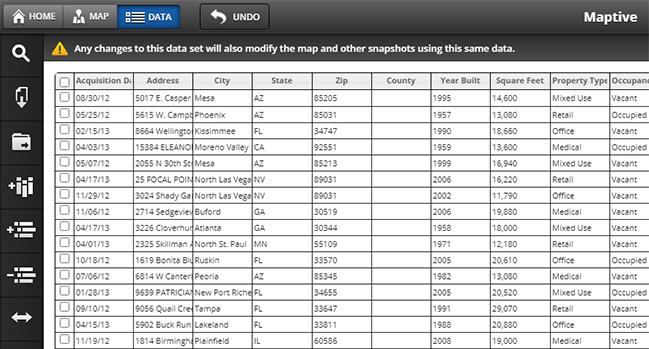
Can I create a Google map from an Excel spreadsheet?

Yes, Maptive can import data from Excel into a Google map. If you don’t have Excel, Maptive can create a map from numerous other spreadsheet programs. Maptive will create a custom Google map with multiple locations that can be edited, saved, and shared with others.

When you create a map from an Excel spreadsheet, Maptive displays all of your location-based data within the map marker bubbles. You will then be able to customize your Google map for publishing or sharing purposes or use our analytics tools to gain insights from your spreadsheet data.

Start by pasting your data into our free mapping software down at the bottom of this page or see a comparison of Maptive Free and Maptive Plus.

More about Maptive:

  • Maptive is a web-based service which means anytime/anywhere access to create and update your maps - no software to download or install.
  • Maptive is powered by Google, which offers unmatched global coverage, accuracy, and features such as Satellite and Street View.
  • Maptive is simple to use and share with others.  Create a Google map from an Excel spreadsheet by pasting right into Maptive and see your data on a map seconds later.

A new version of Maptive is coming on May 15th, 2013


Click here for more screenshots of Maptive 4

Filtering
Our most powerful analytical feature yet!  Filtering allows your data points to be viewed at multiple levels of granularity on a single map.  See relationships between data points while paring down heavy spreadsheet data to only what you want to see.

Map Views
Need to make a point or illustrate a finding? Now you can save and share custom versions or Map Views. You can filter, group, search, or create a proximity area around a specific location and save each Map View for easy sharing with others.

Multi-Point Driving Directions
Get more out of your day by mapping the most efficient route between multiple locations. Use the Proximity tool to show nearby locations, then click and add each location for optimized directions between multiple points.

More Ways to Customize Your Maps:
-  Toggle most map functions on/off: Directions, Proximity, Filtering, Grouping, Street View, Roads, etc.
-  Choose what data is available to users within map marker bubbles.
-  Set the initial starting point for your map and the zoom level.

Larger Datasets & Faster Map Performance
We redesigned Maptive 4 from the database up to help you map more data and work with it more efficiently.

Improved Export Options
Along with our other export options, we’ve adding an “Export Current View” option so that you can continue working outside of Maptive with only the data you need.

Create a free custom Google map below or Compare Maptive Free to Maptive Plus

What countries can I map in?

Maptive is powered by Google Maps which means you can map in over 200 countries!   Check out Google’s country list for a detailed breakdown of coverage types.

What location data is needed to make a map?

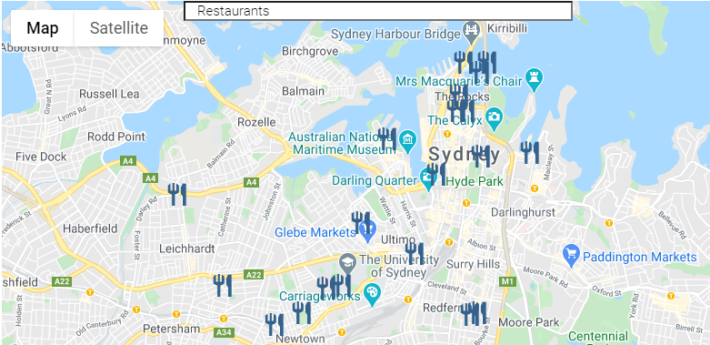
Our mapping software is powered by Google so you can use various types of location data to make a map including addresses, postal codes, or latitude and longitude information (geocodes).  You can map the addresses or include data with each location that can be shown in the map marker bubbles.

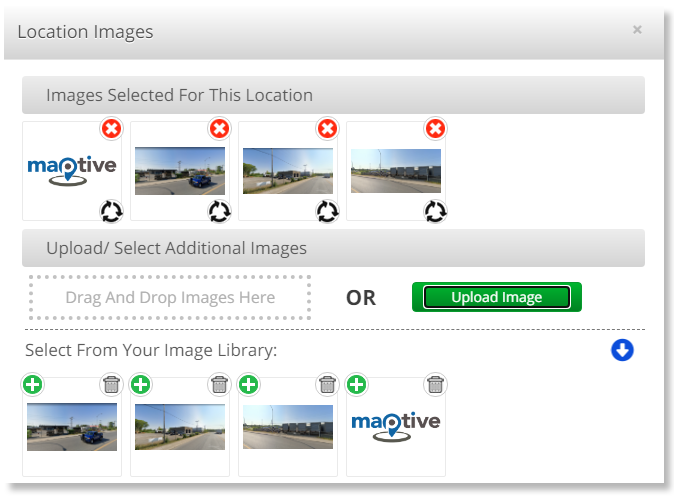
For further help with formatting, use our spreadsheet template which also shows how to add logos, links to websites and grouping of specific location types.

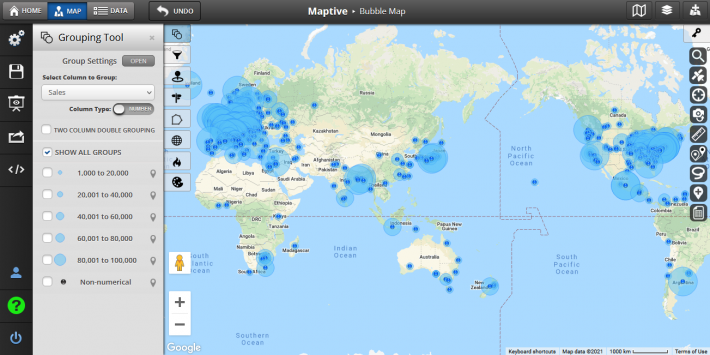
How can I group multiple locations on my map?

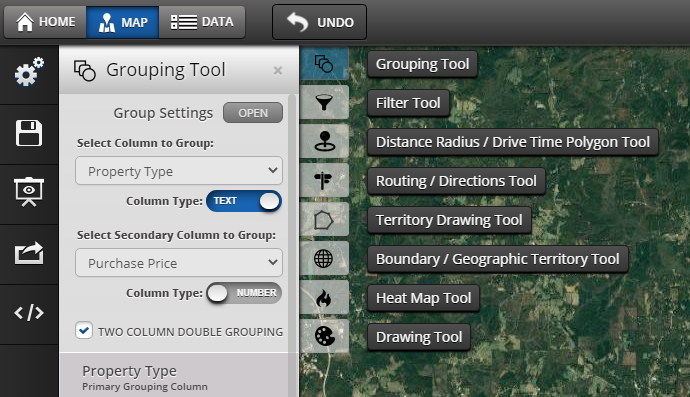
You can group multiple locations and any accompanying information by selecting the “Group By” drop-down menu under map settings on your map admin page. You can also add a new “Group By” column to your spreadsheet to visualize location types by your choosing.

For further help, see our spreadsheet template for help with formatting including how to link to an image and a website.

Can I map hundreds of locations?

Yes, Maptive Free can map 2,500 locations at a time on a custom Google map to be saved and shared.  For users that map hundreds of locations or map thousands of locations regularly, we created Maptive Plus.  Maptive Plus can map up to 100,000 locations and map them 10x faster than our Free mapping solution.  Maptive Plus also includes these added features:

  • Up to 100,000 locations per map & 10 X faster mapping
  • Group up to 200 location types
  • Login based access & SSL encryption
  • Internal deployments (behind a firewall)
  • Upload custom map markers
  • Hi-resolution printing
  • Export KML file for use with Google Earth
  • Measure distance from one to all locations
  • Additional map display options
  • Ticket/Email Support

Check out our comparison page for more information on pricing and discounts. or start mapping with Free down below!

Where can I find a feature list?

Compare Maptive Free and Maptive Plus here.

Can I filter my location data?

The current version of Maptive allows for grouping locations by any column in your spreadsheet.   It does this using one column of your spreadsheet and creates a map legend with clickable group names so that you may show relevant locations.    Check out our screenshots page for examples of how grouping works  Maptive 4, which will be released in the first quarter of 2013, will include a location data filtering tool, which will allow you to view data points at multiple levels of granularity on a single map or screen out elements of your data leaving only what is most helpful to you. Filters can be easily turned on and off to allow for a multitude of “views” into your data which can then be saved or shared with others.

Can I map thousands of locations?

Yes! Maptive Free can map up to 2,500 locations at a time. For users that need to map larger datasets and thousands of locations regularly, we created Maptive Plus.  Maptive Plus can map up to 100,000 locations and map them 10x faster than Maptive Free. Maptive Plus also includes these added features:

  • Up to 100,000 locations/map & 10x faster mapping
  • Group up to 200 location types
  • Login based access & SSL encryption
  • Internal deployments (behind a firewall)
  • Upload custom map markers
  • Hi-resolution printing
  • Export KML file for use with Google Earth
  • Measure distance from one to all locations
  • Additional map display options
  • Ticket / Email Support

Check out our comparison page for more information on pricing and discounts.

How do I group more than 6 location types?

Maptive Plus can group up to 200 location types.   Although Maptive Free and Maptive Plus share the same interface and many useful features, Maptive Plus users enjoy these additional features:

  • Group up to 200 location types
  • Up to 100,000 locations/map & 10x faster mapping
  • Login based access & SSL encryption
  • Internal deployments (behind a firewall)
  • Upload custom map markers
  • Hi-resolution printing
  • Export KML file for use with Google Earth
  • Measure distance from one to all locations
  • Additional map display options
  • Ticket / Email Support

Check out our comparison page for more information on pricing and discounts.

How can I remove the Maptive logo from my map? (Free)

Add a ‘powered by Maptive!‘ link on the bottom of your web page that contains an embedded Maptive map.  Send us the link and we’ll remove the Maptive logo from your map.

Following is the HTML code to add ‘powered by Maptive’ to your web page:

powered by <a href=”http://www.maptive.com”>Maptive!</a>

We also offer 3 free ways to receive a one-year Maptive Plus subscription (valued at $1,250.00):

  1. Write about us in your blog or other web publication with at least 1000 subscribers a month.
  2. Demo our solution to a group of at least of 15 professionals.
  3. Enter our monthly giveaway for a one-year Plus subscription each month.

Contact us here!

Can you tell me more about mapping customer locations?

Maptive’s Google-based mapping tool helps businesses map customer locations and work with any of the attached data. Maptive converts any location data right from a spreadsheet to a custom Google map that is editable and interactive and can be saved and shared with others. Maptive maps can incorporate any and all data contained in your Google or Excel spreadsheets – displaying all of your spreadsheet information in marker bubbles.

Sales & Marketing Tool

Maps of customer locations can reveal valuable information about the scope of your business and customer base – patterns, gaps, saturation, etc. – that can help focus your sales and advertising efforts.

Maps of customer locations can also be used by your sales team to show potential clients satisfied, nearby customers or to demonstrate a need for your product or service by revealing gaps in their region.

Route Planning for Visiting Multiple Customer Locations

Maps of customer locations can help your sales team get from one location to another by providing driving directions.

Soon, Maptive 4 (the newest version of our software) will provide even more powerful routing tools. Your sales team can use the “Proximity” tool to find customers located in the vicinity of a specific location.  Then use the “Multi-Point Driving Directions” tool to plan the fastest most efficient route between multiple locations. It can help them visit every customer in a certain area and get from one customer location to another quickly and efficiently.

Beyond Mapping Customer Locations to Customer Analytics

Maptive has countless applications in the business world – you are truly only limited by the quality of the data collected.

Imagine what you will be able to do with customer data that includes more than just names and addresses but details about your relationship with customers, their history, their desires for the future, and more. With quality customer data, you will be able to create maps that help you target precisely the right customer, help determine where each customer is in the sales cycle, what type of materials to send to whom, and so much more. With better quality data, Maptive can help you make better quality decisions.

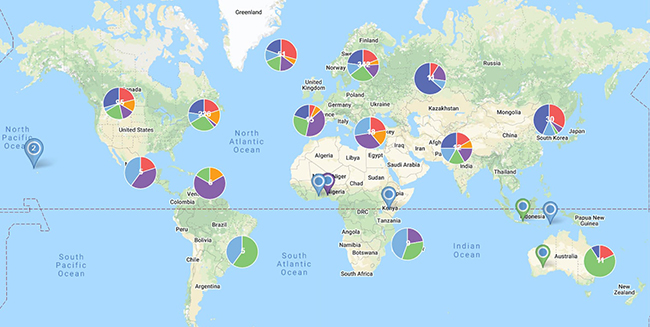
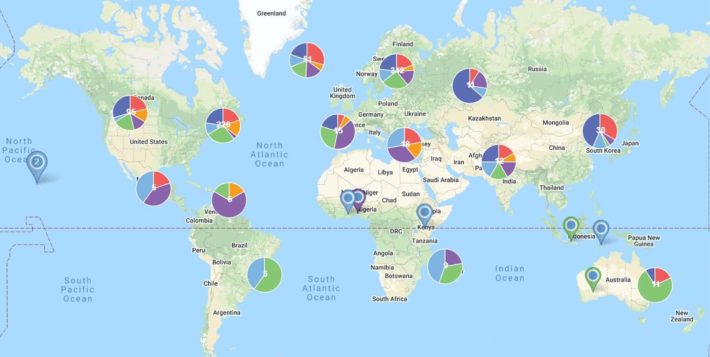
Maptive can quickly bring a large amount of spreadsheet data to life visually, especially with our grouping and filtering features. Grouping can help you understand the relationships between data. Filtering lets you to view data points at multiple levels of granularity on a single map or screen out elements of your data so you can view only what is most helpful to you. Filters can be easily turned on and off to allow for a multitude of “views” into your data which can then be saved or shared with others. Other tools, such as the option to cluster dense marker areas or cluster markers using pie charts support analysis by giving shape to complex data.

Maptive means that individuals will no longer have to rely on idiosyncratic methods of analysis to determine how to approach sales, marketing, etc. Now, teams can come together to analyze data productively and efficiently and make the right decisions for their business.

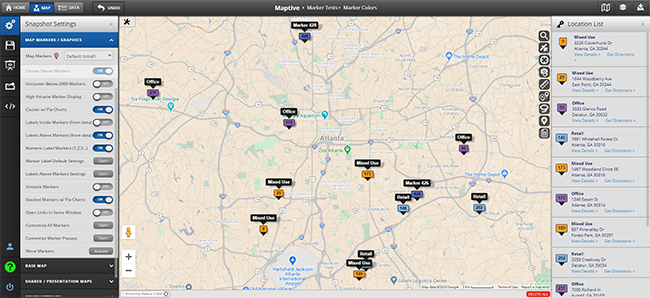
Are custom map markers available?

Five custom map markers (in sets of 30) are available on your map admin page.  These are in addition to Google’s map marker set.

Maptive map markers

You may also upload your own customer markers with Maptive Plus.


Can I use my own custom map markers?

Yes. You can upload your own custom map markers to be used with groups.  This feature is available on Maptive Plus.

Is my data safe?

We take privacy seriously.  We use RackSpace’s managed cloud services which are consistently ranked within the top 5 hosting providers worldwide.  We use API tokens for 3rd-party access and encrypt your password as a secure MD5 hash.  Maptive Plus users are also protected from eavesdroppers with 256-bit SSL encryption.

Is Maptive a good alternative to MapPoint?

In many cases, yes! Here are some differences that might make Maptive a good alternative to MapPoint:

  • Maptive is a web-based service which means anytime / anywhere access to create and update your maps - no software to download or install.
  • Maptive is powered by Google, which offers unmatched global coverage (not restricted only to the US, Canada, & Mexico), accuracy, and features such as Satellite and Street View.
  • Maptive is simple to use and share with others.  Paste your spreadsheet or table data directly into Maptive, and start seeing a map seconds later.

A new version of Maptive is coming on May 15th, 2013

Click here for more screenshots of Maptive 4

Filtering
Our most powerful analytical feature yet!  Filtering allows your data points to be viewed at multiple levels of granularity on a single map.  See relationships between data points while paring down heavy spreadsheet data to only what you want to see.

Map Views
Need to make a point or illustrate a finding? Now you can save and share custom versions or Map Views. You can filter, group, search, or create a proximity area around a specific location and save each Map View for easy sharing with others.

Multi-Point Driving Directions
Get more out of your day by mapping the most efficient route between multiple locations. Use the Proximity tool to show nearby locations, then click and add each location for optimized directions between multiple points.

More Ways to Customize Your Maps:
-  Toggle most map functions on/off: Directions, Proximity, Filtering, Grouping, Street View, Roads, etc.
-  Choose what data is available to users within map marker bubbles.
-  Set the initial starting point for your map and the zoom level.

Larger Datasets & Faster Map Performance
We redesigned Maptive 4 from the database up to help you map more data and work with it more efficiently.

Improved Export Options
Along with our other export options, we’ve adding an “Export Current View” option so that you can continue working outside of Maptive with only the data you need.

Create a free custom Google map below or Compare Maptive Free to Maptive Plus.

More about Maptive.

More about MapPoint.


Will my maps expire? (Free)

Maps remain active indefinitely, as long as the map admin page is accessed at least once every 365 days.

How do I delete my maps?

You can delete your maps at any time from your map admin page.

Is this mapping software?

Maptive is a web-based mapping software tool that lets you create and manage custom maps anytime /anywhere. Because our mapping service is web-based, there’s no software to download, no CDs to install, and no long waits for bug fixes or new version releases.

The free version of our mapping software (Maptive Free) is perfect for those who are mapping less sensitive data, need fewer security measures, or are working with fewer addresses and smaller datasets. Maptive Free will satisfy those who want to include a map on their public-facing website, alongside a news story or blog entry, or to use it for business analytics.

Our free maps offer the following capabilities and features:

  • Map 1 address/second *
  • 2,500 addresses/map
  • Map 2,500 addresses/day *
  • 5 reusable maps
  • Group up to 6 address types
  • Directions, Street View, and Proximity Search

For larger datasets, faster mapping, and more security compare to Maptive Plus, the enterprise version of our mapping software.

What does ‘reusable’ mean?

Both Maptive Free and Maptive Plus come with 5 reusable maps (more maps can be enabled after purchase in your Maptive Plus account).  Each map has its own unique URL and can be managed, updated, and published independently. This means that a map of store locations can be embedded in your public website, while another map showing sales by customer can be published internally (feature available on Maptive Plus) for your salesforce.  When you are done with a map, you can simply upload new data and create a new map.

Can I do reverse geocoding to a Google map?

Yes! For reverse geocoding, simply paste latitude and longitude data directly into our mapping service. Match up the lat / long columns with the drop-down menu, then start reverse geocoding and quickly see addresses plot to a custom Google map.

Where are you hosted?

We use RackSpace’s managed cloud services, which are consistently ranked in the top 5 hosting providers worldwide.

Can I host Maptive maps on my own server?

Not at this time. Currently we’re focused on perfecting our solution as a web service.

Can I make maps directly from a database?

Not at this time, but making maps by linking to a database or using an API is a feature we are considering.

Can I hire your team to do custom work?

Maptive is no longer a custom development shop as our focus has shifted to improvements that benefit the majority of our users.  With this in mind, please do feel free to send feature requests here.

Can I export my location data to Google Earth?

Yes. Our Maptive Plus maps include a “Download Google Earth KML” feature for use with Google Earth.

I’m having trouble importing location data to a map.

Be sure that:

  • Your data is in a tabulated format, such as an Excel or Google spreadsheet.
  • The first row of your spreadsheet contains a name for each column.
  • If you’re still having trouble importing location data to a map, check our Excel spreadsheet template.

What is geocoding?

Geocoding is the process of converting an address into geographic coordinates. Take the following conversion, for example:

1600 Amphitheatre Parkway, Mountain View, CA
becomes
latitude 37.423021 / longitude -122.083739

I don’t see my question here. What can I do?

Use our form here or call Casey out in California at 1-808-840-3896.

View category →

3. Pricing & Discounts

Should I use Free or Maptive Plus?

Maptive is available in two versions: Free and Maptive Plus. Maptive Plus is the enterprise-level edition of our mapping software and is available as a subscription-based service.

Maptive Free
The Free version of our mapping software is perfect for those who are mapping less sensitive data fewer security concerns and those working with fewer addresses and smaller datasets. Our Free version will satisfy those who want to include an embedded map on any public-facing website, such as a news story or blog entry.

Our Free mapping software offers the following capabilities and features:

  • Map 1 address/second *
  • 2,500 addresses/map
  • Map 250 addresses/day *
  • 5 reusable maps
  • Group up to 6 address types
  • Directions, Street View, and Proximity Search

* Usage limits per Google Maps Terms of Service

Maptive Plus
Maptive Plus is well suited for more enterprising needs – more security options and the ability to map larger datasets are two strong features. Maptive Plus’ data analysis and greater customization options are built to satisfy the mapping needs of corporate, academic, research, and non-profit environments.

Maptive Plus offers the following capabilities and features:

  • 10x faster mapping speed than our Free version
  • 100,000 addresses/map
  • Map 500,000 addresses/month
  • 5 reusable maps
  • Group up to 200 address types
  • Directions, Street View, and Proximity Search
  • Hi-resolution printing / Distance calculator
  • Internal deployments (behind a firewall)
  • Login based access & SSL encryption
  • Upload custom map markers
  • Export KML file for use with Google Earth
  • Additional map display options
  • Ticket/Email Support

How much does Plus cost?

A yearly subscription to Maptive Plus is priced at $1,250.00 and can be purchased here.  We also offer discounted pricing in many cases. Find out more about discounted pricing in the FAQ questions below.

Can I give Maptive Plus a trial run?

In most cases, yes!  We can get you set up over here.

Can I get Plus for Free?

Yes!  We currently offer 3 free ways to receive a one-year Maptive Plus subscription (valued at $1,250.00):

Write about us in your blog or other web publication with at least 1000 subscribers a month.

Demo our solution to a group of at least of 15 professionals.

Enter our monthly giveaway for a one-year Plus subscription each month.  Just tell us how our mapping solution would benefit you and we’ll notify you near the end of the month if you’ve won.  We publish each winner’s story on our blog, so make it great.

Use our contact form and be sure to include a link to your blog post, press review, information about your presentation, or your company for the monthly giveaway.

What payment methods do you accept?

We accept all major credit cards, PayPal, and check.  Purchase directly or call Casey out in California at 1-808-840-3896.  You can also contact us about a trial or purchase here.

Can I pay with my credit card and start mapping now?

Yes, you can purchase Maptive Plus through our secured storefront here.  After successful payment, you’ll immediately receive a link to your maps by email.

Discounts for ‘do gooders’ (non-profits, academia, NGOs, etc.)?

Yes! ‘Do-gooders’ of any sort (non-profits, social charities, schools, students, NGOs, open-source contributors, you get the idea!) can purchase Maptive Plus at a 30% discount.  Just include a short blurb about how our service would benefit you when signing up!

Discounts for multiple subscriptions?

Yes!  Give Casey a call out in California at 1-808-840-3896 or ask about it on our purchase page here.

Do you offer monthly pricing?

Not at this time, but we are considering it.  Please let us know your interest here.

Before I make my purchase, I have a few other questions.

Call us at 1-808-840-3896 or contact us through our purchase page.  We’ll get back to you quickly!

View category →

4. Best Practices

What is Maptive?

Maptive is a web-based mapping tool that converts spreadsheet data into a custom Google map that is editable and interactive and can be saved and shared with others. Maptive can create a map from any data that contains multiple addresses or latitude-longitude coordinates. Maptive Plus can handle extremely large amounts of data (up to 100,000 addresses) and maps data very quickly (10 addresses/second).

Maptive maps can incorporate much more than just locations. They can include any and all data contained in your Google or Excel spreadsheets, and they will display all of your spreadsheet information in map bubbles. You can also use any data in your spreadsheet for grouping and filtering.

Maptive’s interface allows first-time users to create a map in two simple steps:

  1. Copy and paste or upload a spreadsheet containing address-based data. (Maptive works with both Excel and Google spreadsheets.)
  2. Verify that the data fields are correct – these are most often determined automatically by Maptive.

Once verified, Maptive finds the latitude and longitude of each record using Google maps. As soon as that process is complete, you have a map displaying all of your locations and containing all of your spreadsheet data. You can use the map as is or customize it by adjusting any of Maptive’s display settings.

Maptive is available in two versions: Free and Maptive Plus. Maptive Plus is the enterprise-level edition of our mapping software and is available as a subscription-based service.

What can I use Maptive for?

Interpret Data
When your spreadsheet or table data is mapped, you will be able to see what was once complex, whether you are a business person, a researcher, an academic, or involved in the non-profit or NGO sector.  Seeing your location-based data represented on a map and being able to work with it in real time can be one of the fastest ways to gain insight into a problem. It can help you see where the most or least market penetration is, where a health related outbreak occurred, what factors the outbreaks have in common, or the ways in which communities are affected by the presence of a non-profit.

Illustrate a Point
Maptive can help you explain the meaning of complicated data by representing it visually on a map. You can use Maptive’s customized Google maps to present findings to colleagues, to illustrate your point in publications, and to help students learn. You can use Maptive in live presentations or to create maps for use in offline presentations to help land clients, make business decisions, or show the coverage of internationally based projects in the case of a specific NGO.

More…


Can I create a Google map from an Excel spreadsheet?

Yes, Maptive can import data from Excel into a Google map. If you don’t have Excel, Maptive can create a map from numerous other spreadsheet programs. Maptive will create a custom Google map with multiple locations that can be edited, saved, and shared with others.

When you create a map from an Excel spreadsheet, Maptive displays all of your location-based data within the map marker bubbles. You will then be able to customize your Google map for publishing or sharing purposes or use our analytics tools to gain insights from your spreadsheet data.

Start by pasting your data into our free mapping software down at the bottom of this page or see a comparison of Maptive Free and Maptive Plus.

More about Maptive:

  • Maptive is a web-based service which means anytime/anywhere access to create and update your maps - no software to download or install.
  • Maptive is powered by Google, which offers unmatched global coverage, accuracy, and features such as Satellite and Street View.
  • Maptive is simple to use and share with others.  Create a Google map from an Excel spreadsheet by pasting right into Maptive and see your data on a map seconds later.

A new version of Maptive is coming on May 15th, 2013


Click here for more screenshots of Maptive 4

Filtering
Our most powerful analytical feature yet!  Filtering allows your data points to be viewed at multiple levels of granularity on a single map.  See relationships between data points while paring down heavy spreadsheet data to only what you want to see.

Map Views
Need to make a point or illustrate a finding? Now you can save and share custom versions or Map Views. You can filter, group, search, or create a proximity area around a specific location and save each Map View for easy sharing with others.

Multi-Point Driving Directions
Get more out of your day by mapping the most efficient route between multiple locations. Use the Proximity tool to show nearby locations, then click and add each location for optimized directions between multiple points.

More Ways to Customize Your Maps:
-  Toggle most map functions on/off: Directions, Proximity, Filtering, Grouping, Street View, Roads, etc.
-  Choose what data is available to users within map marker bubbles.
-  Set the initial starting point for your map and the zoom level.

Larger Datasets & Faster Map Performance
We redesigned Maptive 4 from the database up to help you map more data and work with it more efficiently.

Improved Export Options
Along with our other export options, we’ve adding an “Export Current View” option so that you can continue working outside of Maptive with only the data you need.

Create a free custom Google map below or Compare Maptive Free to Maptive Plus

What location data is needed to make a map?

Our mapping software is powered by Google so you can use various types of location data to make a map including addresses, postal codes, or latitude and longitude information (geocodes).  You can map the addresses or include data with each location that can be shown in the map marker bubbles.

For further help with formatting, use our spreadsheet template which also shows how to add logos, links to websites and grouping of specific location types.

How can I group multiple locations on my map?

You can group multiple locations and any accompanying information by selecting the “Group By” drop-down menu under map settings on your map admin page. You can also add a new “Group By” column to your spreadsheet to visualize location types by your choosing.

For further help, see our spreadsheet template for help with formatting including how to link to an image and a website.

I can’t find the link to my maps.

Maptive Free users:  Recover the link to your maps by entering your email address here.

Maptive Plus users:  Login in or recover your password here.

Do you have an Excel template file for help with formatting?

Yes.  Our spreadsheet template also shows how to add logos and groups.

How can I print areas of my map in high resolution?

Plus maps print at 2048 x 2048 pixel resolution, while Free maps print at 1024 x 1024 resolution.

To print:  Enable printing from your map admin page.  A print icon will appear in the upper left corner of your map.  Click the printer icon, select the area of the map you would like to print and choose SAVE AS PDF or SAVE AS PNG (image file).  The image file will be saved to your computer.

What’s the fastest browser for editing my maps?

Maptive runs best on Chrome, Firefox, Safari and Internet Explorer, in that order. If you must use Internet Explorer, you may want to try the Chrome Plugin for IE for better performance.

How do I delete my maps?

You can delete your maps at any time from your map admin page.

Can I do reverse geocoding to a Google map?

Yes! For reverse geocoding, simply paste latitude and longitude data directly into our mapping service. Match up the lat / long columns with the drop-down menu, then start reverse geocoding and quickly see addresses plot to a custom Google map.

I’m having trouble importing location data to a map.

Be sure that:

  • Your data is in a tabulated format, such as an Excel or Google spreadsheet.
  • The first row of your spreadsheet contains a name for each column.
  • If you’re still having trouble importing location data to a map, check our Excel spreadsheet template.
View category →

Paste from your spreadsheet or try our sample data

FREE! START MAPPING >

No credit cards or expirations.