


Maptive vs Competitors: The Benefits of Choosing Maptive
If you’ve spent hours trying to make sense of clumsy mapping software, you know the frustration. Long wait times, confusing buttons, and endless import errors slow you down when you need quick, accurate answers. Maptive addresses these pains with an interface built for speed and reliability, everything you need to keep moving, without getting lost in menus.
Maptive vs Maptitude
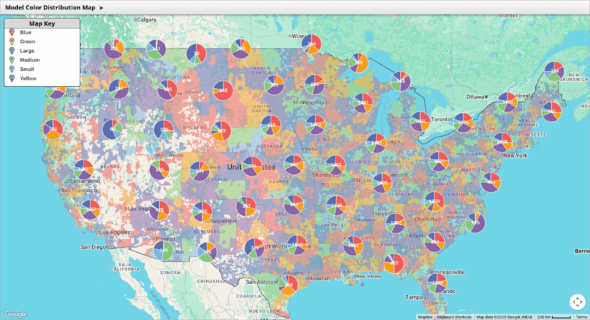
Compare Maptive with Maptitude to learn what to expect. Maptive removes the need for installs, works on any device, and is easier to use. Teams can map data quickly and share results, with no complicated setup or long wait times.
Maptive vs CARTO
See how Maptive compares to CARTO. Expect faster performance, easier setup, and no hidden costs. Handle large datasets, get quick support, and skip complicated features. Maptive helps your team map and share data without extra steps or delays.
Maptive vs QGIS
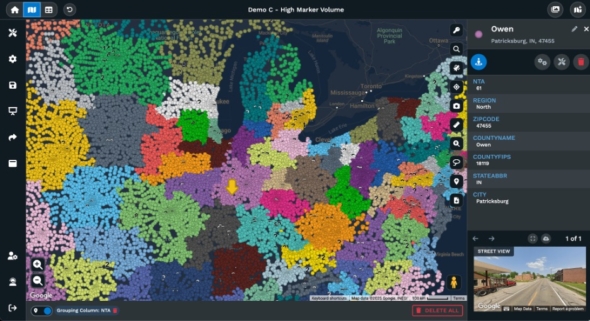
Maptive is easier and more reliable than QGIS. No downloads, no plugins, and no steep learning curve. Start mapping in minutes from your browser, share live updates, and get help when you need it. Teams save time and avoid common QGIS headaches.
Maptive vs Mapline
Maptive is a better choice than Mapline for mapping. Expect smoother uploads, more features, and reliable address plotting. Avoid limits on map size, get flexible sharing, and access built-in tools for analysis without paying extra or struggling with a slow interface.
Maptive vs Mango GIS
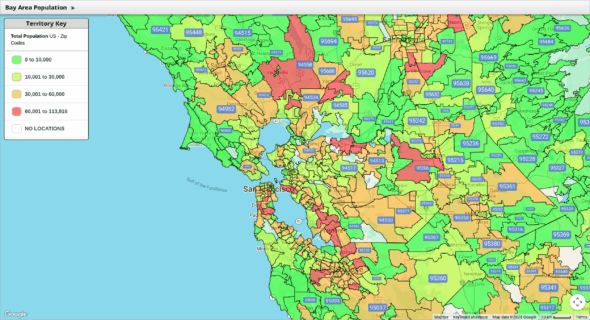
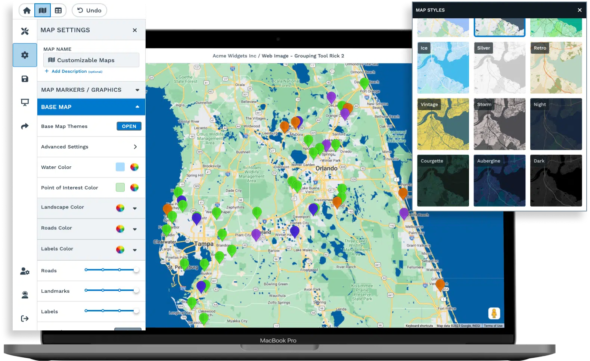
If you’ve hit the limits of Mango Maps, see what you can do with Maptive. Create detailed business maps, handle bigger data, and get real support when you need it. Explore better features and smoother sharing that help your team work smarter.
Maptive vs ArcGIS
Maptive offers a simpler, faster alternative to ArcGIS. It works in your browser, handles large datasets without lag, and has clear pricing. All features are included, support is quick, and teams can start mapping in minutes, no training needed.
Maptive vs eSpatial
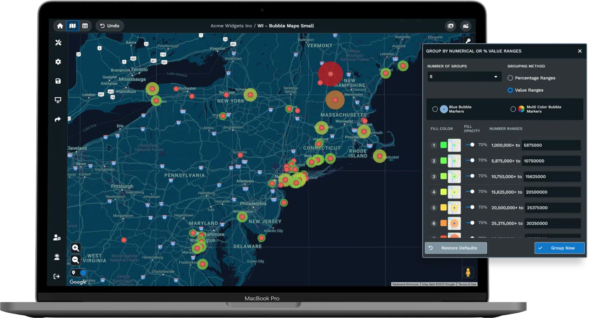
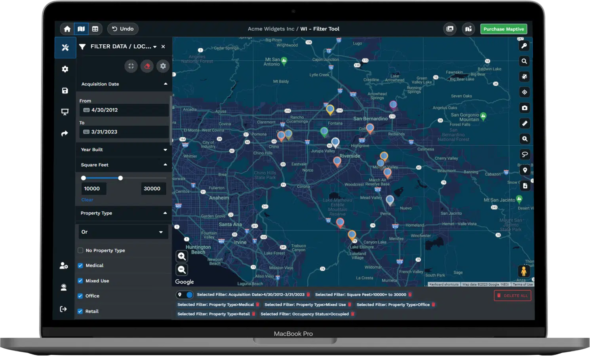
Maptive is a faster, simpler eSpatial alternative. It manages large datasets smoothly, has a clear interface, and includes all mapping tools in one price. Support is responsive, sharing is easy, and teams can start working without extra training or surprise fees.
Maptive vs Mapbox
Maptive delivers faster, more reliable mapping than Mapbox, with no coding required and transparent pricing. It handles large datasets without freezing, keeps your data private, and includes every feature in every plan. Share securely, customize maps, and get live expert support, without the outages, hidden fees, or setup headaches common with Mapbox.
Maptive vs Smappen
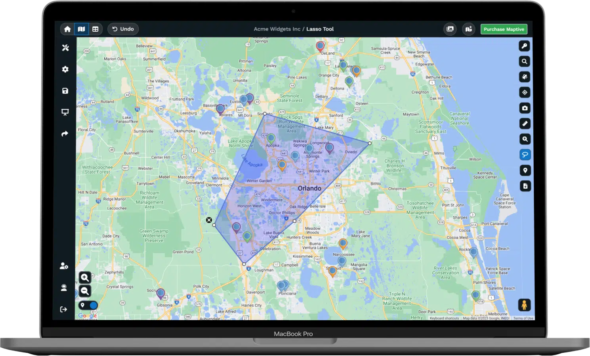
Maptive outperforms Smappen with global coverage, accurate data, and all features included in every plan. Upload large datasets instantly, create routes, manage territories, and customize maps without hidden fees or missing tools. Get fast, personal support by phone, chat, or email, and keep projects moving with reliable, full-featured mapping for any location.
Maptive vs RouteXL
Maptive removes the limits that slow RouteXL and similar tools. Handle hundreds of stops, import large lists, and share routes without errors or slowdowns. Fast support, flexible editing, and clear pricing keep growth simple.
Maptive vs ArcGIS vs CARTO
| Feature | Maptive | ArcGIS | CARTO |
|---|---|---|---|
| Ease of Use | Your sales team can start mapping immediately. Upload a spreadsheet and see your data on a map within minutes. No training sessions or technical manuals required. | Complex, requires specialist training. | Needs training |
| Business Focus | Every feature serves a business purpose. Draw sales territories, plan routes, analyze customer demographics, and create presentations. No complex GIS training needed. | Focused on professional GIS/scientific use, less on business applications. | Strong analytics, but oriented to data science/enterprise. |
| Max Data Size | Handle your entire customer database on one map. Import 100,000 locations and they appear instantly. Google Maps keeps everything running smoothly. | Handles massive data but slow and resource-heavy. | Reported issues with very large datasets and slow rendering. |
| Custom Branding | Add your company logo and brand colors with a few clicks. Change marker styles to match your brand. Export professional maps for client presentations. | Advanced, but requires expertise. | Advanced customization possible, but setup can be complex. |
| Collaboration | Send a link to share your map instantly. Embed maps on your website or export as images. Set permissions to control who sees what data. | Cloud collaboration possible, but setup is technical. | Cloud-based, but integration with other tools can be tough. |
| Support | Real people answer your questions right away. Call, chat, or email and get help from someone who knows the software. G2 users rate our support 9.7 out of 10. | Large company, but slow and complex support. | Mixed reviews, support/documentation gaps. |
| Integrations | Connect your existing spreadsheets and databases. Works with Excel, Google Sheets, and CSV files. API available for custom connections. | Many APIs, but technical to implement. | Integrates with enterprise data sources, setup can be tricky. |
| Pricing | See exactly what you pay upfront. Start small and scale up as your team grows. Test everything with a free trial before you buy. | Expensive, especially for business/enterprise use. | Expensive, enterprise focus, pricing not transparent. |
Maptive vs Mapbox vs Mapline vs eSpatial
| Feature | Maptive | Mapbox | Mapline | eSpatial |
|---|---|---|---|---|
| Ease of Use | Built for business users, not developers. Drop in your customer list and get mapping. Your marketing team will have it figured out in 10 minutes. | Geared for developers, not business end-users. | Steep learning curve for non-GIS users. | Takes time to learn, not always obvious. |
| Business Focus | Everything you need for sales and marketing mapping comes ready to use. Territory planning, route optimization, and demographic analysis work immediately. | Customizable for devs; not packaged for business use. | Simple business tools, but limited in depth. | Territory tools, CRM sync, but not as business-oriented as Maptive. |
| Max Data Size | Map your entire prospect database without slowdowns. We handle 100,000 points while staying fast. Google Maps infrastructure keeps performance steady. | Performance drops with high volume (1,000+ points). | Capped at 15,000 points per map. | Adequate for typical use, brief slowdowns with large data. |
| Custom Branding | Make maps that look like your company made them. Upload your logo, pick your colors, and customize markers. Perfect for client presentations and websites. | Full API-level control for developers. | Limited customization. | Customization exists, but not as user-friendly. |
| Collaboration | Your whole team can access the same maps from anywhere. Share with clients using a simple link. Export to PDF or embed on your company website. | Share via API or build custom workflows. | Cloud-only, basic sharing. | Web/cloud-based sharing, some CRM integration. |
| Support | Get help from actual people who understand your business needs. We answer emails the same day and pick up the phone when you call. | Dev/community forums. | Basic email/docs, not always responsive. | Some phone/CRM support, not always quick. |
| Integrations | Your data connects without coding. Upload from Excel, Google Sheets, or your CRM. Our API lets you automate updates when you need them. | API-first for advanced builds. | Works best with Excel. | CRM integration (Salesforce), can have hiccups. |
| Pricing | Know your costs from day one. Plans fit growing businesses without surprise fees. Start with a free trial to see if it works for your team. | Usage-based, gets expensive quickly. | Affordable for small teams, but limited in value. | Mid-range, annual contracts. |
Maptive vs QGIS vs Maptitude vs Mango Maps
| Feature | Maptive | QGIS | Maptitude | Mango Maps |
|---|---|---|---|---|
| Ease of Use | Log in and start working immediately. No software downloads or IT setup required. Works the same way on your laptop, tablet, or phone. | Requires technical background, confusing for new users. | Requires technical background | Simple, but limited—advanced users find it "too basic." |
| Business Focus | Designed specifically for business teams who need practical mapping tools. Territory management, customer analysis, and route planning work without technical training. | Powerful but complex, not packaged for business tasks. | Rich tools, but more for technical analysis than business. | Designed for basic maps, not business analysis. |
| Max Data Size | Cloud infrastructure handles massive datasets smoothly. Import 100,000 locations and they appear instantly. No crashes or memory issues to worry about. | Handles large datasets but prone to lag and crashes. | Handles big data, but processing can be slow. | Performance drops with complex/large maps. |
| Custom Branding | Professional customization without technical complexity. Change colors, add logos, and style markers using simple menus. Export publication-ready maps instantly. | Full styling, but not simple for end-users. | Moderate, but with a dated interface. | Few customization options. |
| Collaboration | Modern collaboration happens automatically. Everyone sees updates in real time. Share maps instantly or control access with permissions. | Open source; relies on manual sharing. | No cloud; sharing requires file transfer. | Basic sharing, only top plans have live support. |
| Support | Professional support included with every plan. Our team helps you import data, create territories, and train your staff. No forum searches required. | Community-driven support, no official help. | Mixed, some out-of-date documentation. | Good for top-tier plans, basic for lower plans. |
| Integrations | Modern data connections work seamlessly. Import from cloud tools like Google Sheets or connect databases through our API. No manual file transfers needed. | Wide range via plugins (manual setup). | Weak integration with modern/cloud tools. | No API, very limited integrations. |
| Pricing | Simple subscription pricing with no license management. Pay monthly or annually. Everything updates automatically without extra costs. | Free, open source. | Perpetual license, affordable but old-school. | Affordable, but higher tiers needed for business use. |
| Platform Access | Access your maps from any device with internet. No software installations, license keys, or Windows requirements. Your data stays current automatically. | Desktop software requiring installation and technical setup. | Windows desktop only. Mac users need workarounds. | Cloud-based but limited advanced features. |
Stop Wasting Time on Complicated Mapping Tools
Most mapping tools force you to learn technical steps before you get any results. Trying to import data or find simple features can leave you stuck, risking wasted effort and missed deadlines.
Maptive does not put up roadblocks, a practical layout and step-by-step controls let anyone upload data and build maps in minutes. Real people with no technical background find what they need without digging through endless menus.
Get More from Your Data Without Extra Work
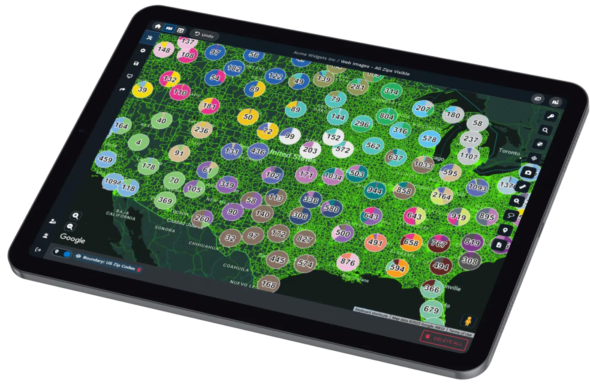
Growing datasets no longer mean more manual work. With Maptive, you can upload files from Excel, CSV, or Google Sheets in seconds, no matter how large. See every location and trend at a glance, so you stop sorting raw data by hand.
Maptive takes the busywork out of mapping, making insights available as soon as you import your data.
Build Smarter Territories and Sales Plans
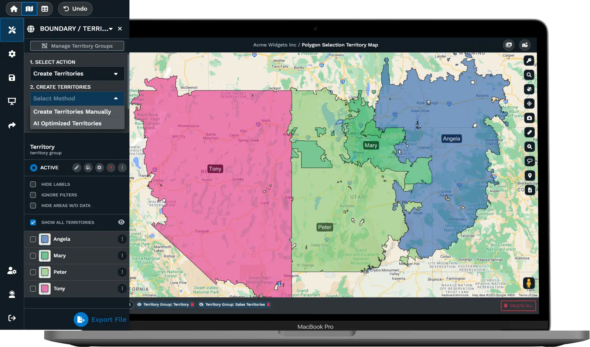
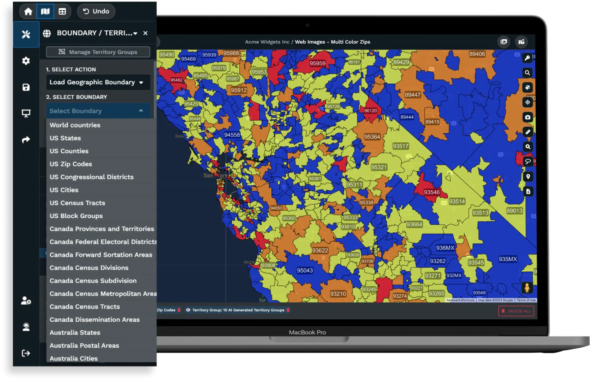
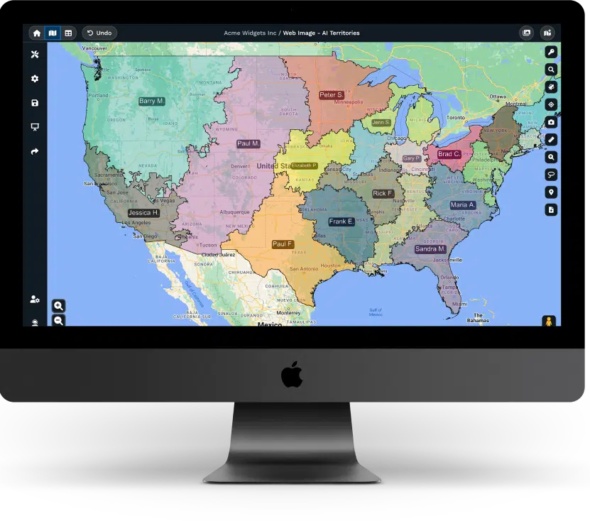
Planning sales regions by hand often leads to overlap, confusion, or unbalanced coverage. With Maptive’s territory tools, you can quickly draw, split, and merge areas on the map, even as customer and sales data change.
Overlay extra information, like demographic profiles or past sales, so your plans target the right places every time, helping you avoid gaps or wasted effort.
Plan Efficient Routes and Cut Costs
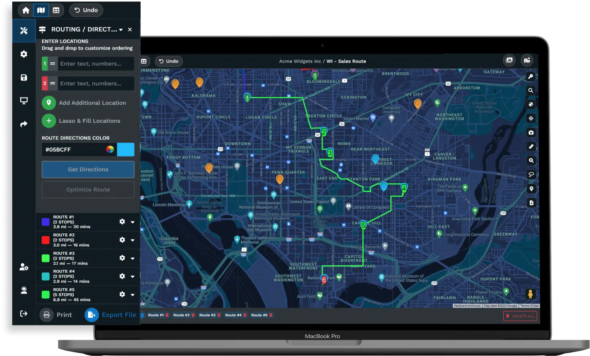
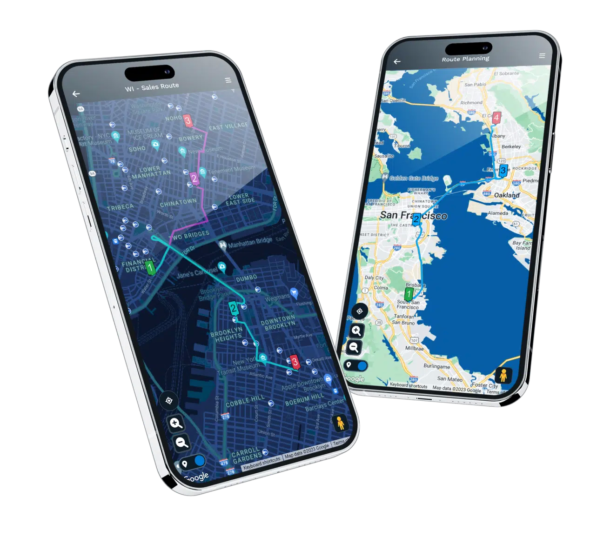
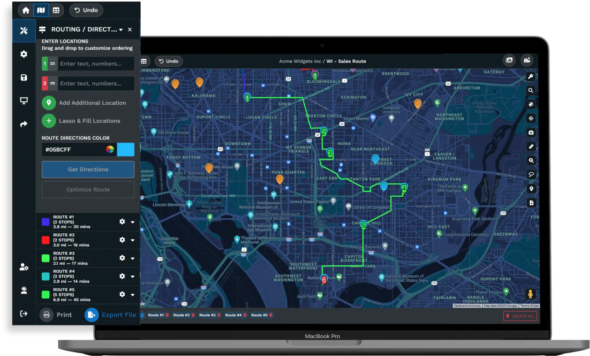
Route planning has a bad reputation for draining time. Manual tools expect you to enter stops one by one, then recalculate every time your list changes. Maptive’s route tools automatically order up to 100 stops by fastest travel time, factoring in traffic and service windows if needed.
Save hours previously wasted on manual updates, and help your teams cut fuel and travel costs across every route.
Share Maps and Insights with Zero Friction
Sending static map screenshots or waiting for IT to set up sharing slows everyone down. Maptive allows instant sharing, send a secure link to teammates, embed maps on web pages, or export high-res images for reports.
Everyone views or comments on the latest data, while you skip the hassles of locked-down software and outdated files.
Location Intelligence Made Simple
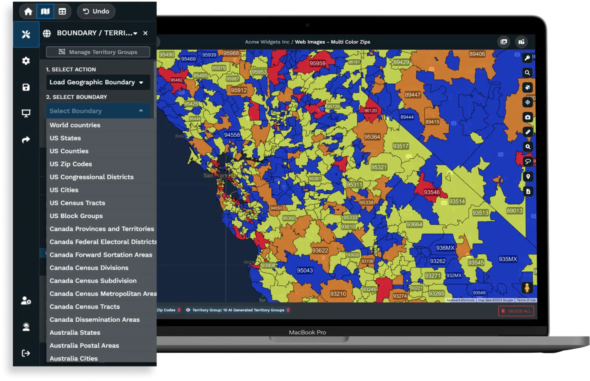
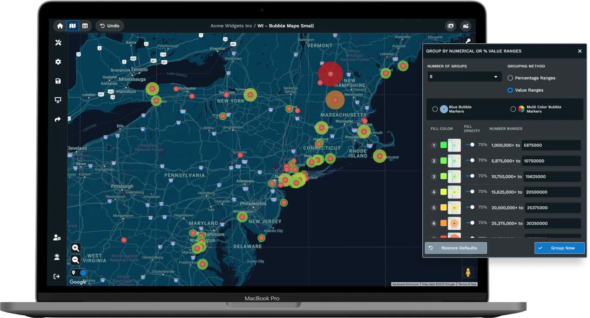
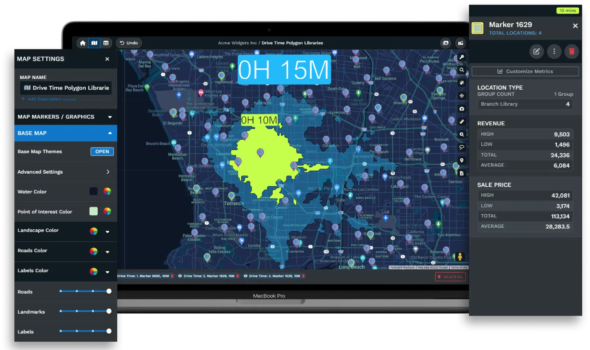
Mapping should help you spot answers, not add confusion. Maptive features tools like heat mapping, demographic layers, and radius searches, each designed to reveal trends and highlight opportunities fast.
These visual tools are ready for anyone to try, without special training. Make every decision clearer, whether you’re mapping prospects or reviewing coverage areas.
Why Businesses Trust Maptive for Everyday Decisions
Reviews from companies on Capterra, G2, and Gartner report teams finishing mapping tasks up to 40% faster than before. Staff with no technical skills handle new territory setups, map reviews, and sales planning with the same ease as analysts or IT.
Overlay extra information, like demographic profiles or past sales, so your plans target the right places every time, helping you avoid gaps or wasted effort.

Personalized, Responsive Support Whenever You Need It
Getting started with new tools can raise questions, Maptive does not leave anyone to figure things out alone. Live chat, email, and phone support channels are open, and users get personal walkthroughs, onboarding help, and clear training material.
Problems get resolved without delay, and anyone can request help with custom features or unique workflows.
Maptive’s Features Built for Results

Fast Map Creation
Upload your data and build interactive maps in seconds, no GIS skills required

Advanced Analytics Tools
Use territory mapping, heat maps, and demographics for smarter planning

Flexible Data Imports
Handle Excel, CSV, Google Sheets, or API data, up to 100,000 locations

Customizable Maps
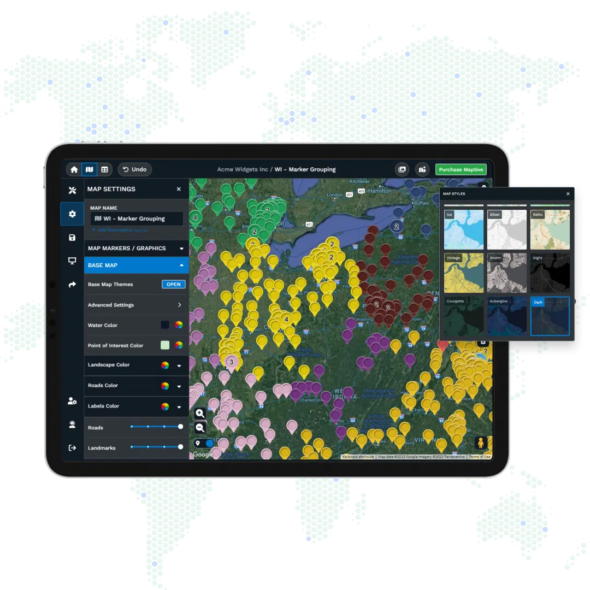
Brand your maps with company colors, custom icons, and labels

Effortless Sharing
Share with a link, embed, or export high-resolution images for reports
Proven Reliability
Google Maps technology for fast loading and accurate locations
Start Using Maptive, No Friction, No Hidden Steps
Sign up for Maptive takes only a moment. No credit card needed, no waiting. With friendly support available right away, you will see your data mapped and actionable within minutes. There is nothing slowing you down at any step.










